Kennisbank
1.000 veelgestelde vragen, 500 tutorials en uitlegvideo's. Hier vind je alleen maar oplossingen!
Het wachtwoord wijzigen in Thunderbird
Deze handleiding legt uit hoe u het wachtwoord van een e-mailadres op uw apparaat kunt bijwerken nadat u dit via een Infomaniak-e-maildienst hebt gewijzigd.
Inleiding
- Er kan een algemeen hoofdwachtwoord zijn ingesteld; raadpleeg de officiële Mozilla-documentatie voor meer informatie.
Toegang tot het wachtwoordmenu
Hiervoor:
- Open de Thunderbird-e-mailclient.
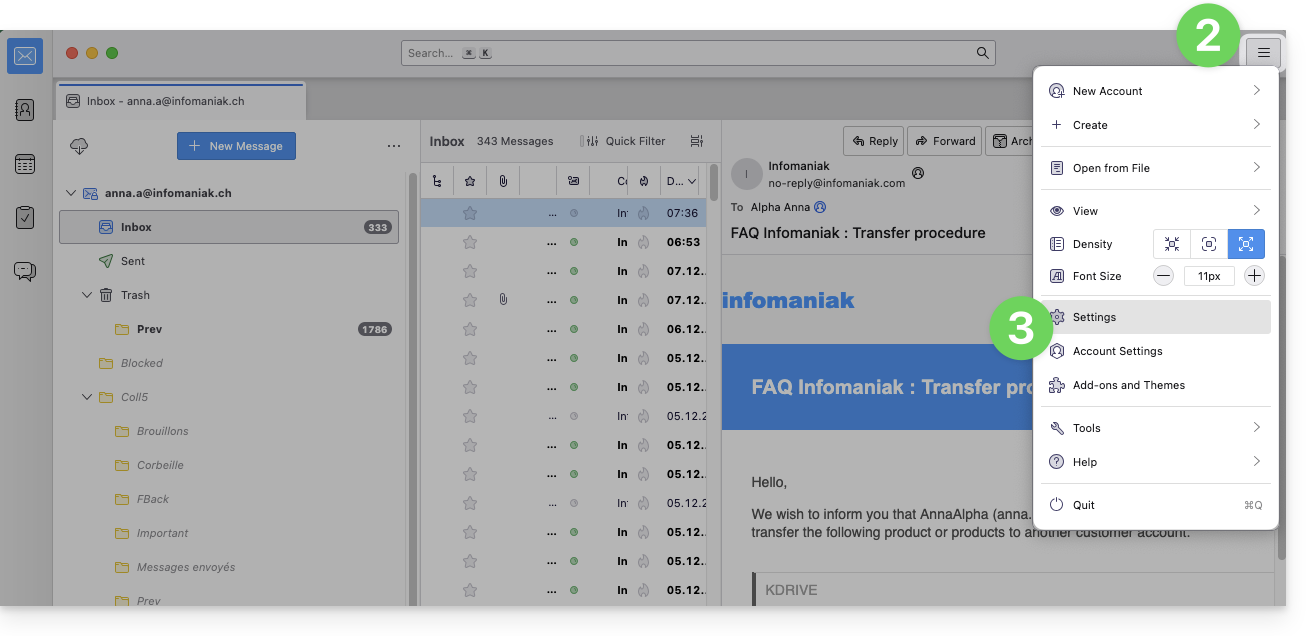
- Klik rechtsboven op het menupictogram.
- Klik op Instellingen:
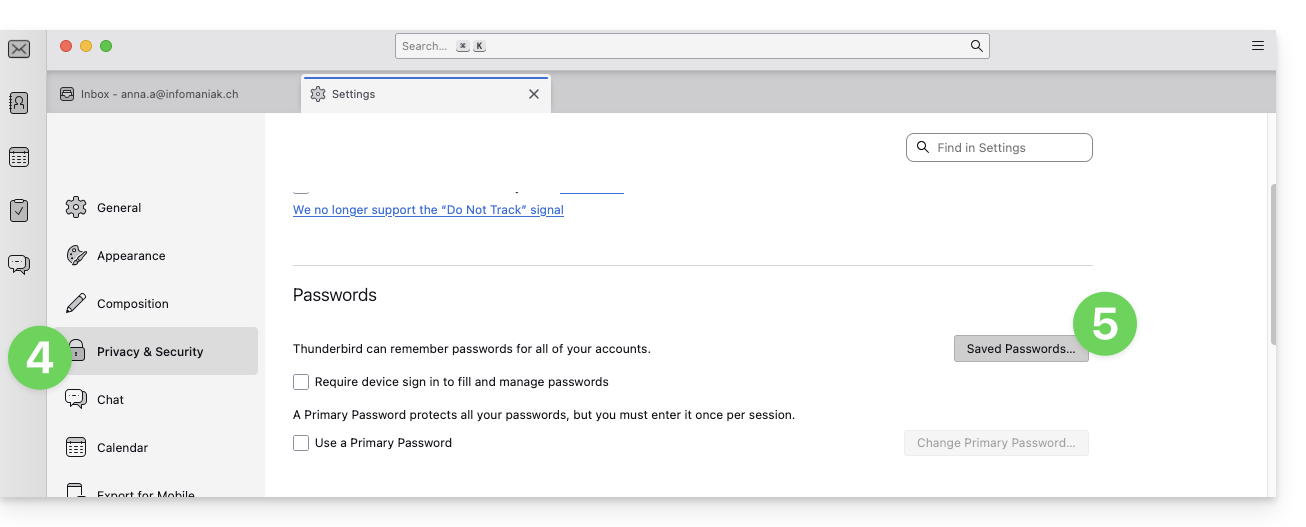
- Klik op Privacy & Beveiliging in het linkermenu.
- Klik op Opgeslagen wachtwoorden:
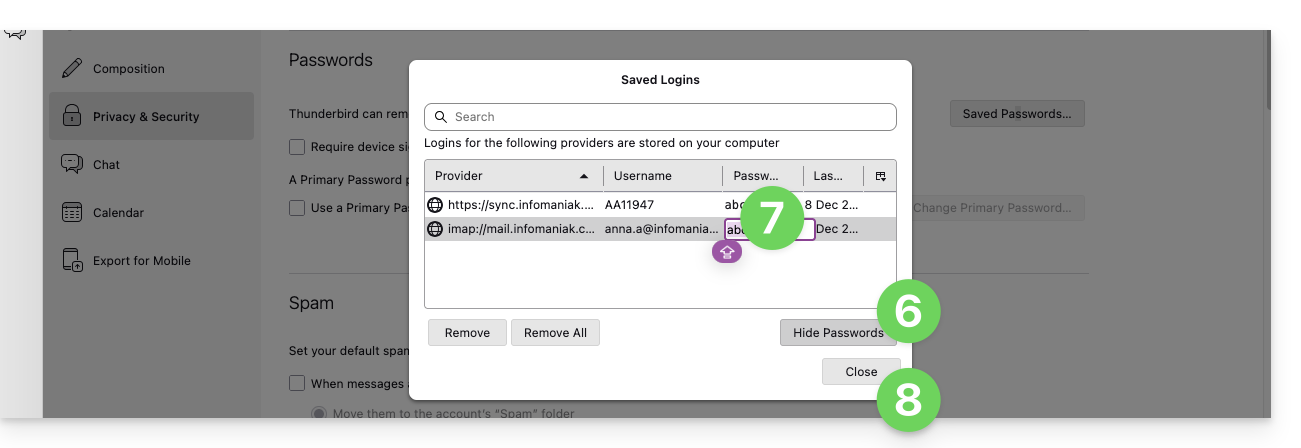
- Klik op Wachtwoorden weergeven rechtsonder.
- Dubbelklik op het wachtwoord dat bij het e-mailadres hoort (IMAP en eventueel SMTP, indien nodig) en vul het nieuwe wachtwoord in:
Link naar deze veelgestelde vragen: https://faq.infomaniak.com/2553
Is deze veelgestelde vragenlijst nuttig geweest?