Kennisbank
1.000 veelgestelde vragen, 500 tutorials en uitlegvideo's. Hier vind je alleen maar oplossingen!
Import data to kDrive without using the desktop app
This guide explains how to manually upload data (files, folders, etc.) from your computer to your kDrive without installing the kDrive Infomaniak application (application for iOS/Android smartphones or tablets, or desktop application for macOS/Windows/Linux).
Import to kDrive from the browser
To access kDrive:
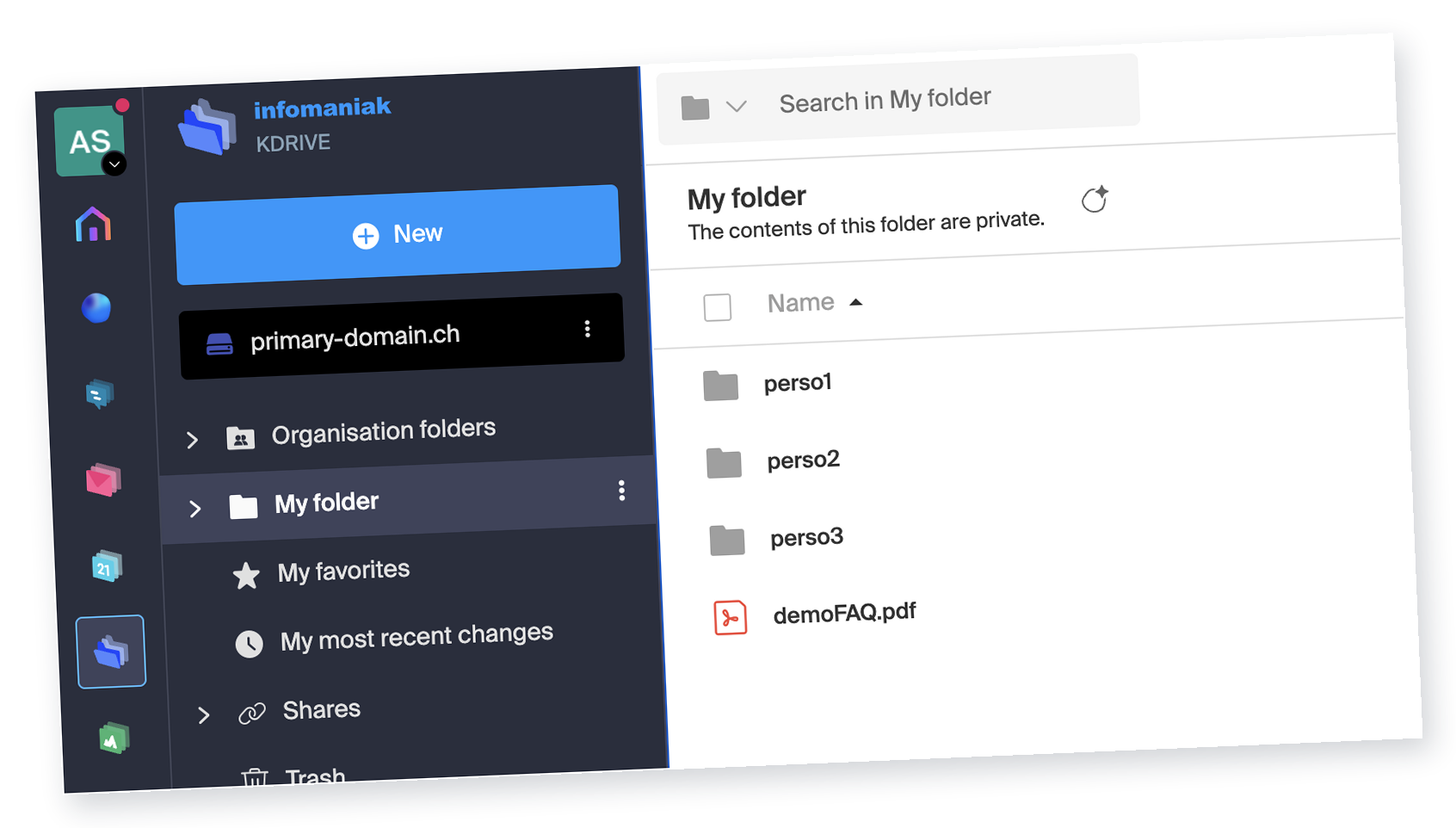
- Click here to access kDrive on your Infomaniak kSuite (❓: help).
- Check or select the kDrive in question from the dropdown menu in the left-hand sidebar.
Then choose one of the following:
Drag & Drop
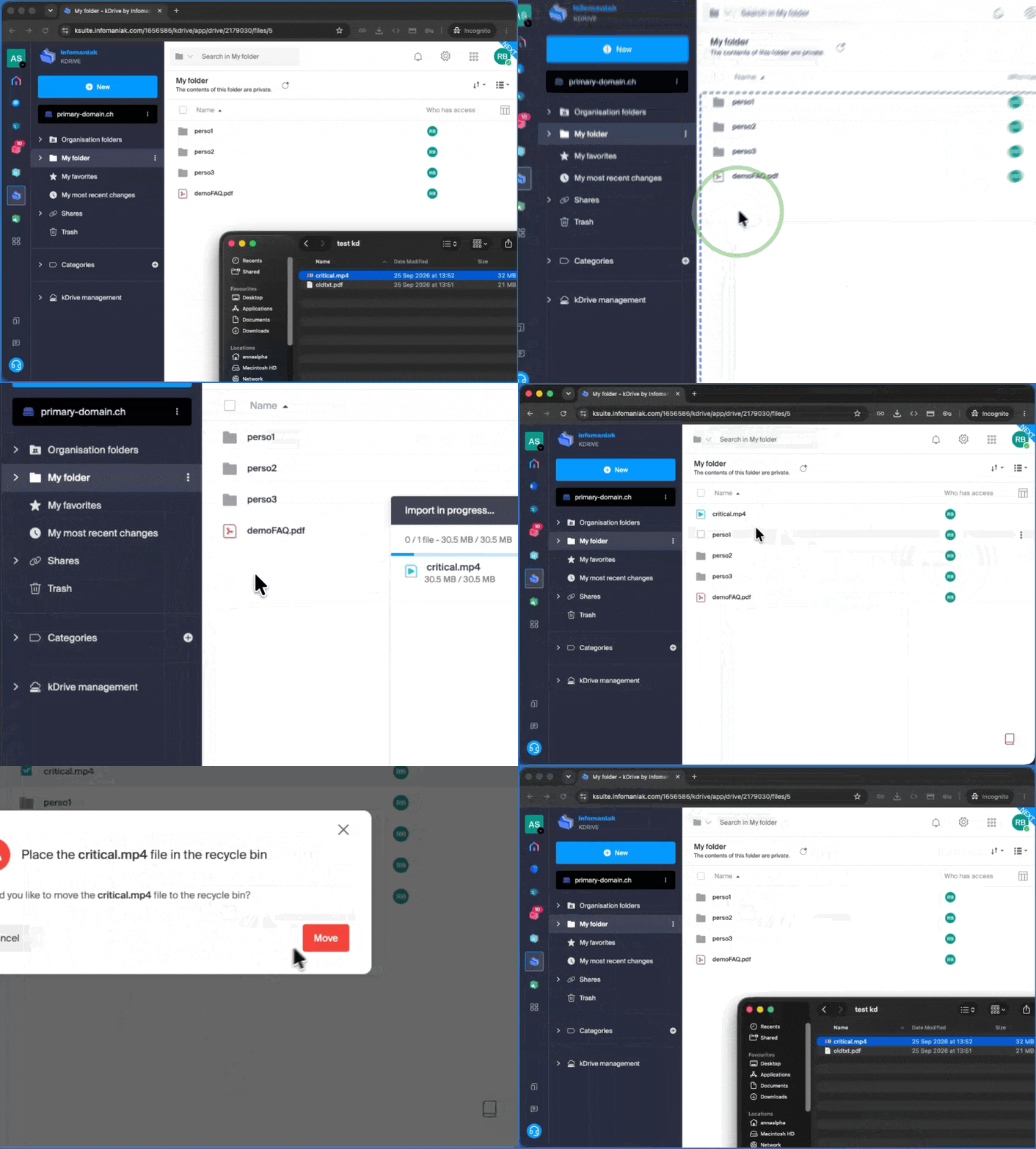
- Drag and drop the items you want to send to kDrive, from a window on your computer, to the browser window where the kDrive website is open:
“New” button
- Use the New button at the top left of your kDrive interface, then choose the desired import (either a file or a folder):
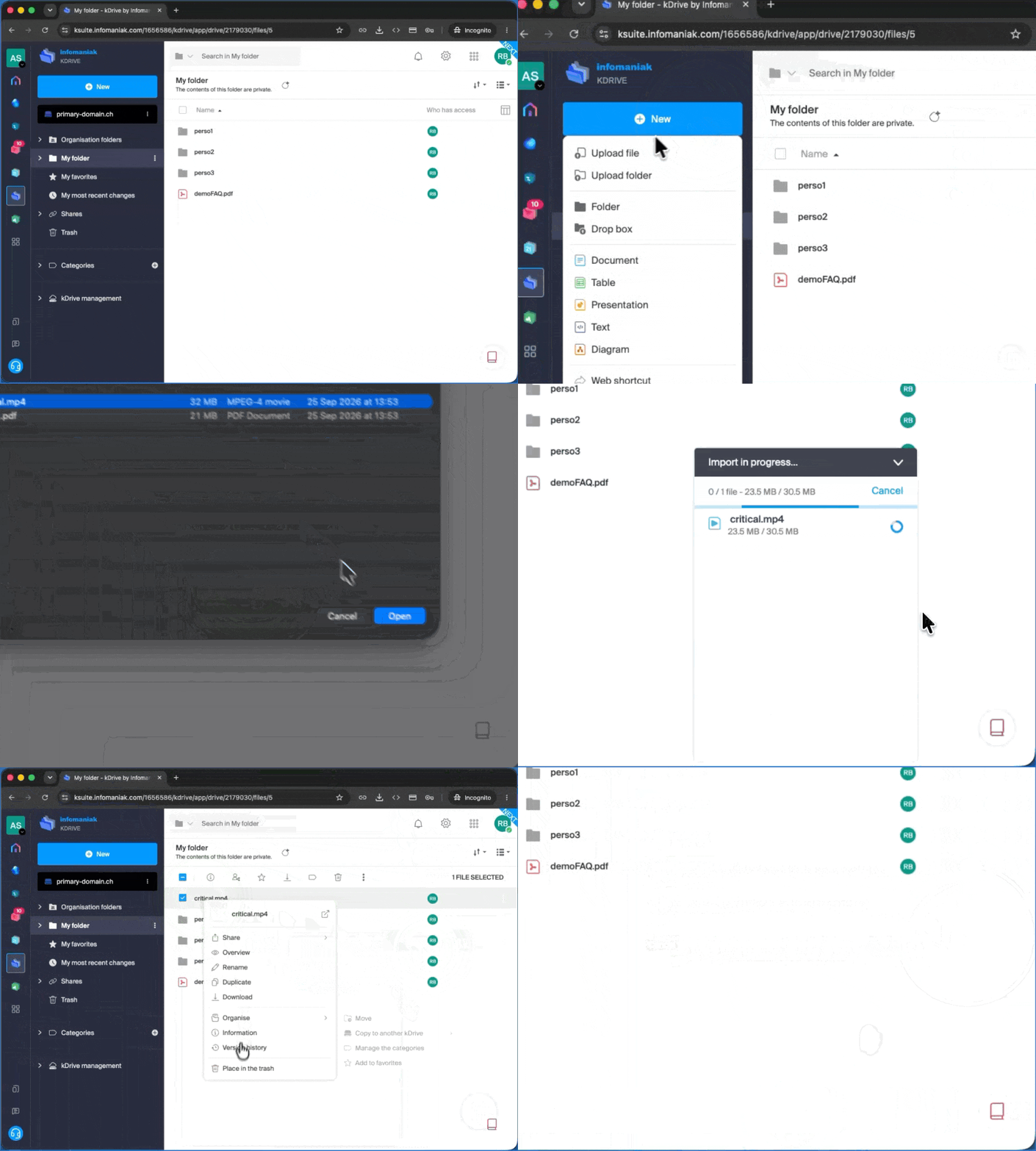
- The operating system (e.g., macOS) may ask for confirmation when a folder is being loaded.
Right-click
- Right-click where you want to import new content, then choose the desired import option (either a file or a folder):
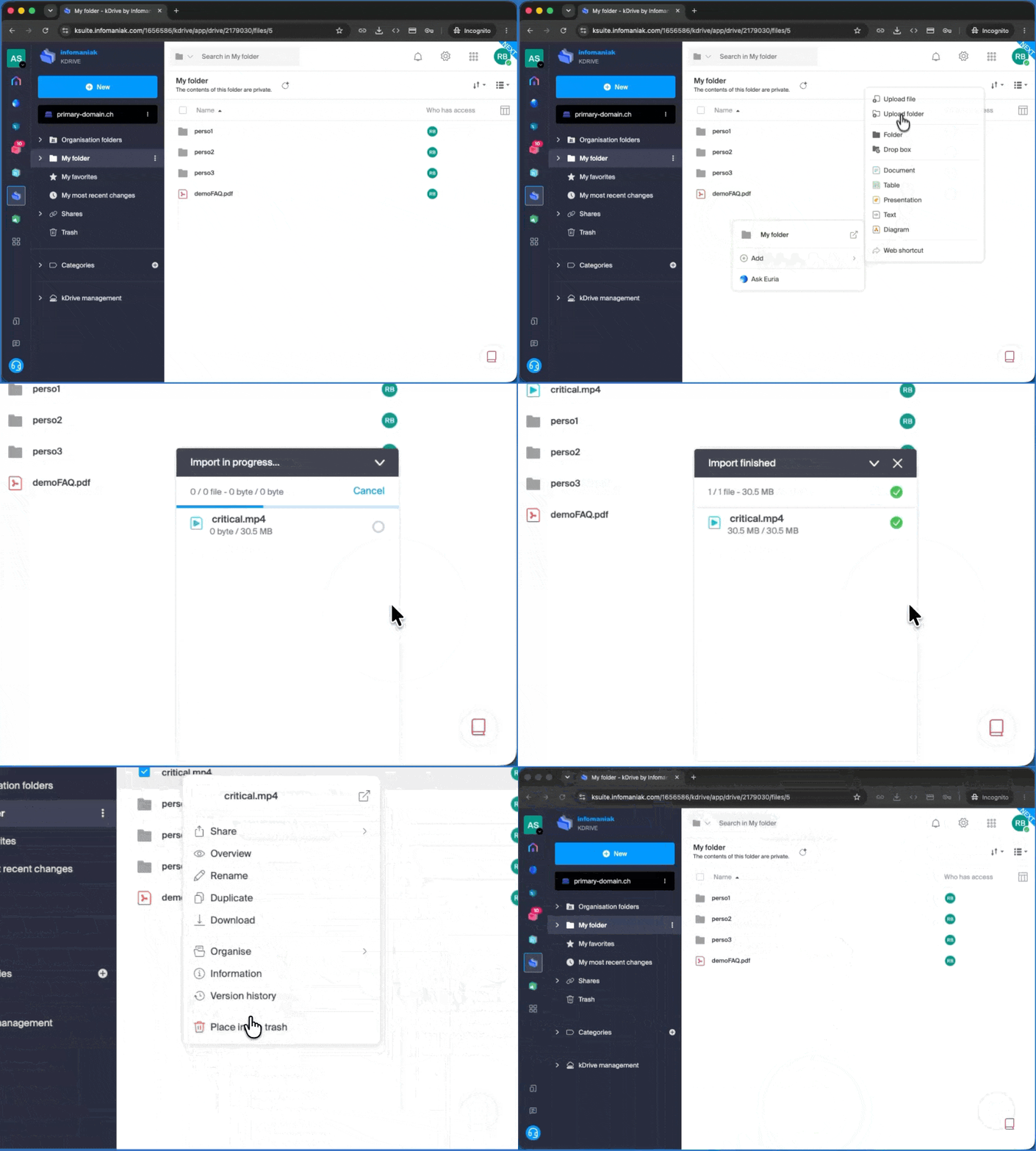
- The operating system (e.g., macOS) may ask for confirmation when uploading a folder.
Import external data
- Import specific content using the Import external data menu:
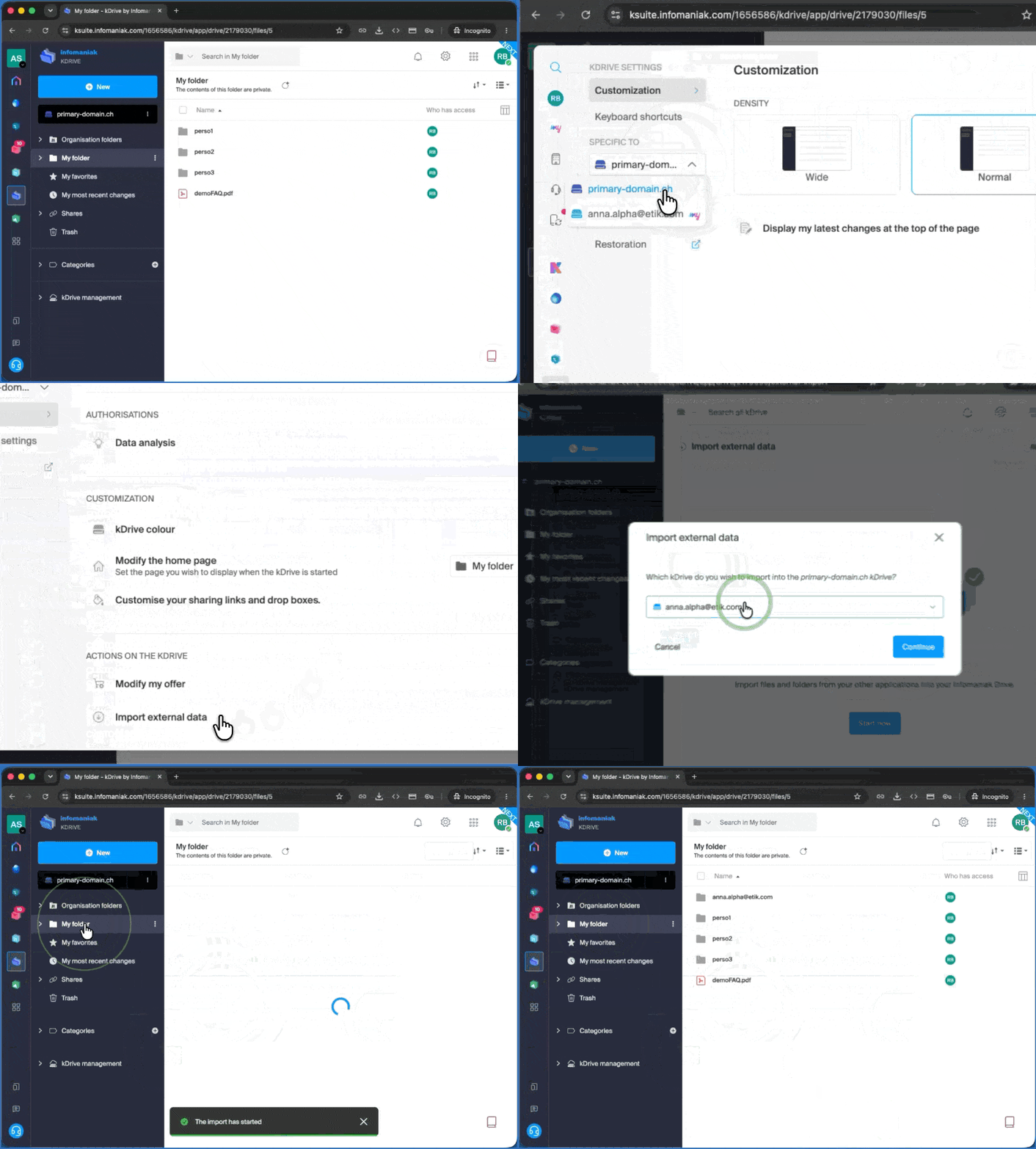
- Refer to this other guide if you are looking for information on importing data from another kDrive.
Regardless of the method used, please wait during the data transfer (the duration depends on the speed of your internet connection).
File types
You can send and preview any type of file, such as .pdf, .txt, or other extensions, including those related to 3D (❓: help) or eBooks (.epub, .azw3, .fb2, and .cbz).
kDrive also allows you to open and convert iWork files created on a Mac, so you can edit them from any device. These files from the Apple Suite have some specific features, especially with their extensions; for example, with the Numbers application:
.numbersfiles can be either files or folders, depending on the save settings (and the behavior during upload is different depending on whether it is a file or a folder).- If there is already a file, for example
calcul.numbers, on kDrive, and it is saved as a “package” on your desktop, then during the upload, the file will be considered a folder, and kDrive will try to upload files inside it, which is not possible, so the upload will not be allowed.- To resolve the problem, simply change the save format in the Apple Numbers application on macOS to “Single file”:

- To resolve the problem, simply change the save format in the Apple Numbers application on macOS to “Single file”:
Link naar deze veelgestelde vragen: https://faq.infomaniak.com/2379
Is deze veelgestelde vragenlijst nuttig geweest?