Kennisbank
1.000 veelgestelde vragen, 500 tutorials en uitlegvideo's. Hier vind je alleen maar oplossingen!
Export email attachments from Mail Infomaniak
This guide explains how to save email attachments from the Infomaniak Mail web app (online service ksuite.infomaniak.com/mail).
Introduction
- You can save all the files attached to a message in a single click, in a
.ziparchive on your computer, or within your kDrive, etc. - Other guides detail how to:
Save the attachment from the Web Mail app
To export the attached files received by email:
- Click here to access your emails on your Infomaniak kSuite (❓: help).
- Open the message containing the attachments you want to save.
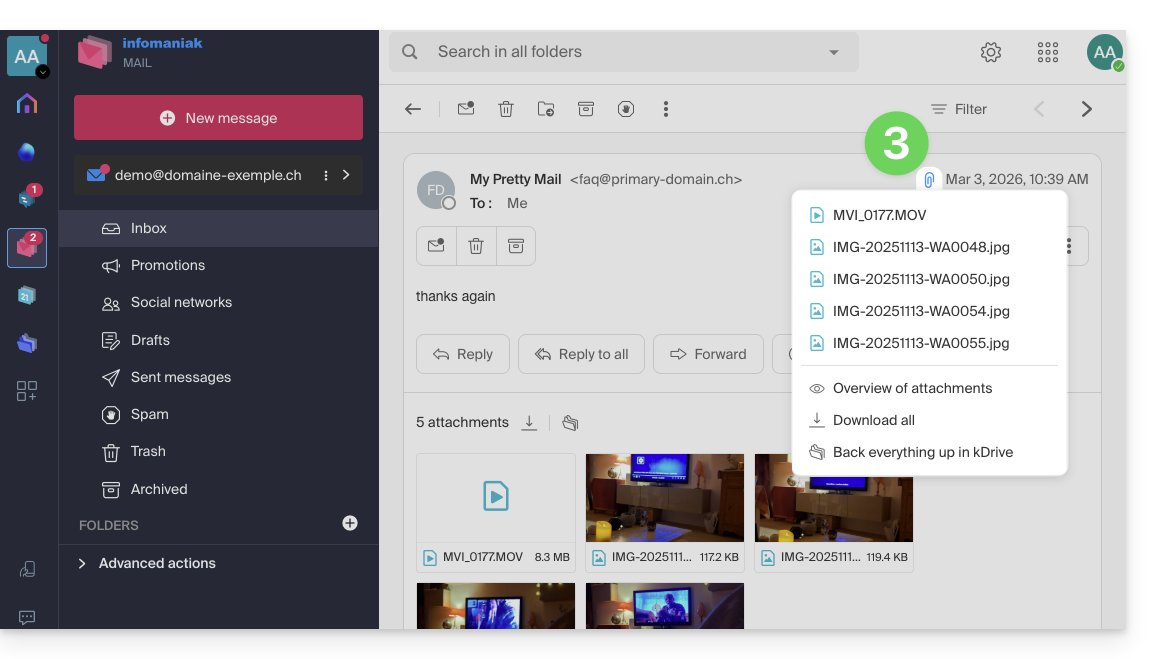
- Click on the paperclip icon to access the content backup and preview options:
- … or directly above the attached files to start the download or save to kDrive:
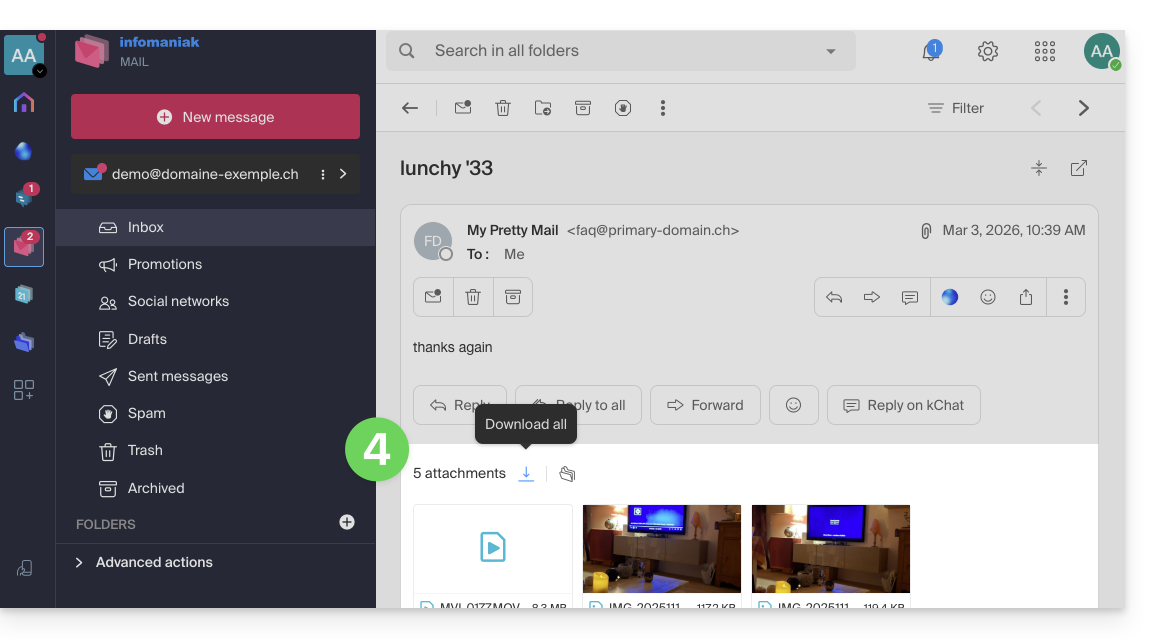
- Download all creates a
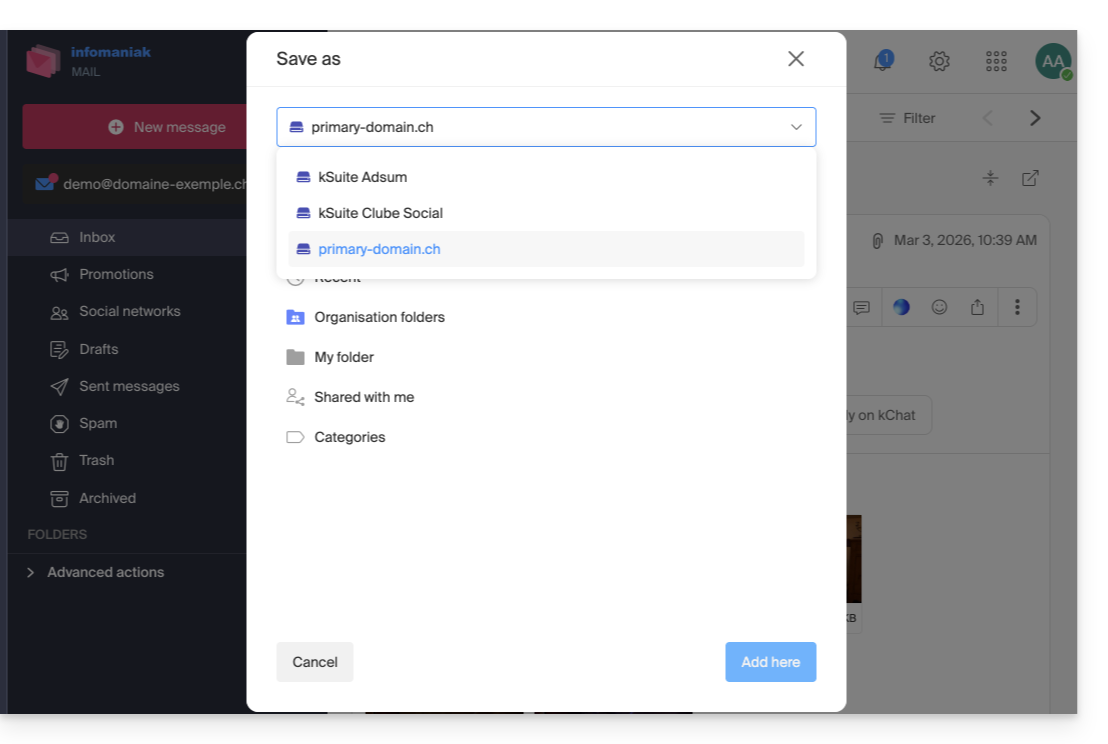
ziparchive to download to your device. - Save all to kDrive allows you to choose the kDrive (from those to which you are linked by your Organization) and the desired location on it to save the files:
- Download all creates a
Link naar deze veelgestelde vragen: https://faq.infomaniak.com/2309
Is deze veelgestelde vragenlijst nuttig geweest?