Kennisbank
1.000 veelgestelde vragen, 500 tutorials en uitlegvideo's. Hier vind je alleen maar oplossingen!
React to suspicious activity on an Infomaniak account
Bijwerken 02-11-2026
This guide explains how to quickly secure your Infomaniak account if you suspect hacking, identity theft, password theft, etc., or after any type of security alert or suspicious activity.
Change all passwords
To follow the security assistant that allows you to change all user passwords and disable device logins, application passwords, and tokens (API):
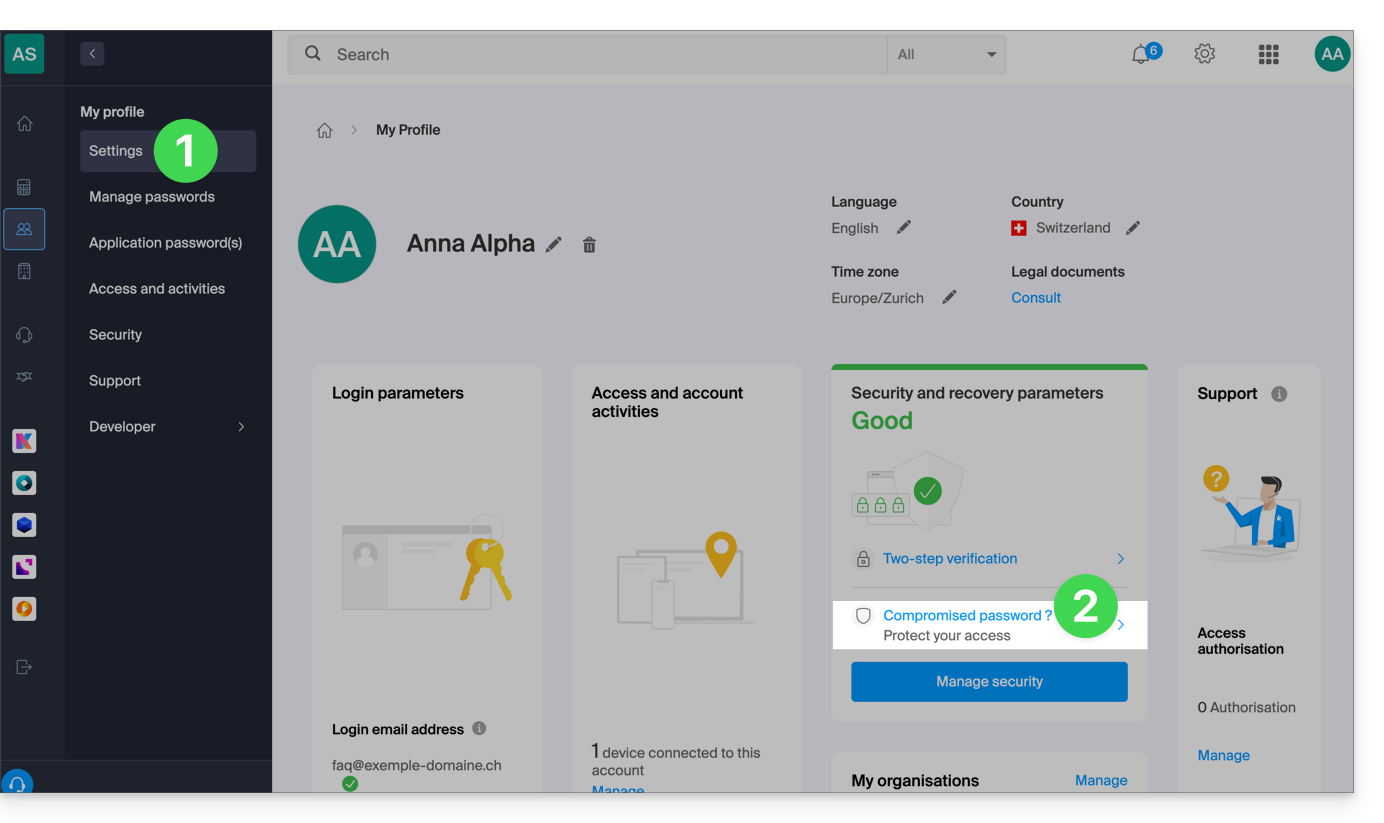
- Click hereto access the security information management section in the Infomaniak Manager.
- Click on "Compromised password?" in the Security box:
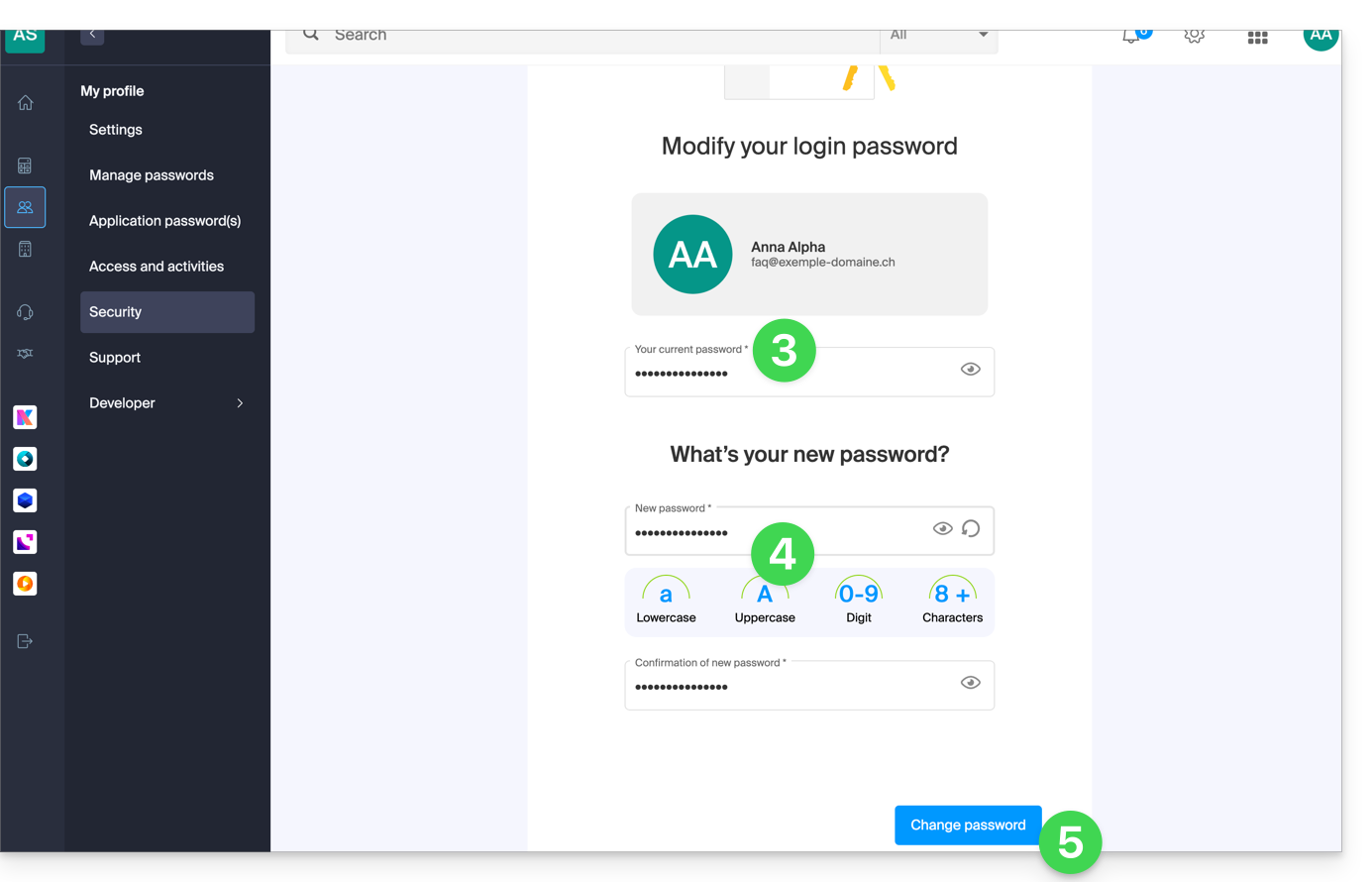
- Enter your current login password.
- Enter your new password and confirm it below.
- Click the blue button to apply the password change:
- Continue with the process to disconnect and delete connected devices, application passwords, and tokens (API), and then access the security settings verification.
Also, refer to this other guide to secure the access of the various users within the Organization.
Link naar deze veelgestelde vragen: https://faq.infomaniak.com/229
Is deze veelgestelde vragenlijst nuttig geweest?