Kennisbank
1.000 veelgestelde vragen, 500 tutorials en uitlegvideo's. Hier vind je alleen maar oplossingen!
Create an event reminder in Infomaniak Calendar
This guide explains how reminders and event alerts work in the Infomaniak Calendar web app (online service ksuite.infomaniak.com/calendar).
Add a reminder or alert to an event
To add a reminder to an event (e.g., an appointment):
- Click here to access the Infomaniak Calendar web app (online service ksuite.infomaniak.com/calendar).
- Click the Create button in the top left corner.
- Click on Event:
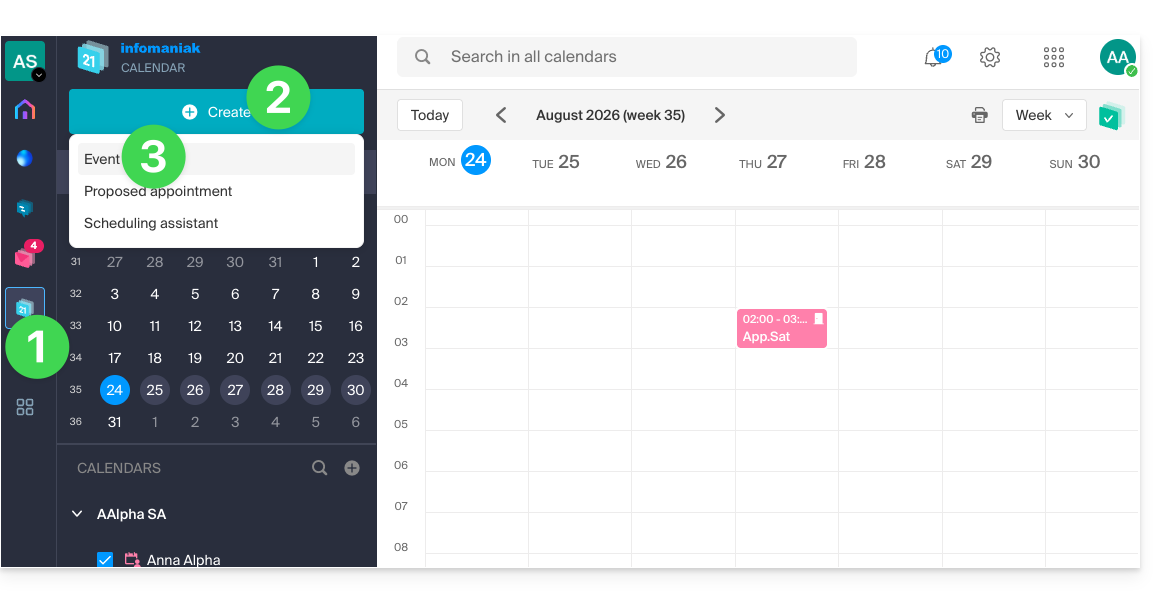
- You can also click on an existing event in the calendar to edit it.
- Click on Add a reminder to configure it:
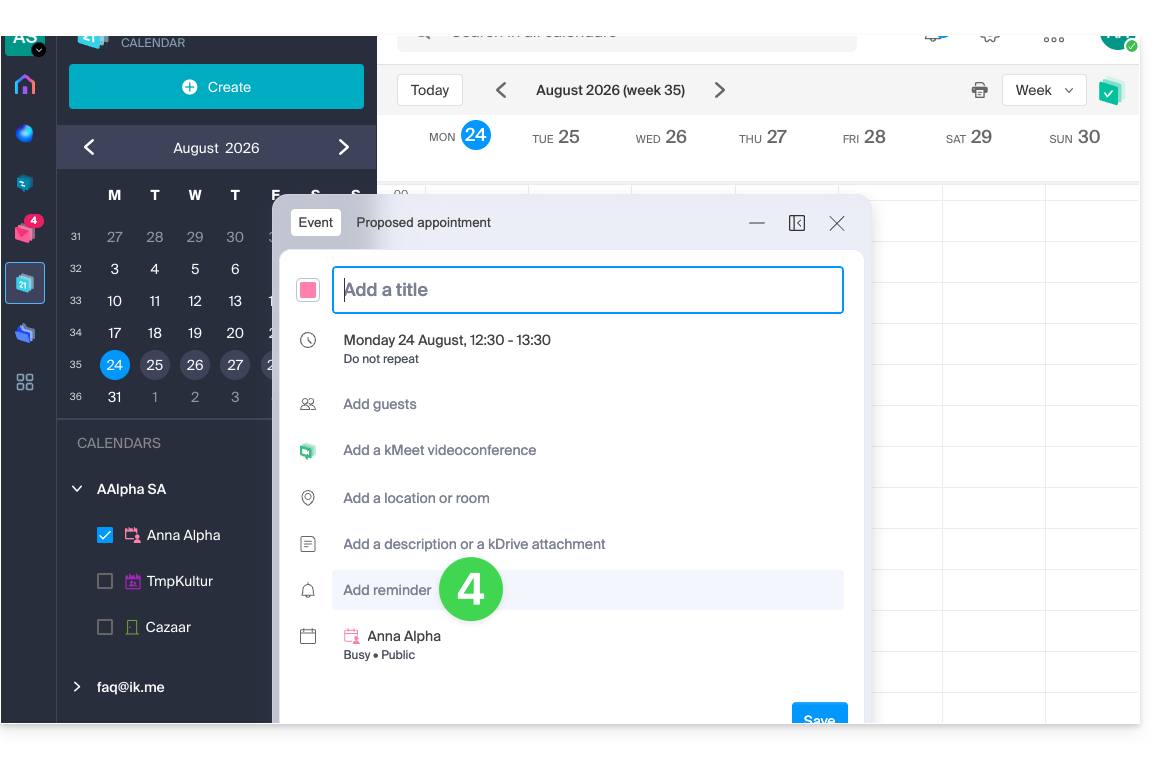
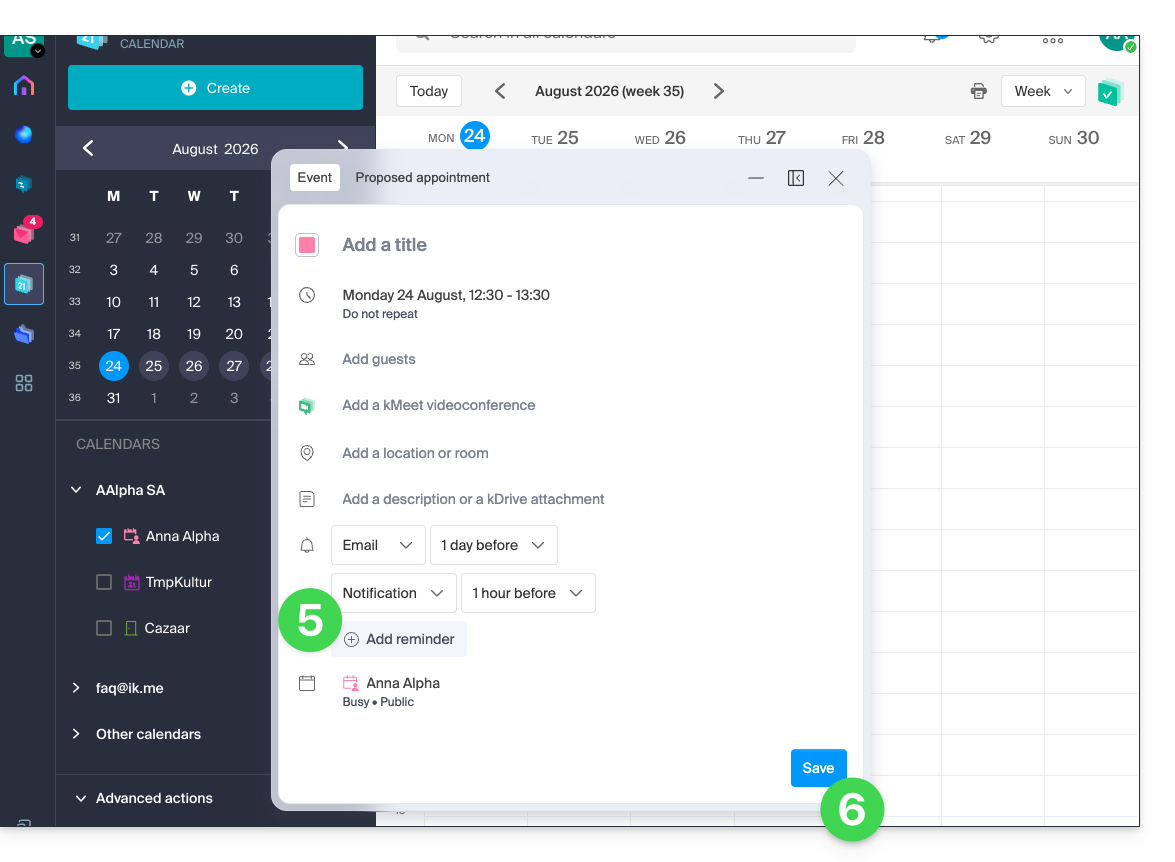
- To receive multiple notifications, you need to add multiple reminders (tap on ).
- Save the event at the bottom of the page:
Reminder types
You can be notified via 3 different channels:
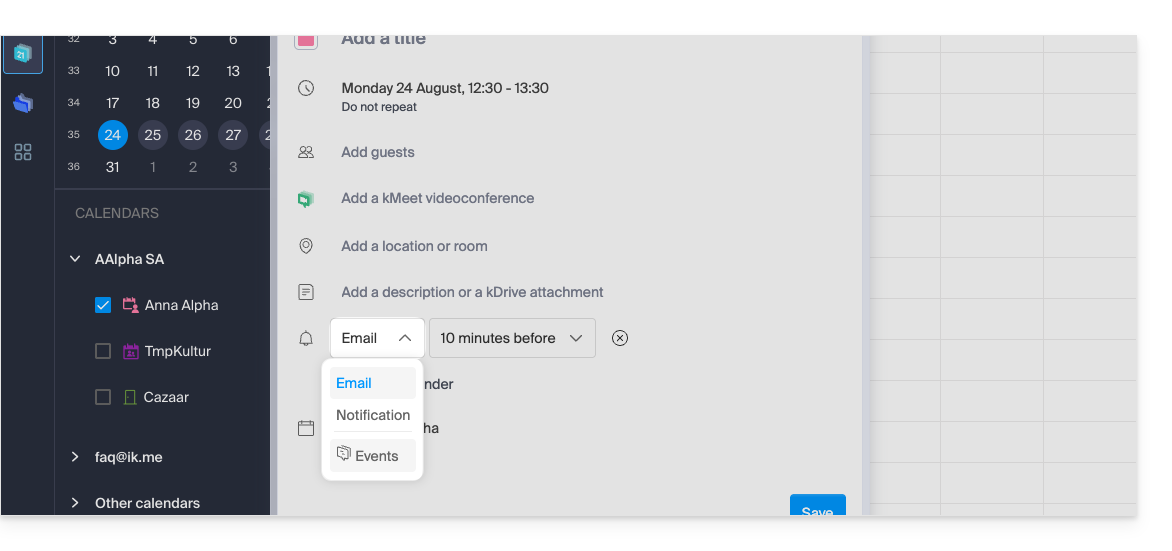
- Via email: the reminder will be sent by email at the chosen time.
- Via a browser notification, such as from Brave, Chrome, Edge, Firefox, Opera, Safari…: the reminder will be displayed via a notification managed by your browser, provided that kSuite is connected; this is also the option to choose if you synchronize your calendar with your phone to receive an alert on your device.
- Via a chat system like kChat: the reminder will be sent to the chosen chat thread.
Event invitees will not be notified by the reminders.
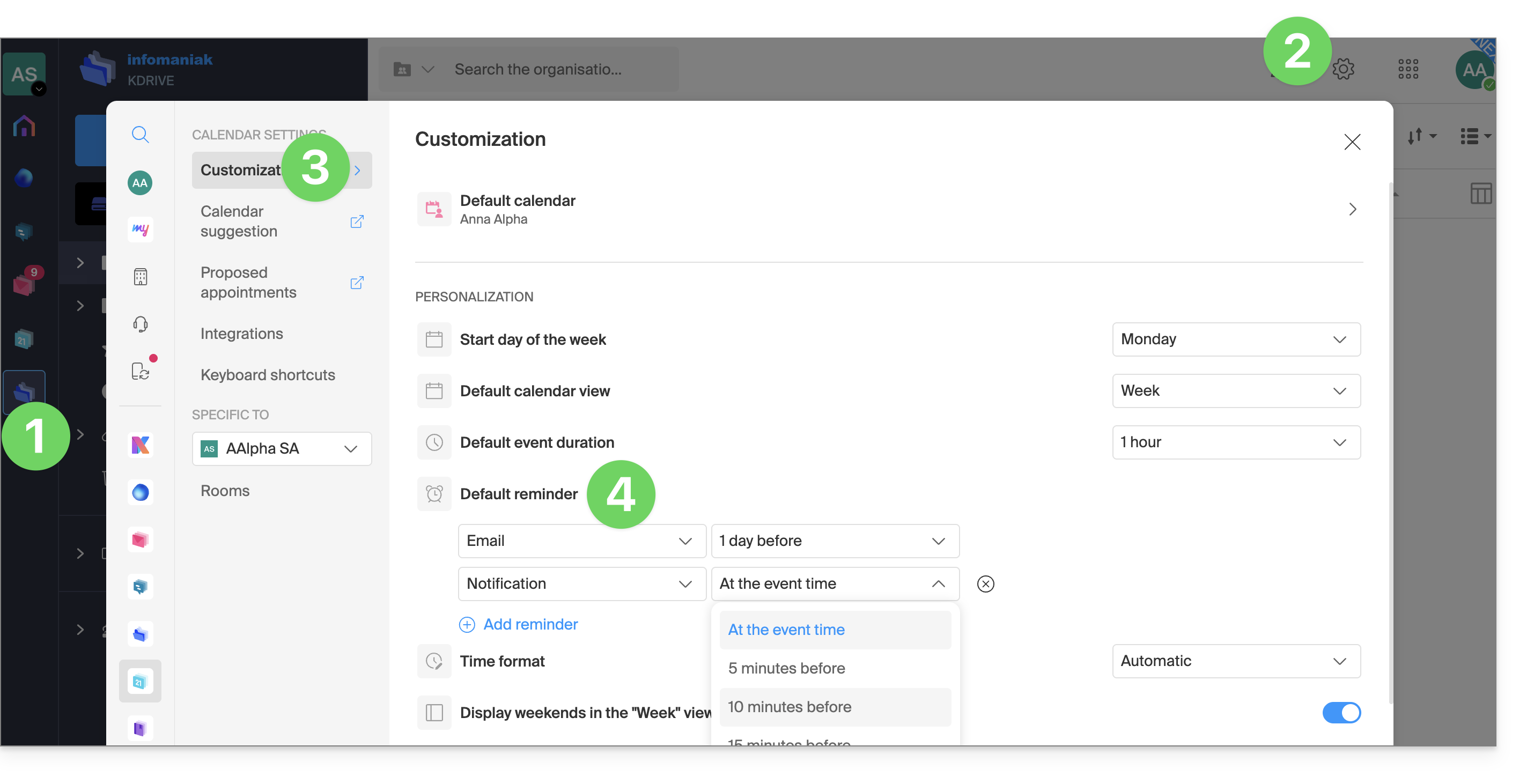
Define one or more default reminders
Setting up a manual alert for each event quickly becomes repetitive. Define reminders for all your appointments in your calendar settings: an email 15 minutes beforehand or a notification the day before – it's up to you. These rules apply by default and can be modified on a case-by-case basis:
- Click here to access the Infomaniak Calendar web app (online service ksuite.infomaniak.com/calendar).
- Click on Settings in the top right corner.
- Click on Customization.
- Configure one or more reminders that will then be applied to each of your newly created events:
Link naar deze veelgestelde vragen: https://faq.infomaniak.com/2248
Is deze veelgestelde vragenlijst nuttig geweest?