Kennisbank
1.000 veelgestelde vragen, 500 tutorials en uitlegvideo's. Hier vind je alleen maar oplossingen!
Link an external domain name to the Newsletter
Bijwerken 02-11-2026
This guide explains how to use the Infomaniak Newsletter tool with an external domain name (not managed with Infomaniak).
Prerequisites
- The domain name must belong to you.
- Synonymous domains and their main domain cannot be used to send newsletters.
- You can configure your synonyms as aliases.
Link an external domain
To access the management of domains for sending newsletters:
- Click here to access the Newsletter management section in your Infomaniak Manager.
- If nothing is displayed, you may not be in the Organization to which your Newsletter is linked (❓: help).
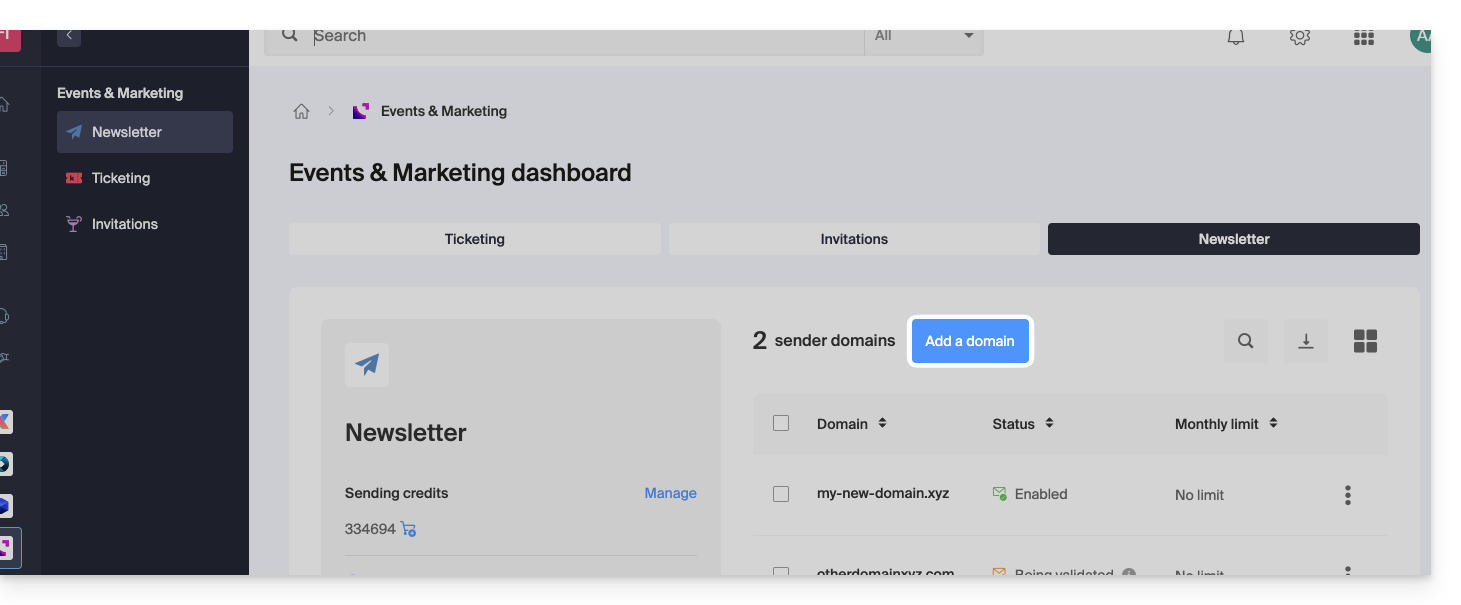
- If you already have a Newsletter, click on Add a domain:
- Otherwise, click on Start for free:
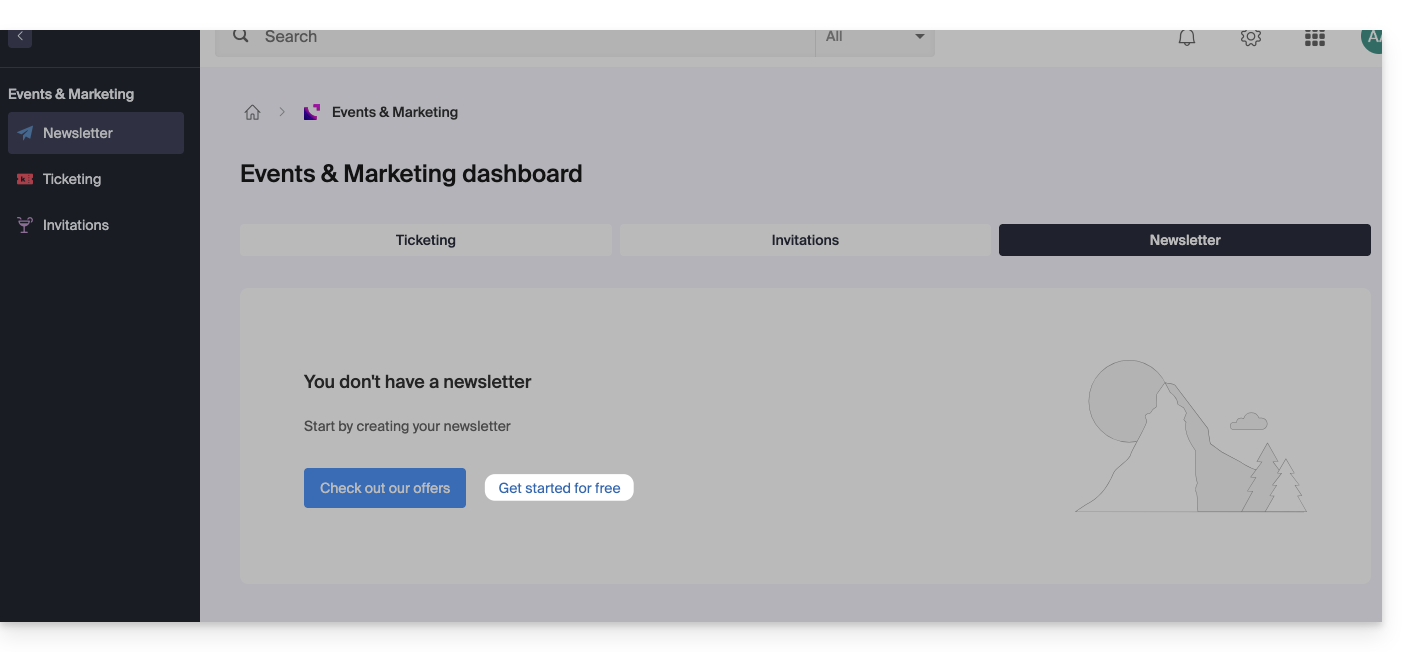
- Otherwise, click on Start for free:
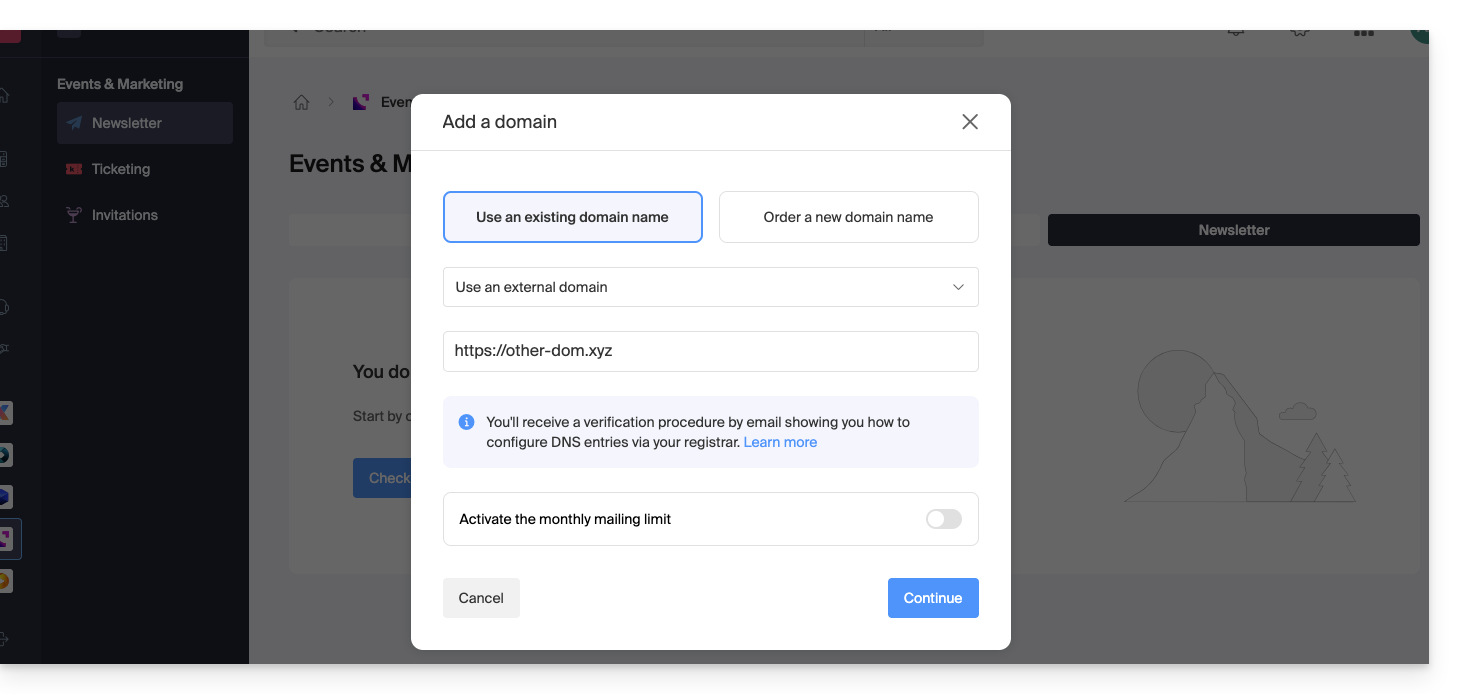
- Select Other domain from the drop-down menu before entering (or enter directly) the domain name you want to use to send newsletters.
- Choose an optional monthly limit.
- Click the button to Continue:
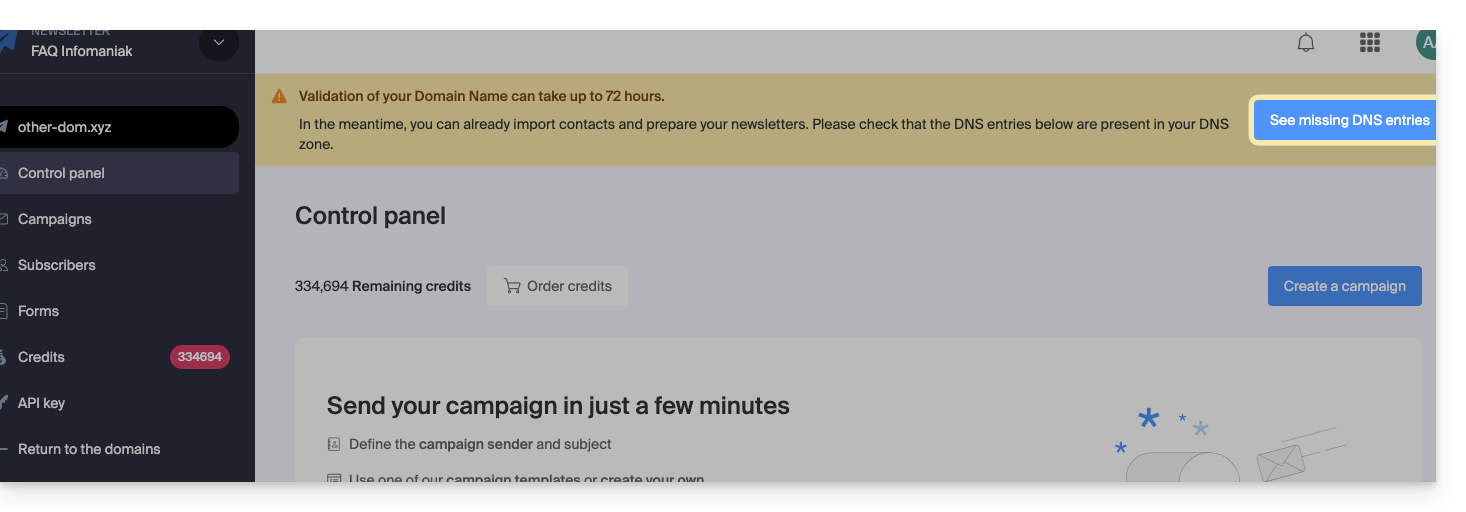
- Add it to your registrar the TXT / CNAME / DKIM records that you will receive by email and which can be viewed in the interface by clicking on the button:
Link naar deze veelgestelde vragen: https://faq.infomaniak.com/2241
Is deze veelgestelde vragenlijst nuttig geweest?