Kennisbank
1.000 veelgestelde vragen, 500 tutorials en uitlegvideo's. Hier vind je alleen maar oplossingen!
Connect to the DSM (DiskStation Manager) of your Infomaniak Synology NAS
This guide explains how to connect to the operating system of a Synology NAS hosted by Infomaniak.
Accessing DSM
To activate and manage an Infomaniak Synology NAS:
- Click here to access the management interface for your product on the Infomaniak Manager (need help?).
- Click directly on the name assigned to the product in question.
- Click on the Activate my Synology button:
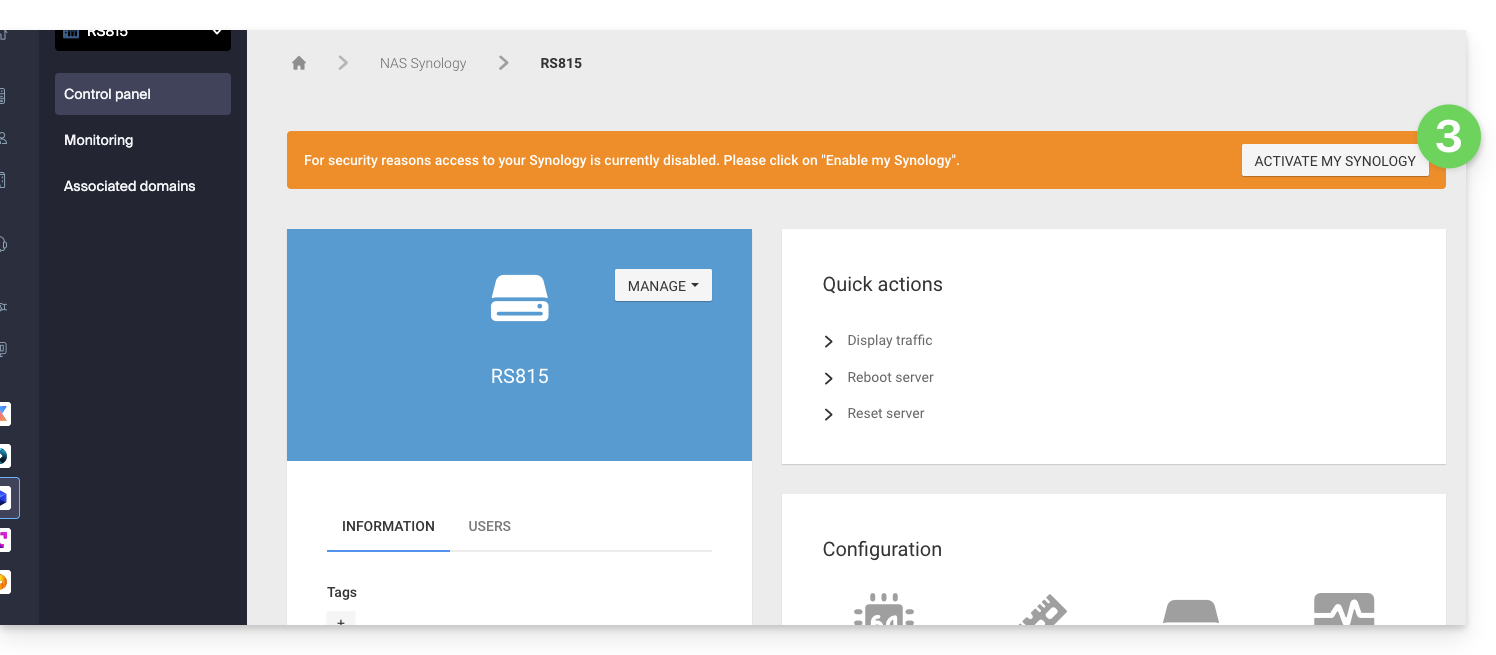
- Wait while your Synology is being activated.
- Click on DSM access / Manage my Synology from the Quick Actions section:
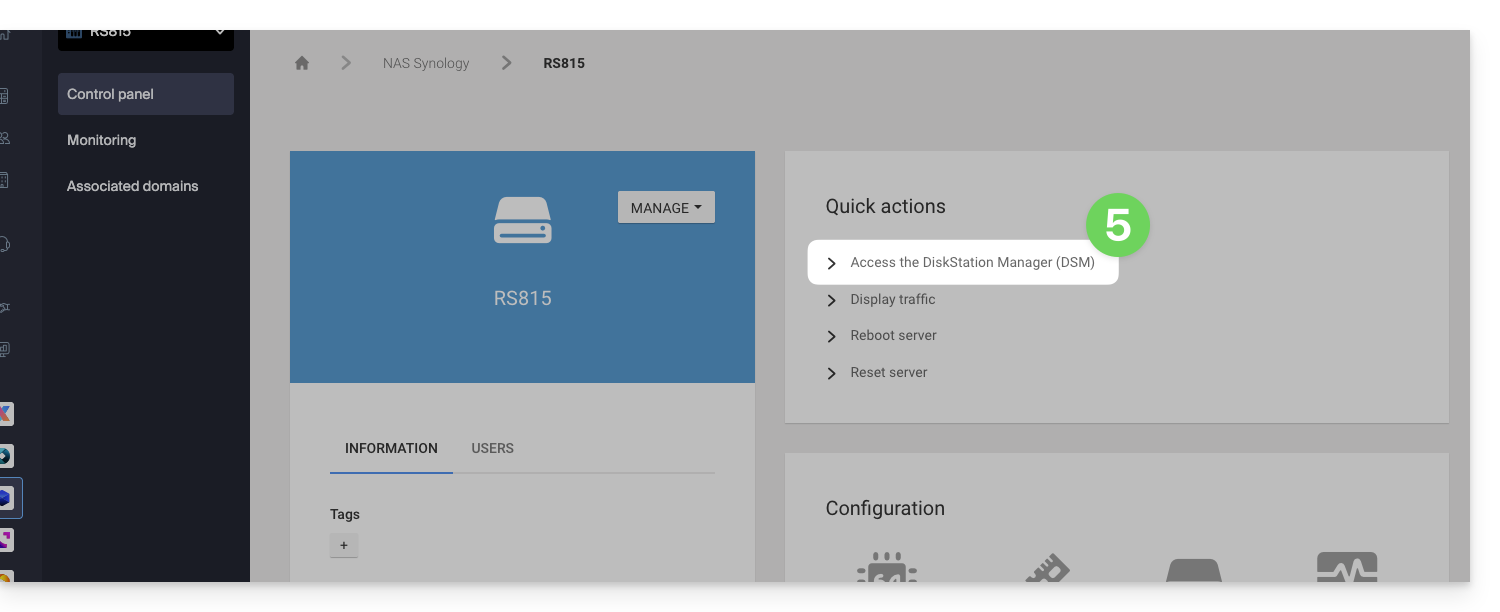
We recommend that you consult this other guide to secure your Synology NAS.
Link naar deze veelgestelde vragen: https://faq.infomaniak.com/2238
Is deze veelgestelde vragenlijst nuttig geweest?