Kennisbank
1.000 veelgestelde vragen, 500 tutorials en uitlegvideo's. Hier vind je alleen maar oplossingen!
Cancel a Cloud Server
This guide explains how to completely terminate a Managed Cloud Server.
Preamble
- For most products, confirm the termination request by email otherwise no data will be deleted.
- Outstanding and out-of-package fees remain due.
- A termination confirmation is sent to any other administrators of the Organization.
- Backups will be irrevocably deleted upon termination, making any restoration impossible.
Terminate a server
To access the termination of products:
- Click here to access the management of your Managed Cloud Server on the Infomaniak Manager (need help?).
- Click on the action menu ⋮ located to the right of the item concerned.
- Choose Terminate:
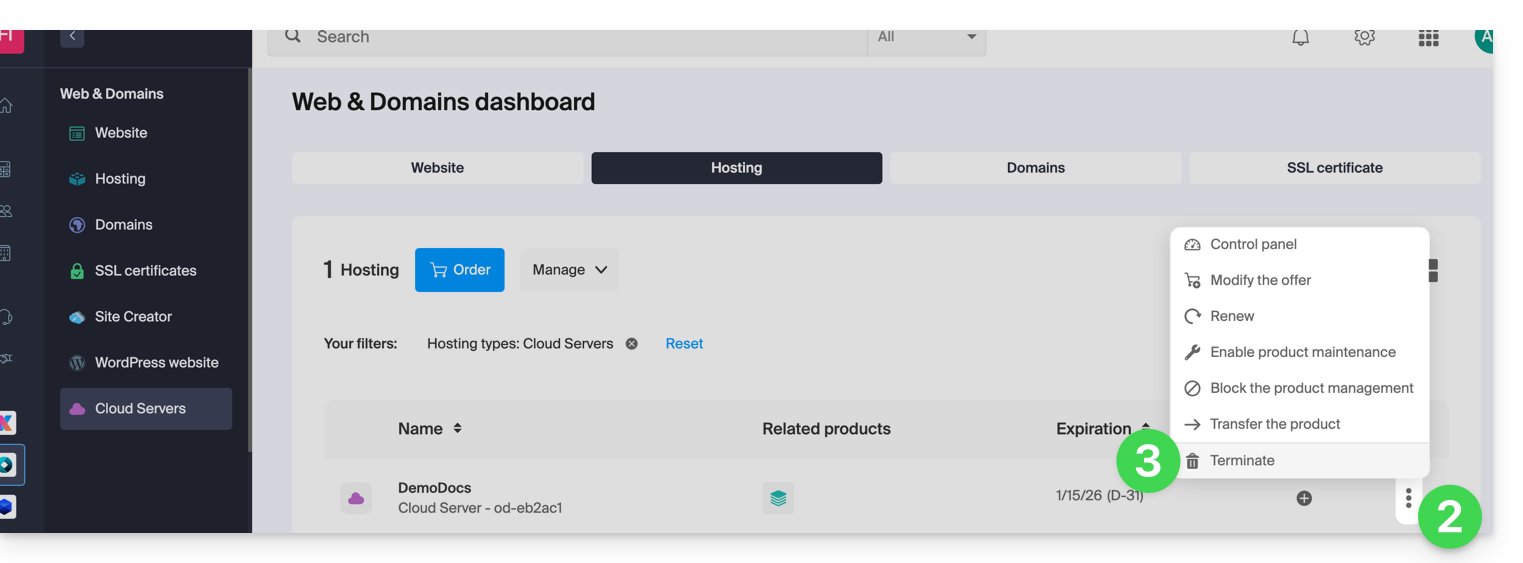
- Follow the procedure to the end.
Link naar deze veelgestelde vragen: https://faq.infomaniak.com/2084
Is deze veelgestelde vragenlijst nuttig geweest?