Kennisbank
1.000 veelgestelde vragen, 500 tutorials en uitlegvideo's. Hier vind je alleen maar oplossingen!
Customize WordPress with Elegant Themes
Bijwerken 23-11-2026
This guide explains how to add a free theme from Elegant Themes (Divi) to a WordPress site that has already been installed via the Infomaniak installer.
Prerequisites
- Your WordPress site must be installed using the Infomaniak WordPress tools to use these themes and extensions.
- The theme can be added during installation (approximately step 14 of this other guide) or activated later.
- To benefit from Elegant Themes support (customer service), you must subscribe to an Elegant Themes plan.
Add an Elegant Themes theme
To do this:
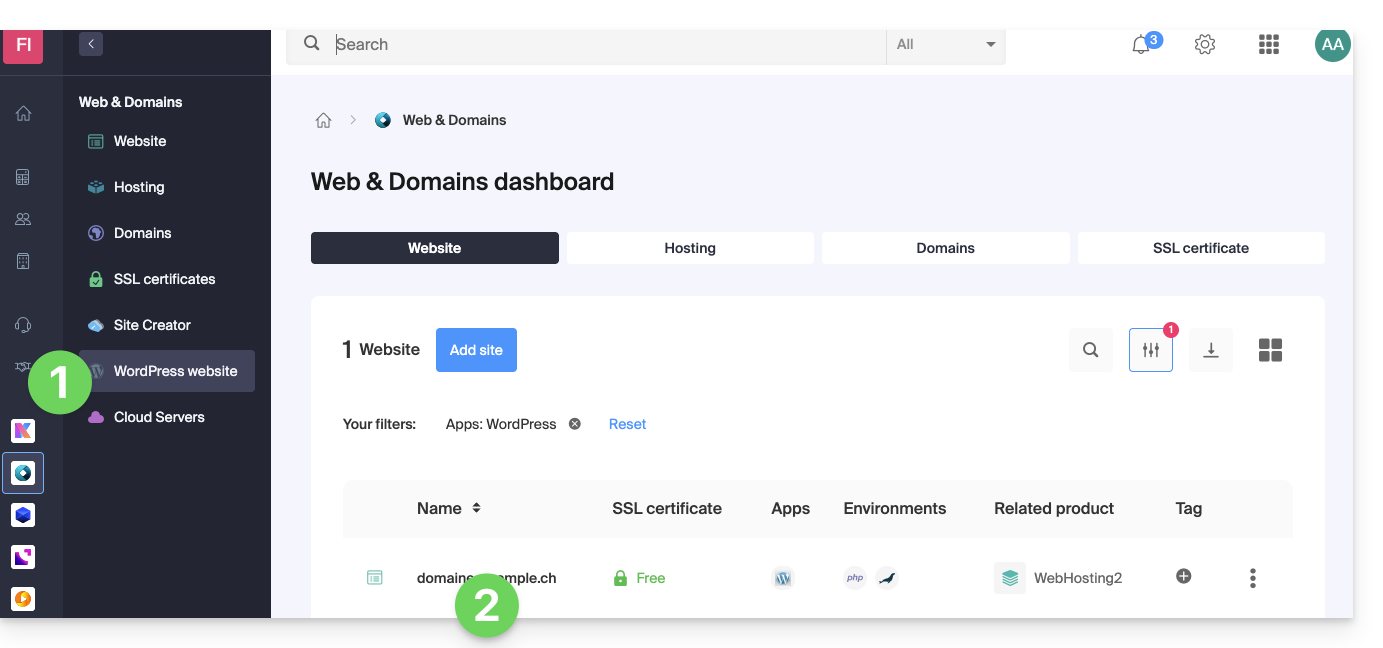
- Click here to access the management of your WordPress site on the Infomaniak Manager (need help?).
- If your site does not appear here, it means that it was not installed using the Infomaniak tools (see prerequisites).
- Click directly on the name assigned to the product in question:
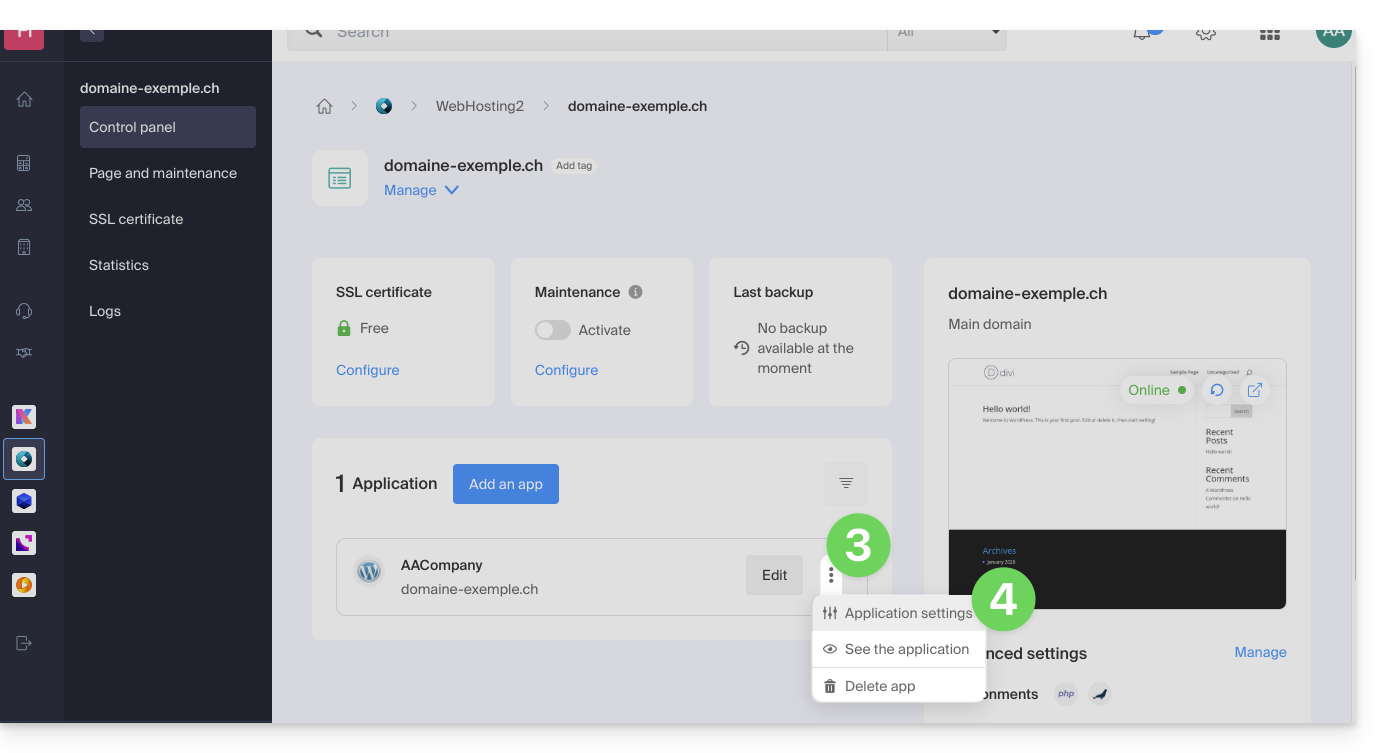
- Click on the action menu ⋮ located to the right of the relevant Web Application.
- Click on Settings in the application:
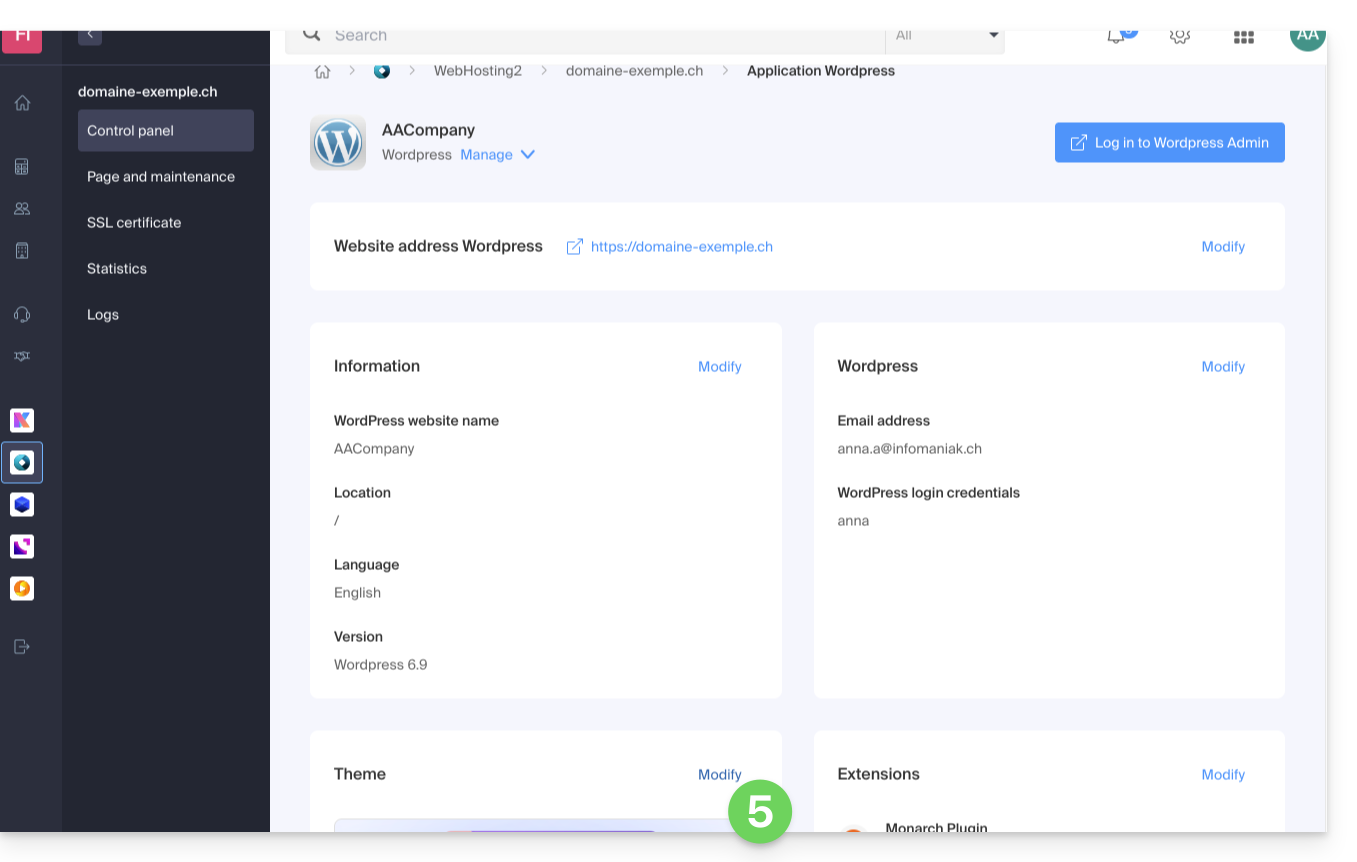
- Click on Edit under Theme:
- Select the desired theme.
- Click the Save button:
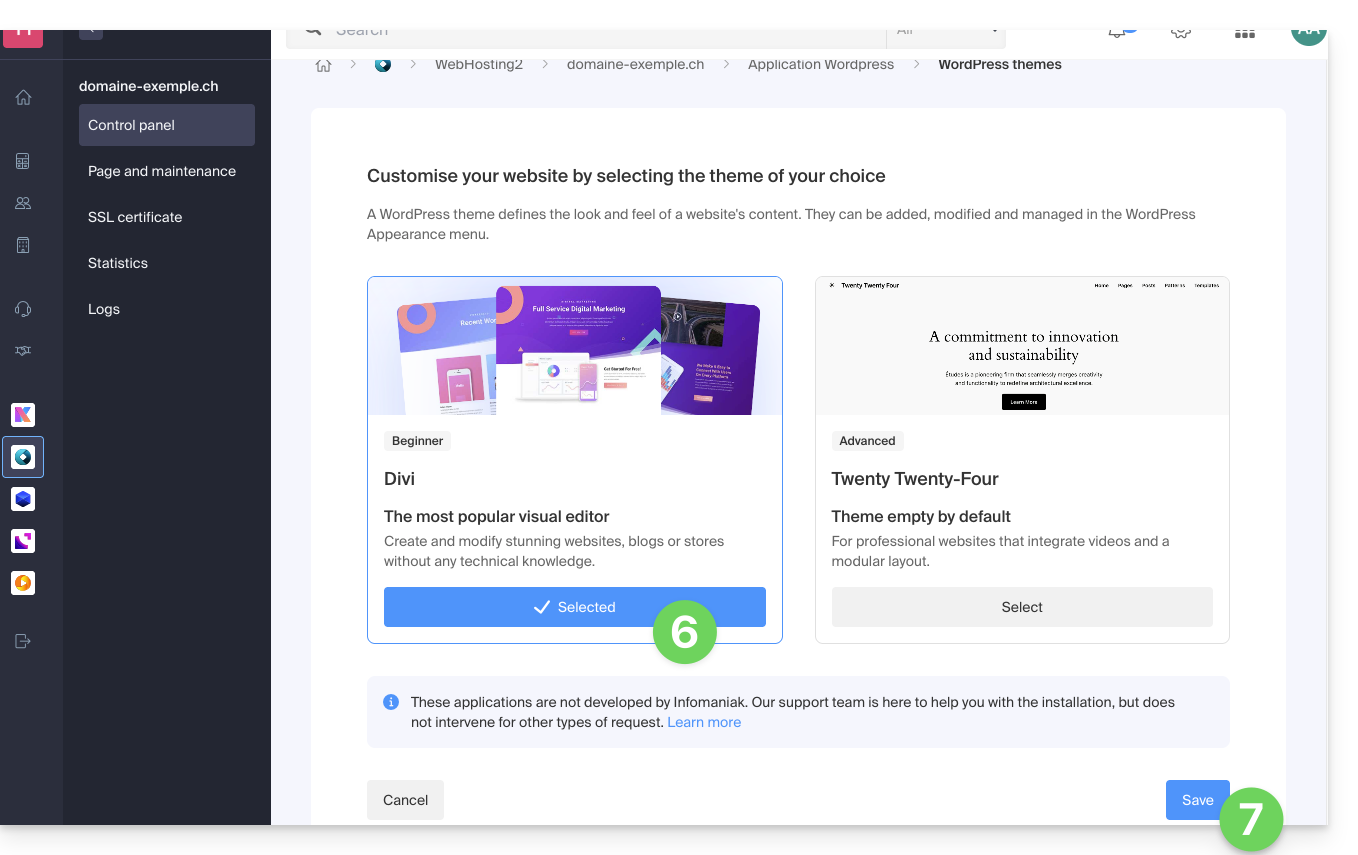
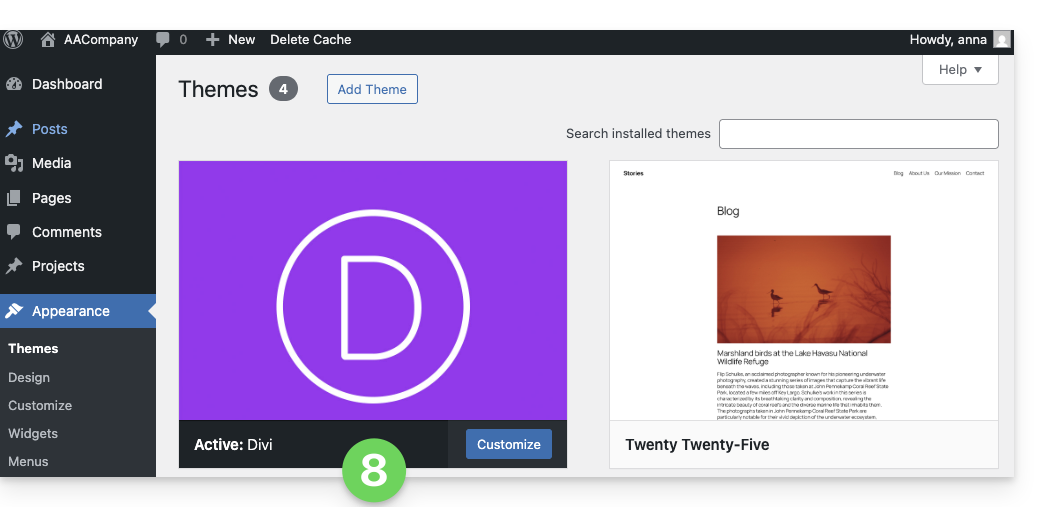
- The theme has been applied and is now available for configuration in your WordPress administration interface:
Link naar deze veelgestelde vragen: https://faq.infomaniak.com/2056
Is deze veelgestelde vragenlijst nuttig geweest?