Kennisbank
1.000 veelgestelde vragen, 500 tutorials en uitlegvideo's. Hier vind je alleen maar oplossingen!
Summarize a kMeet meeting with Euria
Bijwerken 23-11-2026
This guide explains how to generate a summary of an online meeting organized with kMeet, Infomaniak's ethical and free video conferencing solution.
Get a kMeet meeting report
Prerequisites
- You must have a paid kDrive account (standalone or as part of a kSuite, my kSuite+ offer, etc.).
- Do not create a video conference encrypted with a custom key.
To enable the meeting minutes feature for your video conferences:
- Click here to access kMeet in your Infomaniak kSuite (or launch the mobile/desktop app — ❓: help) and start a meeting (❓: help).
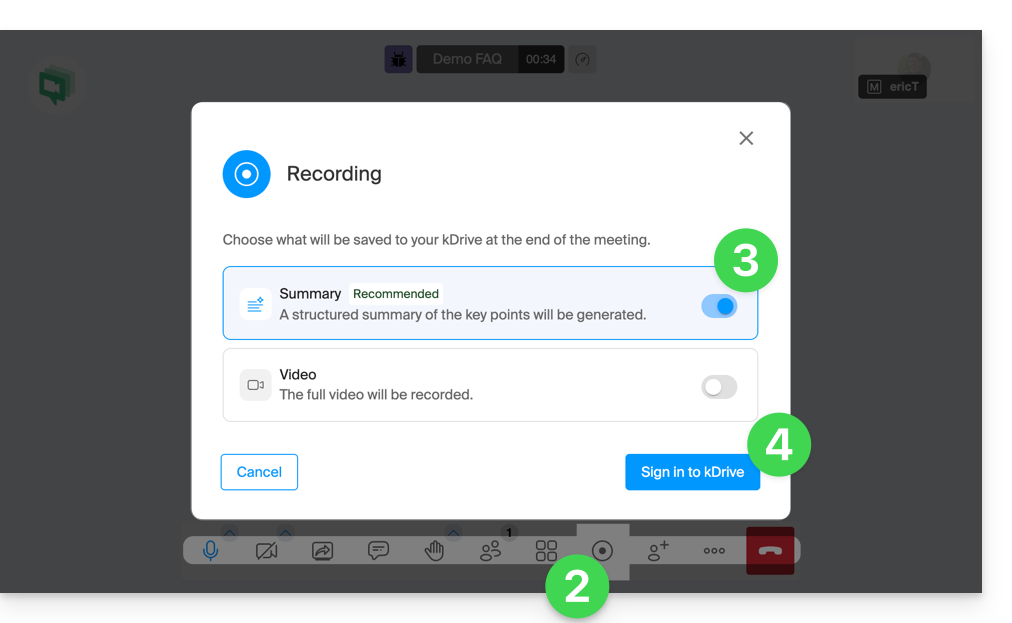
- Click on the ◉ Start recording icon (❓: help).
- Enable the summary.
- Log in to your Infomaniak account:
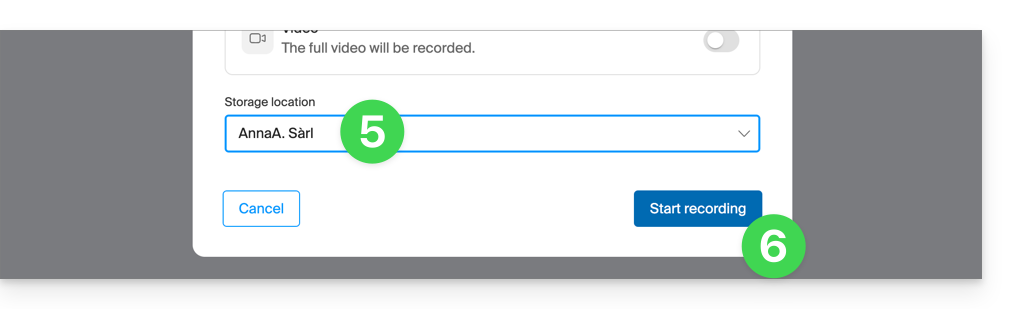
- Select a kDrive to save the video conference to.
- Then, click the button to start the recording:
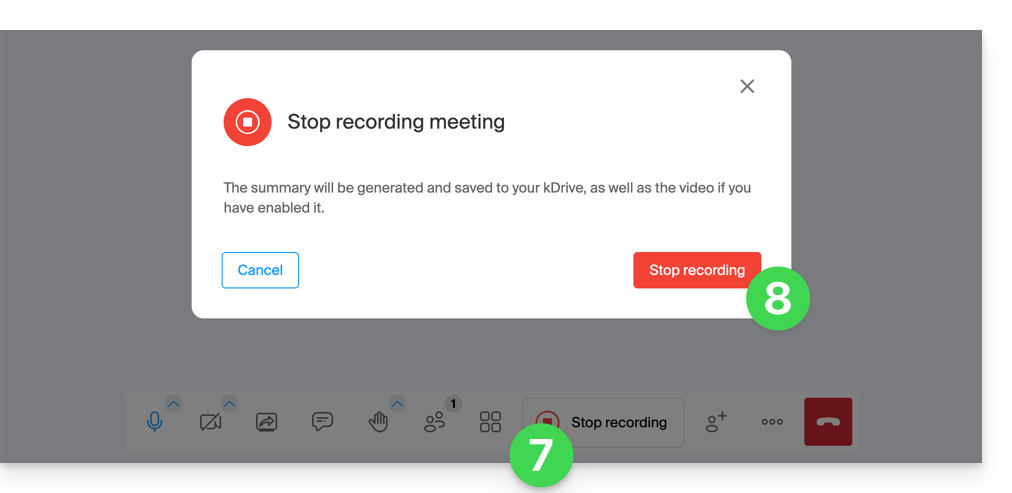
- To stop the video recording, click Stop recording.
- Confirm:
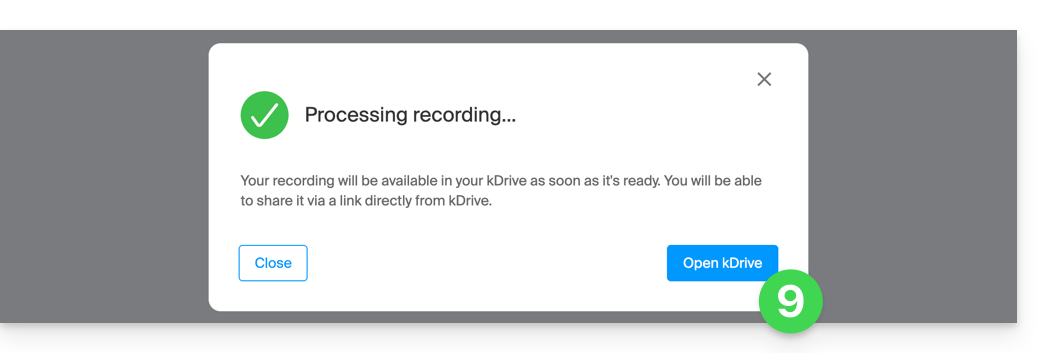
- Choose whether you want to go to the location of the record on kDrive:
- The report is available in the root directory of the selected kDrive, in text format
.md; you can view it directly on kDrive.
This summary of your conversation will be written in the language that was most frequently used during the recorded discussion.
Link naar deze veelgestelde vragen: https://faq.infomaniak.com/2035
Is deze veelgestelde vragenlijst nuttig geweest?