Kennisbank
1.000 veelgestelde vragen, 500 tutorials en uitlegvideo's. Hier vind je alleen maar oplossingen!
Change the mobile phone number associated with your Infomaniak account
This guide explains how to change the mobile phone number (used if you forget the password to access your Manager) for your Infomaniak account (i.e., your user account).
Introduction
- To manage your Infomaniak account details, please refer to this other guide.
- To change your login ID, please refer to this other guide.
- To manage the details of the Organization you belong to, please refer to this other guide.
Modify the mobile phone number
To change the phone number associated with your Infomaniak account:
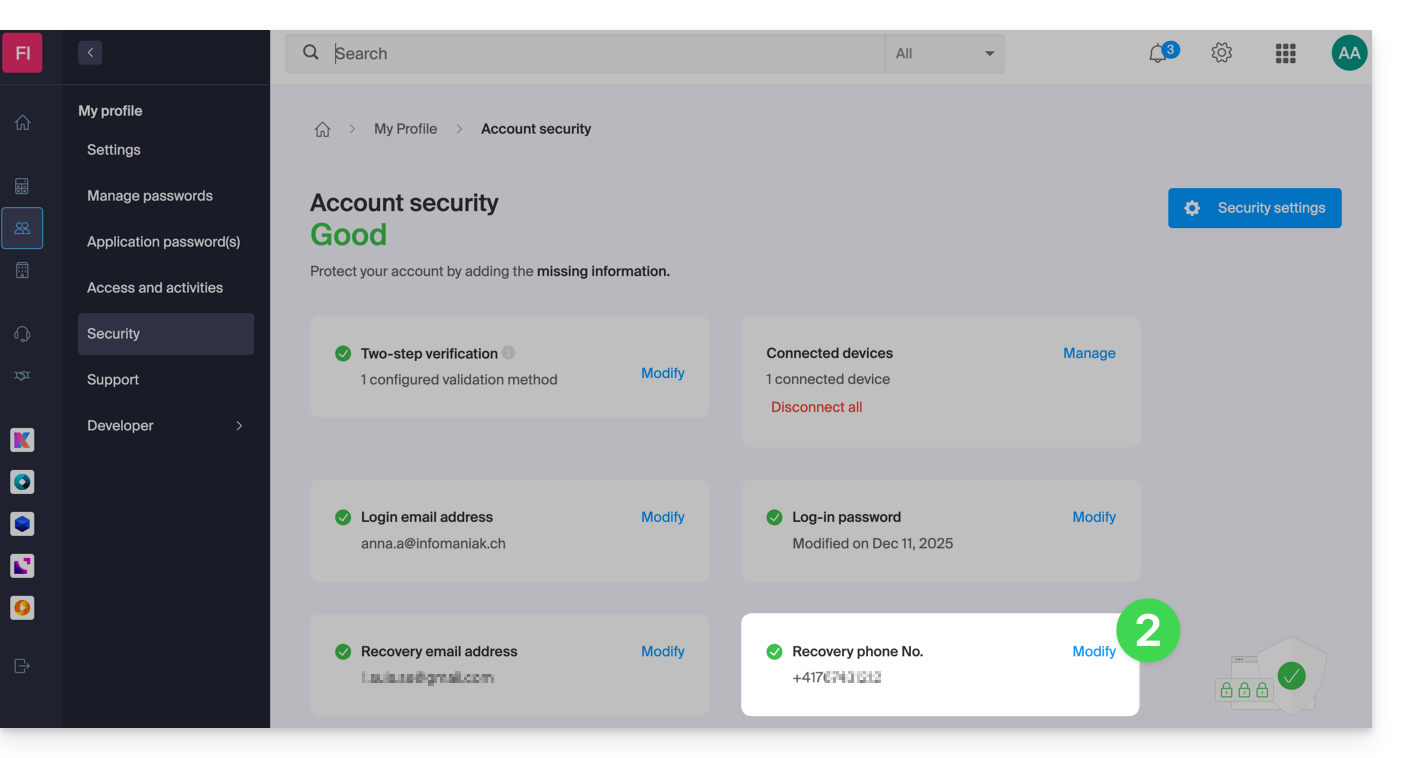
- Click here to access the security information management section in the Infomaniak Manager.
- Click on Edit in the Recovery Phone box:
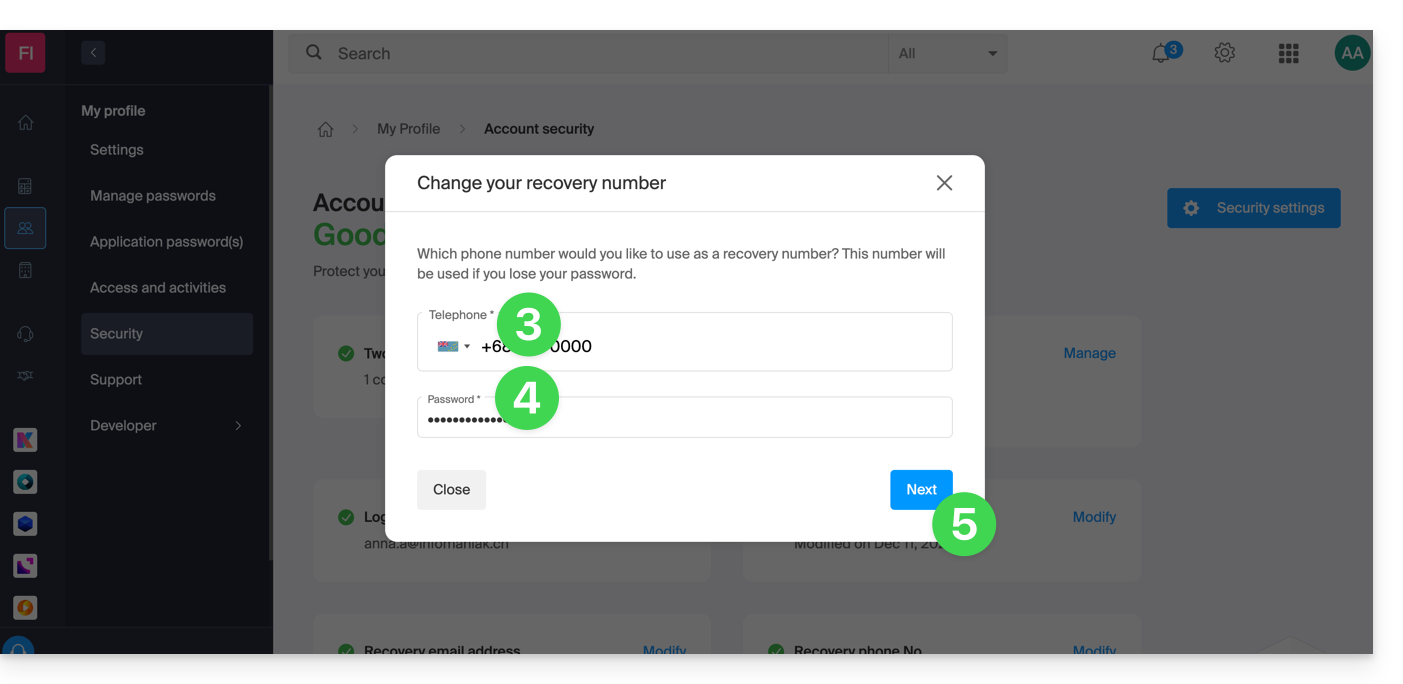
- Enter the country code corresponding to your country and your new mobile phone number.
- Enter your Manager login password.
- Click the Next button to save:
Note: an administrator within the Organization canPrevent users from requesting a password reset via SMS: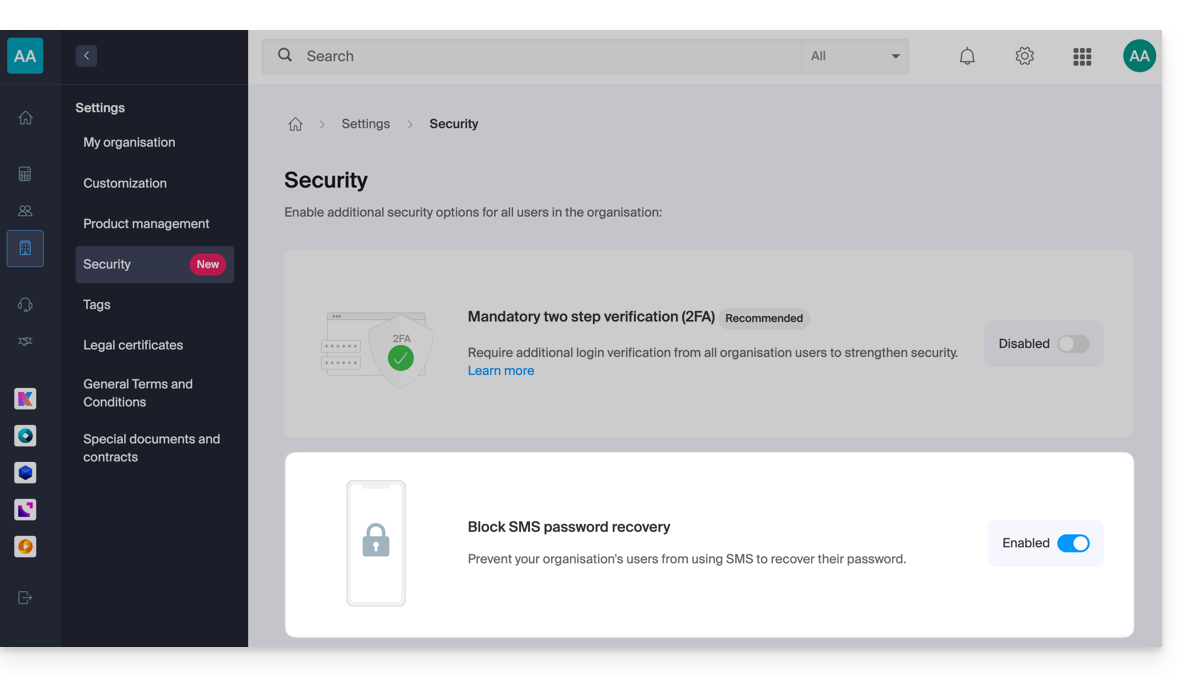
In this case, the recovery email will be used instead of the phone number specified above.
Link naar deze veelgestelde vragen: https://faq.infomaniak.com/2017
Is deze veelgestelde vragenlijst nuttig geweest?