Kennisbank
1.000 veelgestelde vragen, 500 tutorials en uitlegvideo's. Hier vind je alleen maar oplossingen!
Modify the DNS servers of a domain name
Bijwerken 02-11-2026
This guide explains how to modify the DNS (Name Servers) of a domain registered with Infomaniak.
Prerequisites
- Own a domain name with Infomaniak or at least have a DNS zone (❓: help).
- Understand:
DNS Modification
To modify the DNS records of a domain name managed by Infomaniak,control the direction that web and email traffic should take:
- Click here to access the domain management section in your Infomaniak Manager (❓: help).
- Click on the name of the domain in question.
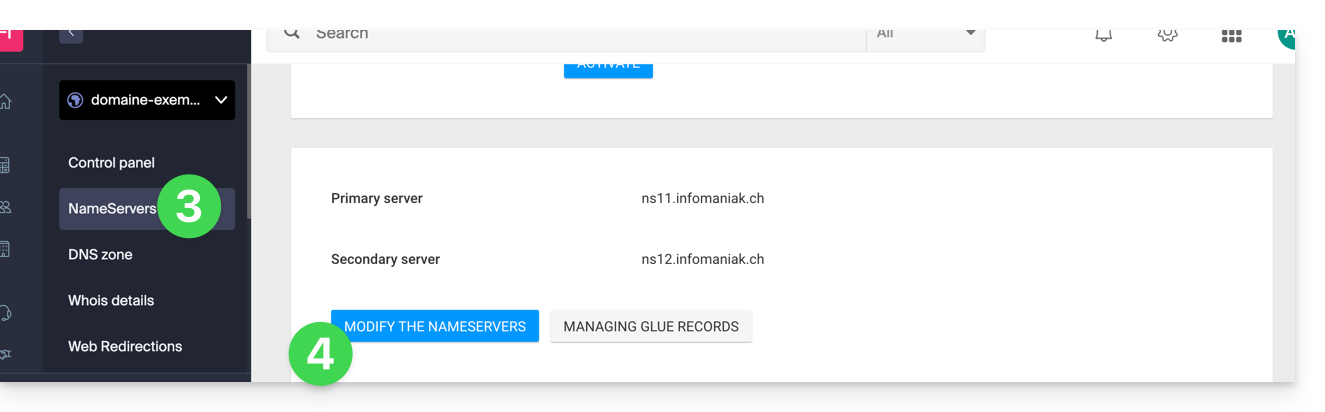
- Click on DNS Servers from the left-hand menu.
- Click on the blue Edit DNS servers button:
- If your website is hosted with Infomaniak, check Infomaniak nameservers…
- Otherwise, check Custom nameservers to enter the nameservers below and validate at the bottom of the page.
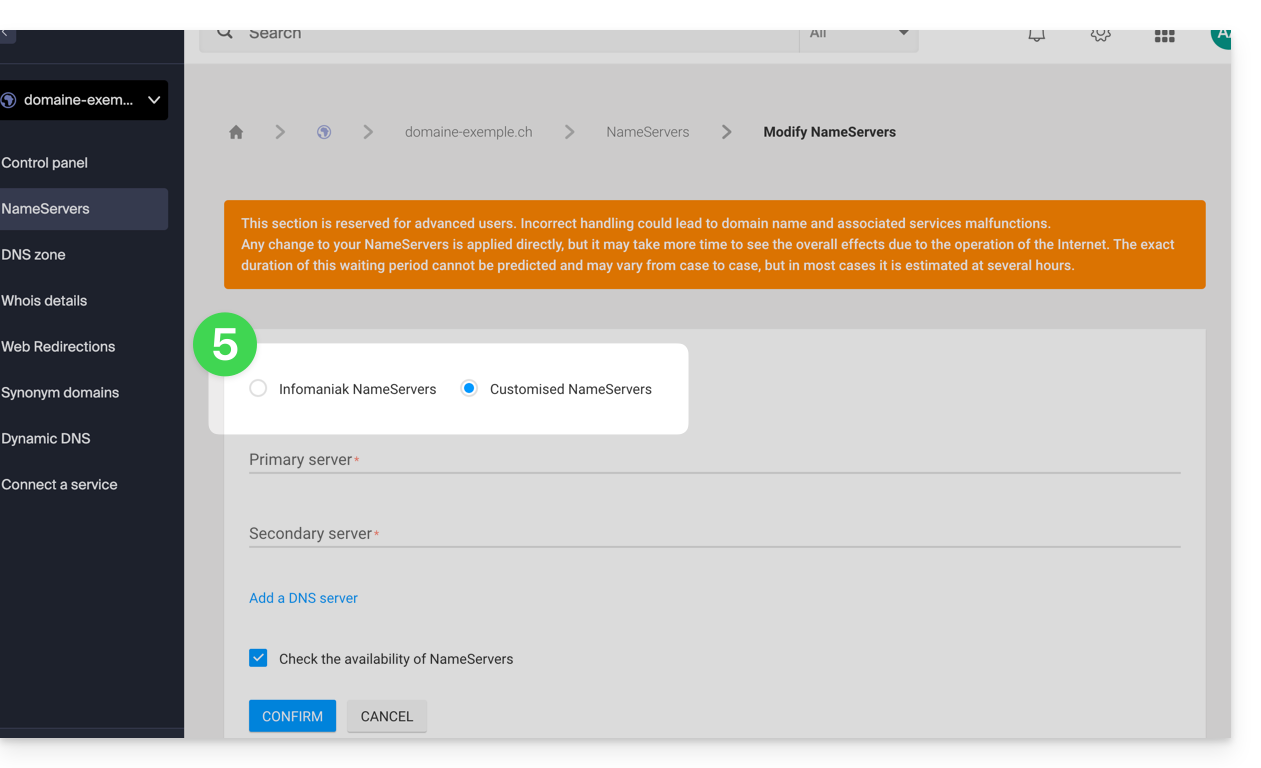
- Otherwise, check Custom nameservers to enter the nameservers below and validate at the bottom of the page.
Batch Modification
To modify the DNS records of multiple domain names in bulk:
- Click here to access the domain management section in your Infomaniak Manager (❓: help).
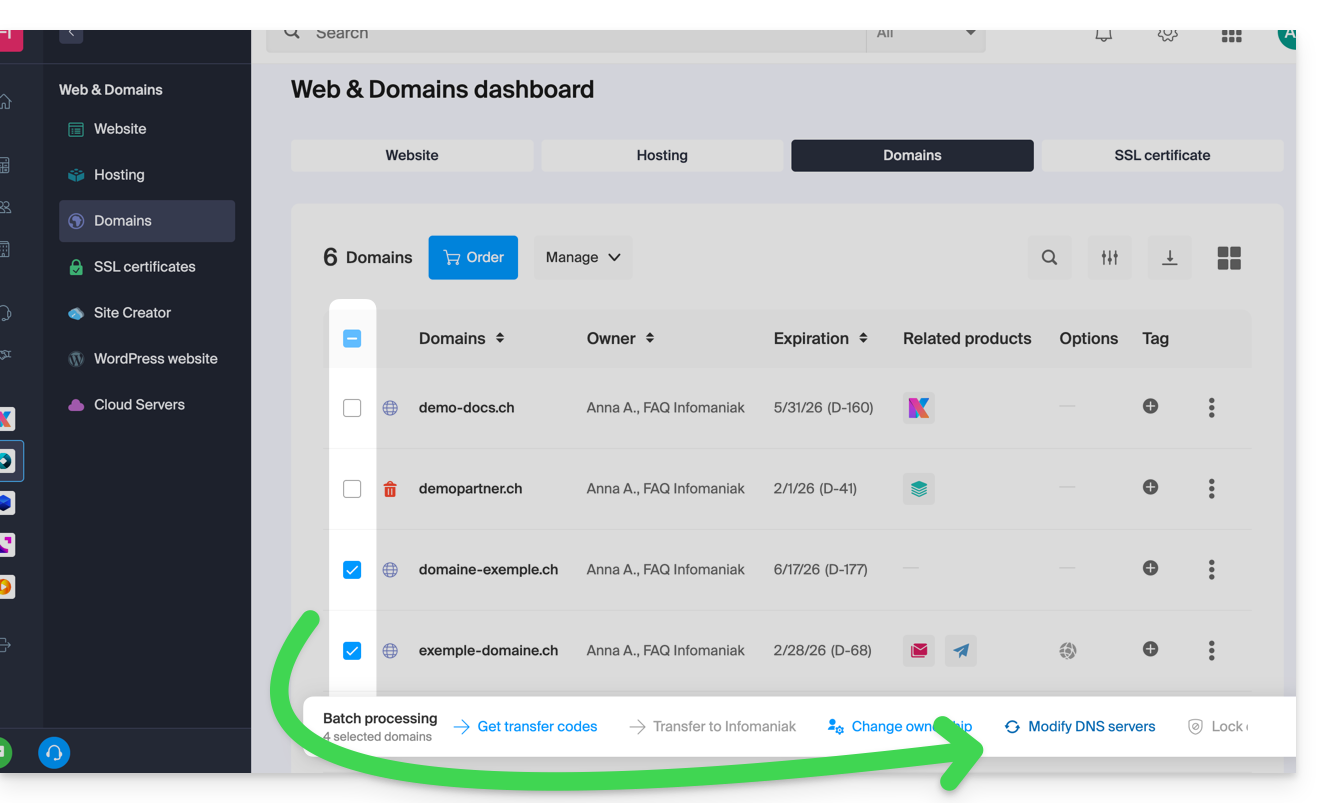
- Click on the name of the domains in question.
- Click on ⋮ at the bottom of the screen if necessary.
- Click on Edit DNS servers:
If you would rather modify the contents of the DNS zone and therefore change the various DNS records contained within it, please refer to this other guide.
Link naar deze veelgestelde vragen: https://faq.infomaniak.com/1798
Is deze veelgestelde vragenlijst nuttig geweest?