Kennisbank
1.000 veelgestelde vragen, 500 tutorials en uitlegvideo's. Hier vind je alleen maar oplossingen!
Enable advanced PHP functions for a web hosting account
Bijwerken 02-11-2026
This guide explains how to enable the following functions on Web Hosting (in italics, Cloud Server only):
proc_openpopenexec()shell_exec()set_time_limitpassthrusystem
These functions are disabled by default because they pose a significant security risk if a website is hacked. Only enable them if absolutely necessary (for a script or CMS such as ImageMagick, Typo3, CraftCMS, etc.).
Enable PHP functions
To access the site management:
- Click here to access the hosting & site management in your Infomaniak Manager (❓: help).
- Click on the name of the website in question.
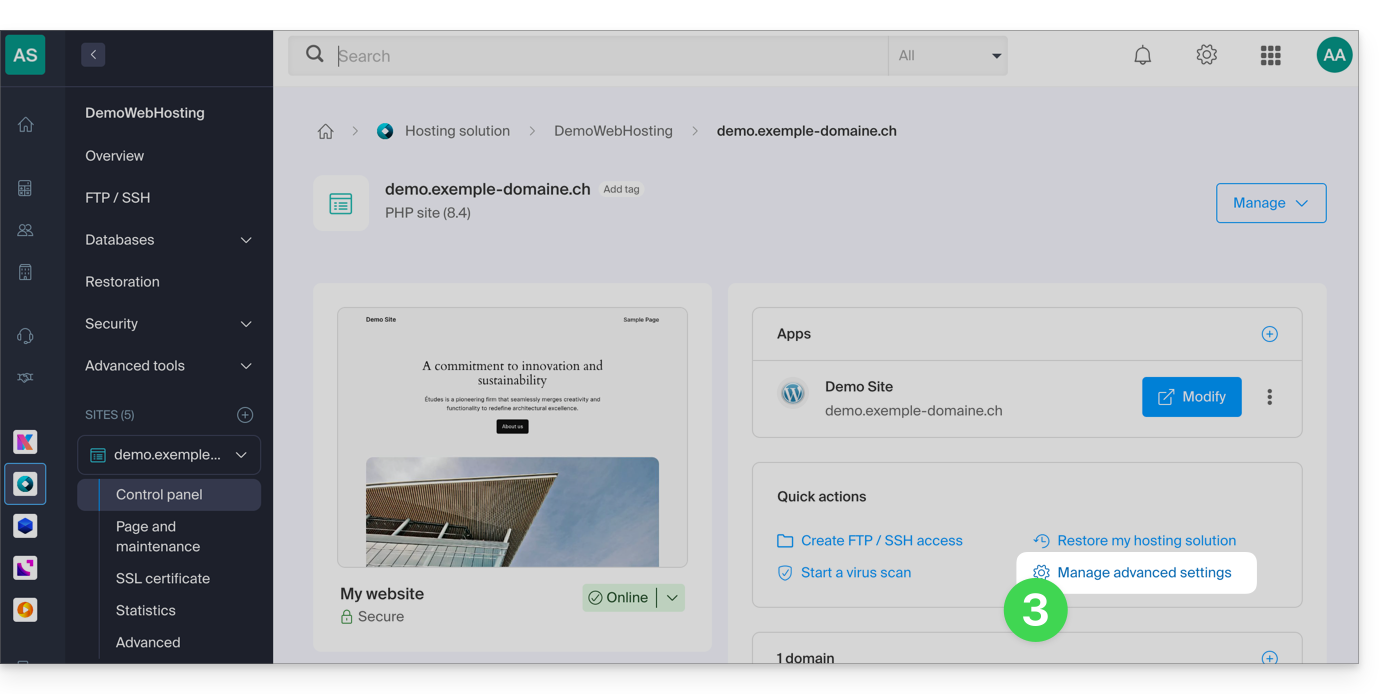
- Click on Manage advanced settings:
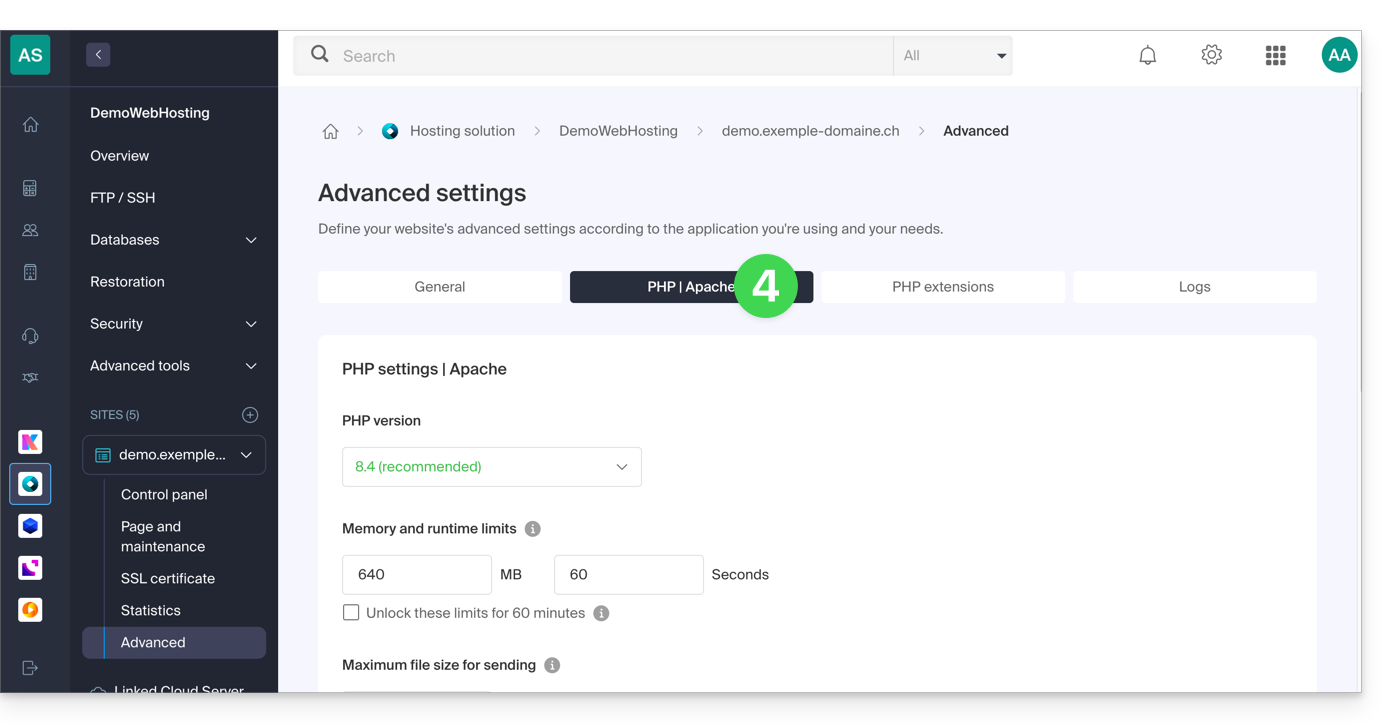
- Click on the PHP / Apache tab:
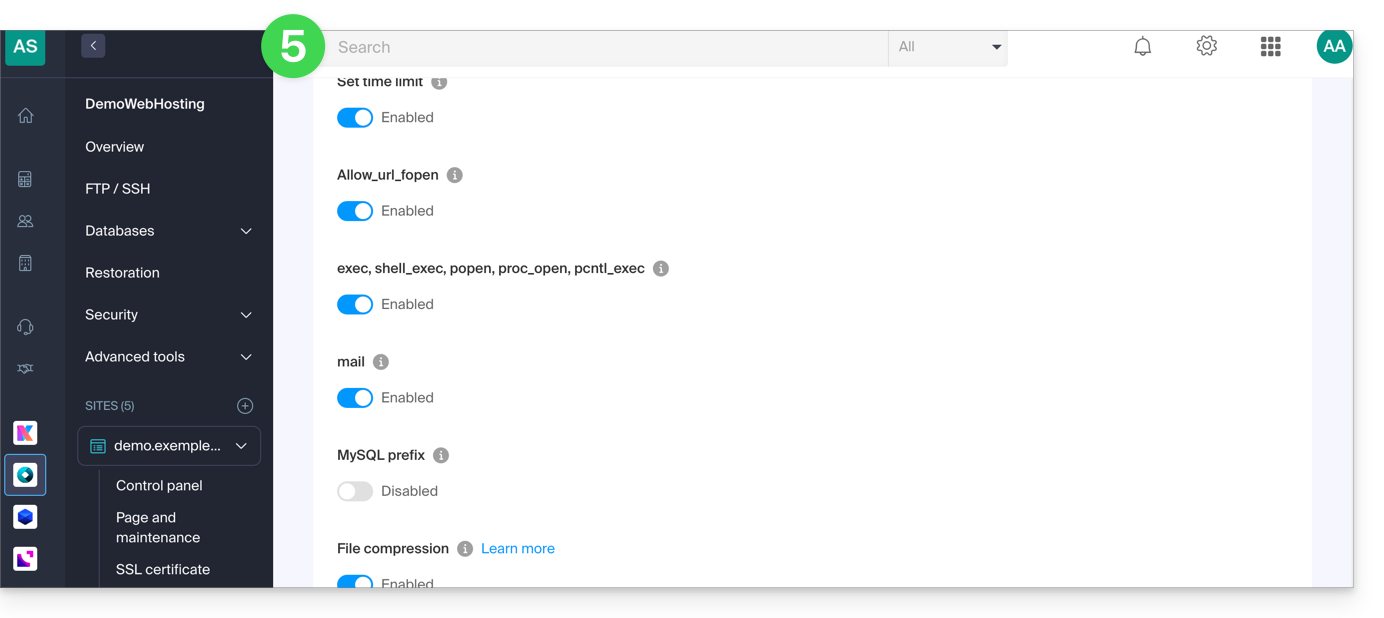
- Click on the On/Off toggle buttons as desired:
- Click the Save button at the bottom of the page to apply the changes.
Link naar deze veelgestelde vragen: https://faq.infomaniak.com/173
Is deze veelgestelde vragenlijst nuttig geweest?