Kennisbank
1.000 veelgestelde vragen, 500 tutorials en uitlegvideo's. Hier vind je alleen maar oplossingen!
Een Cloud VPS / Lite opzeggen
Bijwerken 13-08-2026
Deze handleiding legt uit hoe u een Cloud VPS / VPS Lite volledig kunt opzeggen.
Inleiding
- Voor de meeste producten moet u de opzegging per e-mail bevestigen, anders worden er geen gegevens verwijderd.
- Eventuele openstaande kosten die niet inbegrepen zijn in het abonnement, blijven verschuldigd.
- Een bevestiging van de opzegging wordt naar eventuele andere beheerders van de organisatie gestuurd.
- Bij de opzegging worden de back-ups onherroepelijk verwijderd, waardoor herstel onmogelijk wordt.
Een server opzeggen
Om de opzegging van uw producten te starten:
- Klik hier om naar het beheer van uw product in het Infomaniak-beheerportaal te gaan (hulp nodig?).
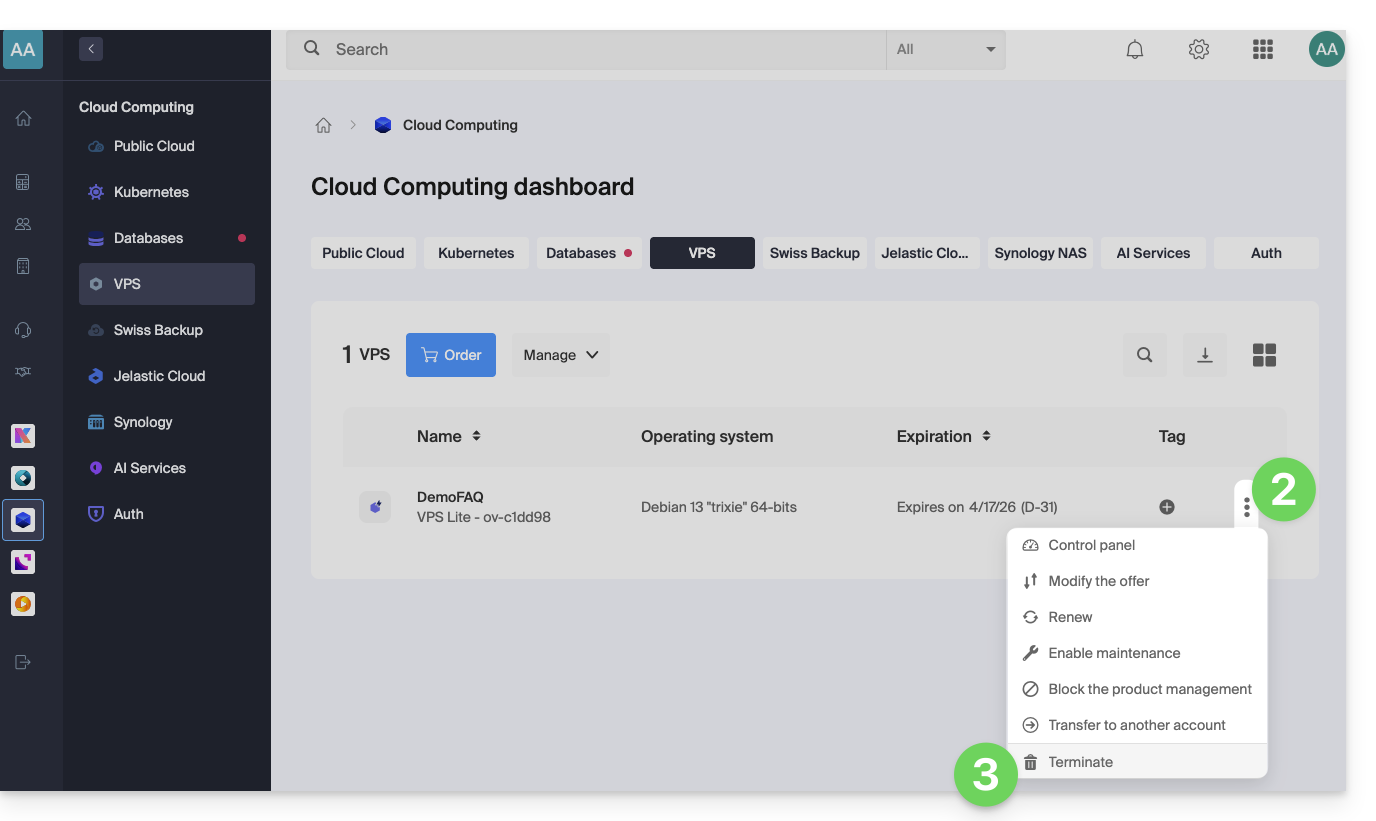
- Klik op het menu met acties ⋮ rechts van het betreffende item.
- Kies Opzeggen:
- Volg de procedure tot het einde.
Link naar deze veelgestelde vragen: https://faq.infomaniak.com/1702
Is deze veelgestelde vragenlijst nuttig geweest?