Kennisbank
1.000 veelgestelde vragen, 500 tutorials en uitlegvideo's. Hier vind je alleen maar oplossingen!
Generate images with AI Services
This guide details how to create illustrations within Infomaniak's AI Services.
Introduction
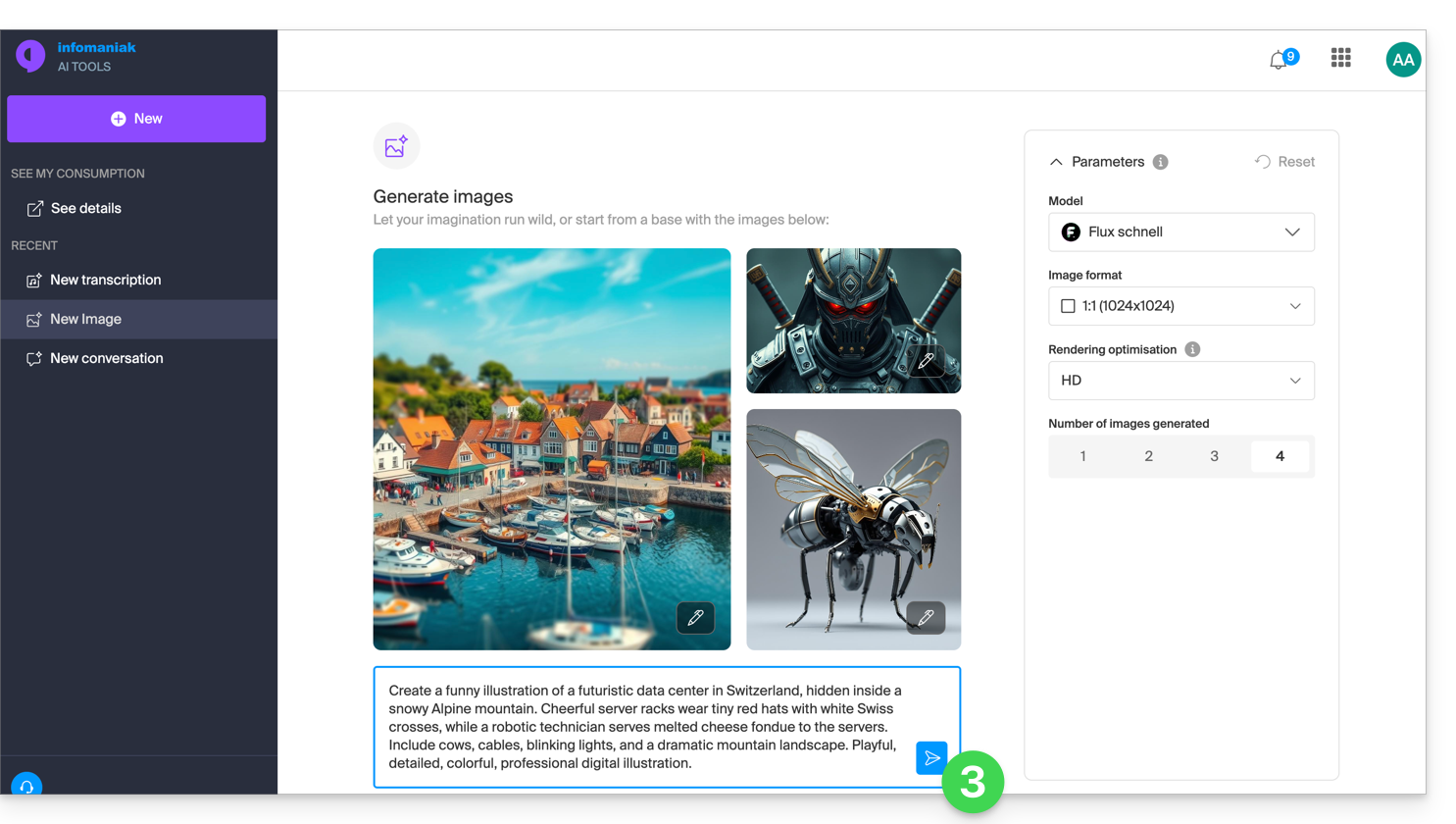
- The homepage features example images that you can use for inspiration.
- The generated images are available for 30 days in the web app's history.therefore, API calls are excluded, where some technical metadata is logged, but not the responses).
- The public API of AI Services is used with the
fluxmodel.
Generate an image with AI Services
To access the artificial intelligence image generation tool:
- Click here to access AI Services.
- If nothing is displayed after logging in, you may not be in the Organization to which your service is linked (❓: help).
- Manage the desired settings: model based on availability, format (square, portrait, landscape), rendering (more or less detail), and the number of images to generate, from 1 to 4.
- Write the prompt needed to model your idea, then click on the icon:
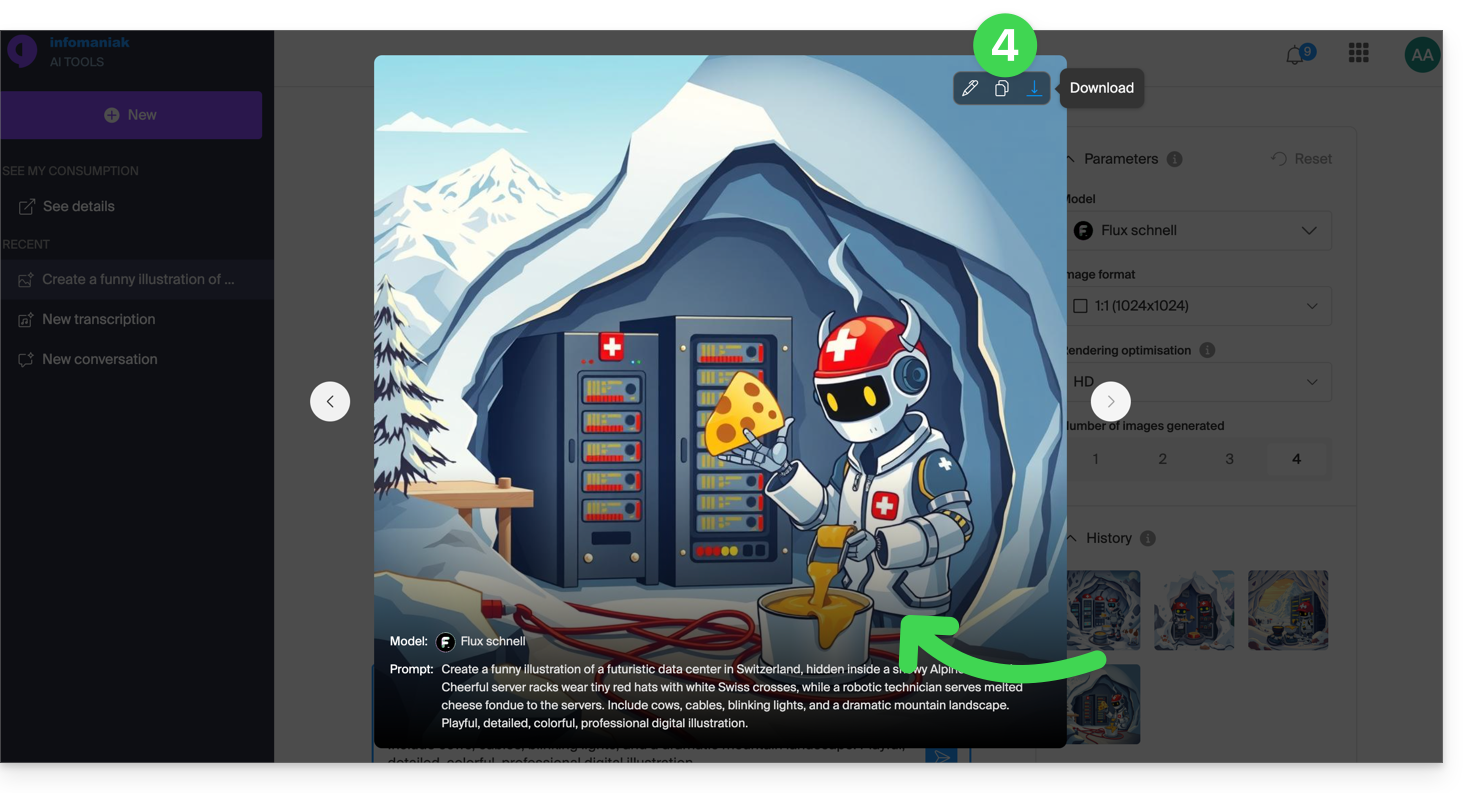
- The results and history can be enlarged, used to reconfigure the settings identically, copied to the clipboard, or downloaded to your device:
Link naar deze veelgestelde vragen: https://faq.infomaniak.com/1632
Is deze veelgestelde vragenlijst nuttig geweest?