Kennisbank
1.000 veelgestelde vragen, 500 tutorials en uitlegvideo's. Hier vind je alleen maar oplossingen!
Toegang aanvragen tot een Infomaniak-e-mailadres
Deze handleiding legt uit welke stappen u moet volgen om als werknemer, medewerker, familielid of in een andere situatie toegang te krijgen tot een e-mailadres dat door een derde partij is aangemaakt bij Infomaniak.
Toegang tot het e-mailadres aanvragen
Vereisten
- Als u al een Infomaniak-account heeft, controleer dan of het e-mailadres momenteel niet toegankelijk is voor uw gebruiker.
- Noteer uw inloggegevens: klik op het pictogram met uw initialen/avatar rechtsboven in het Infomaniak-beheerpaneel:
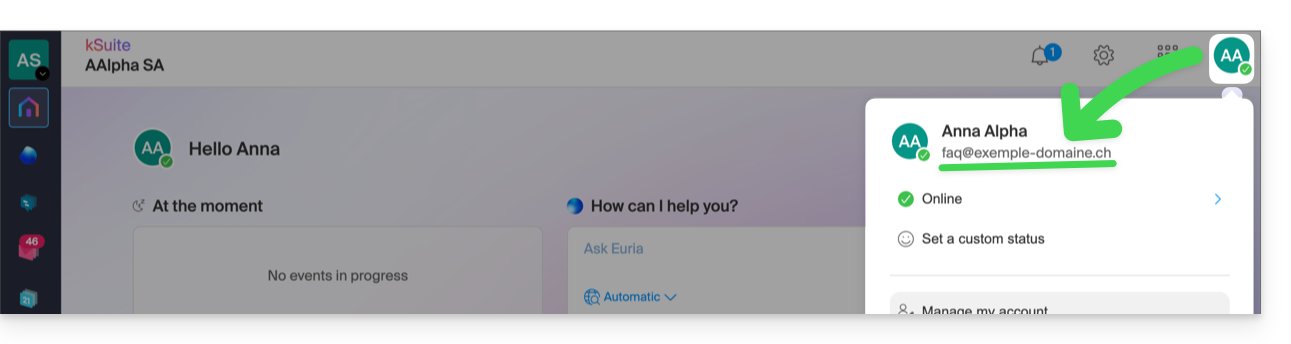
Neem vervolgens contact op met de beheerder van het betreffende e-mailadres (demo@primary-domain.ch in dit voorbeeld):
- Geef aan dat hij/zij de instructies in deze andere handleiding moet volgen: faq.infomaniak.com/1478, zodat de inloggegevens als gebruiker voor het e-mailadres “
demo” op de e-maildienst “primary-domain.ch” kunnen worden toegevoegd. - Geef uw inloggegevens door, bijvoorbeeld hier
faq@voorbeeld-domein.ch.
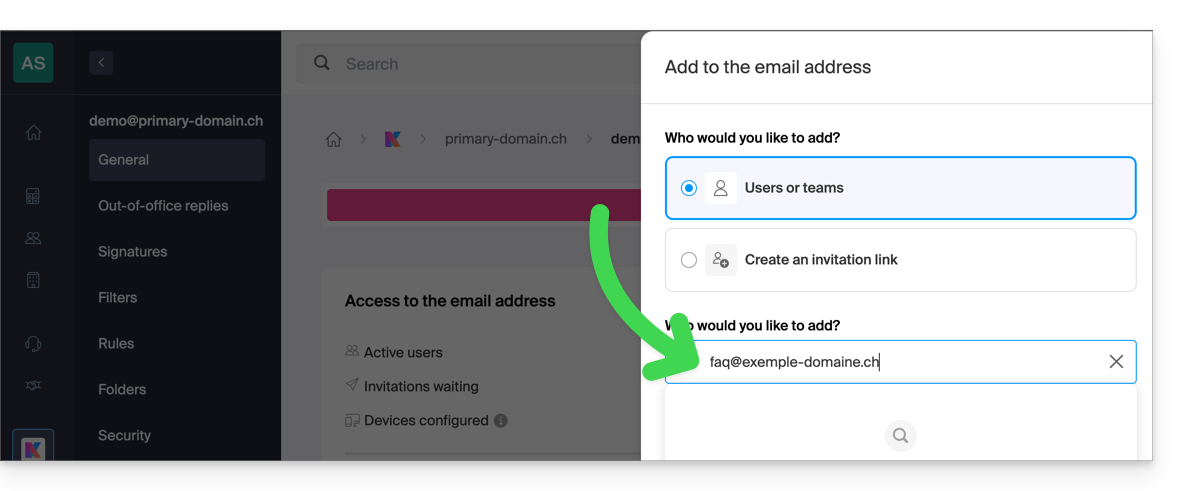
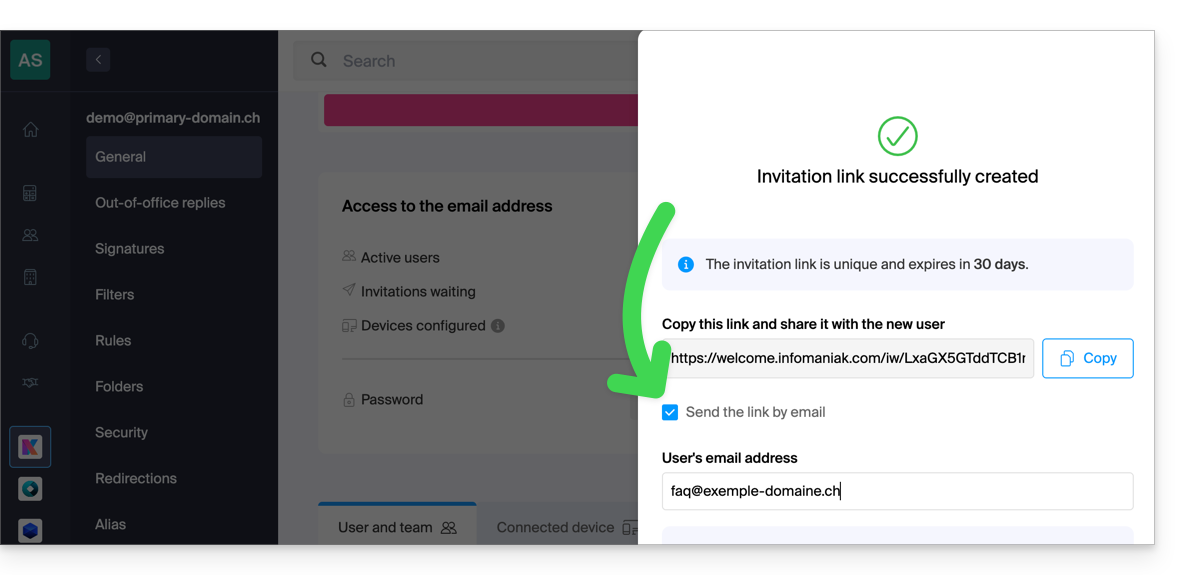
Zo kan hij, door de instructies te volgen, uw inloggegevens toevoegen bij punt 6, als gebruiker van het e-mailadres:
- ofwel direct, omdat u al deel uitmaakt van dezelfde organisatie als hij:
- of via een uitnodigingslink, die hij u bijvoorbeeld per bericht of e-mail kan sturen:
Zodra de bewerking is voltooid, ziet u de inhoud van de betreffende e-mailbox op uw interface: ksuite.infomaniak.com/all/mail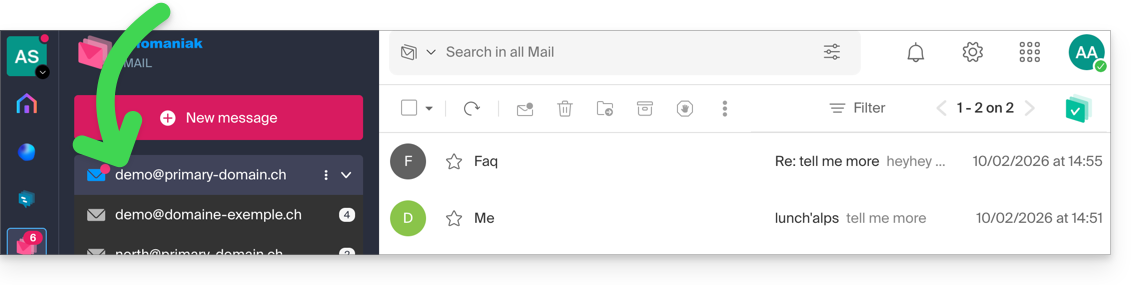
* U kunt hem/haar ook vragen om deze andere handleiding te raadplegen, zodat de bewerking direct vanuit de webmail-app van Infomaniak kan worden uitgevoerd.
Link naar deze veelgestelde vragen: https://faq.infomaniak.com/122
Is deze veelgestelde vragenlijst nuttig geweest?