Base de conhecimento
1000 perguntas frequentes, 500 tutoriais e vídeos explicativos. Aqui, você encontra apenas soluções!
Resolve a website virus issue
This guide explains how to start a content analysis of a Web Hosting to detect and clean files containing viruses and other malicious scripts that could threaten the security of websites.
Preamble
- You receive an email when the operation is complete (the antivirus scan may take some time; the Manager can be closed).
- Infomaniak ensures the protection of hostings by analyzing exclusively the folders of the sites (webroot); outside of this, no synchronous scan is performed on the rest of the hosting.
- Also consider the vulnerability detection tool to monitor potential vulnerabilities automatically corrected on your websites.
Start an antivirus analysis of the sites
To analyze potentially infected content:
- Click here to access the management of your hosting on the Infomaniak Manager (need help?).
- Click directly on the name assigned to the hosting concerned.
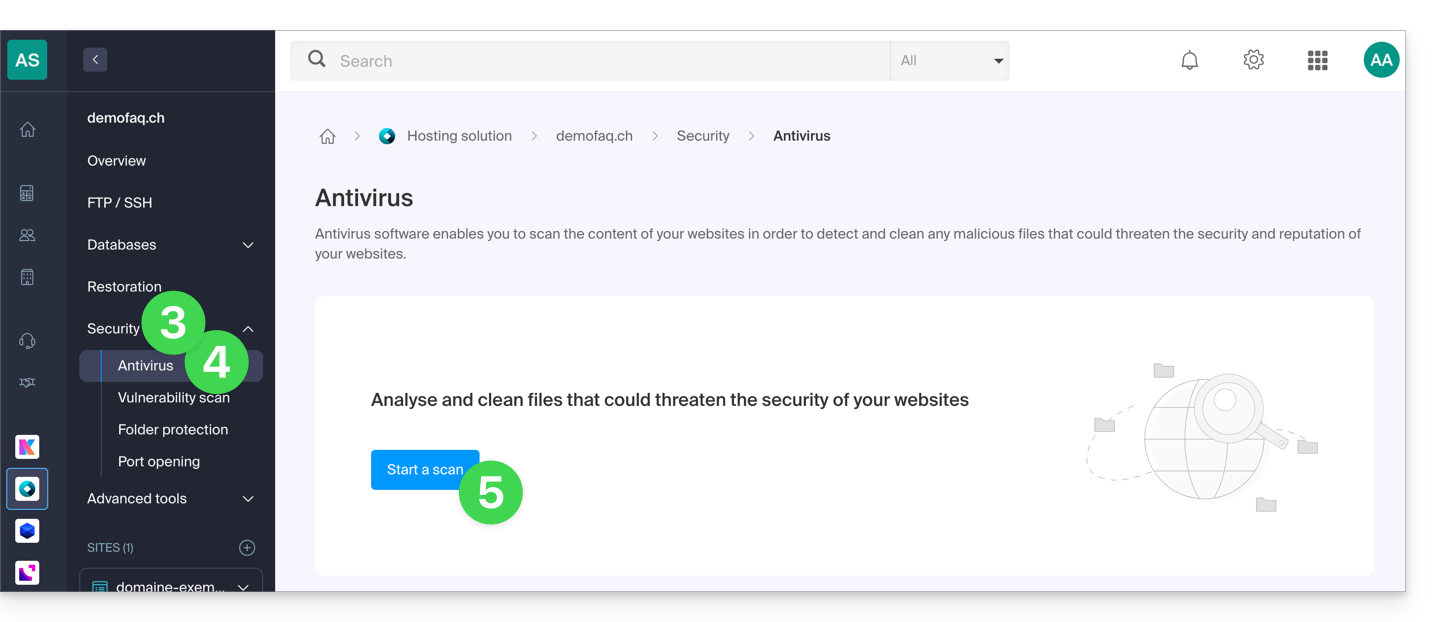
- Click on Security in the left sidebar.
- Click on Antivirus in the left sidebar.
- Click on the blue button Analyze:
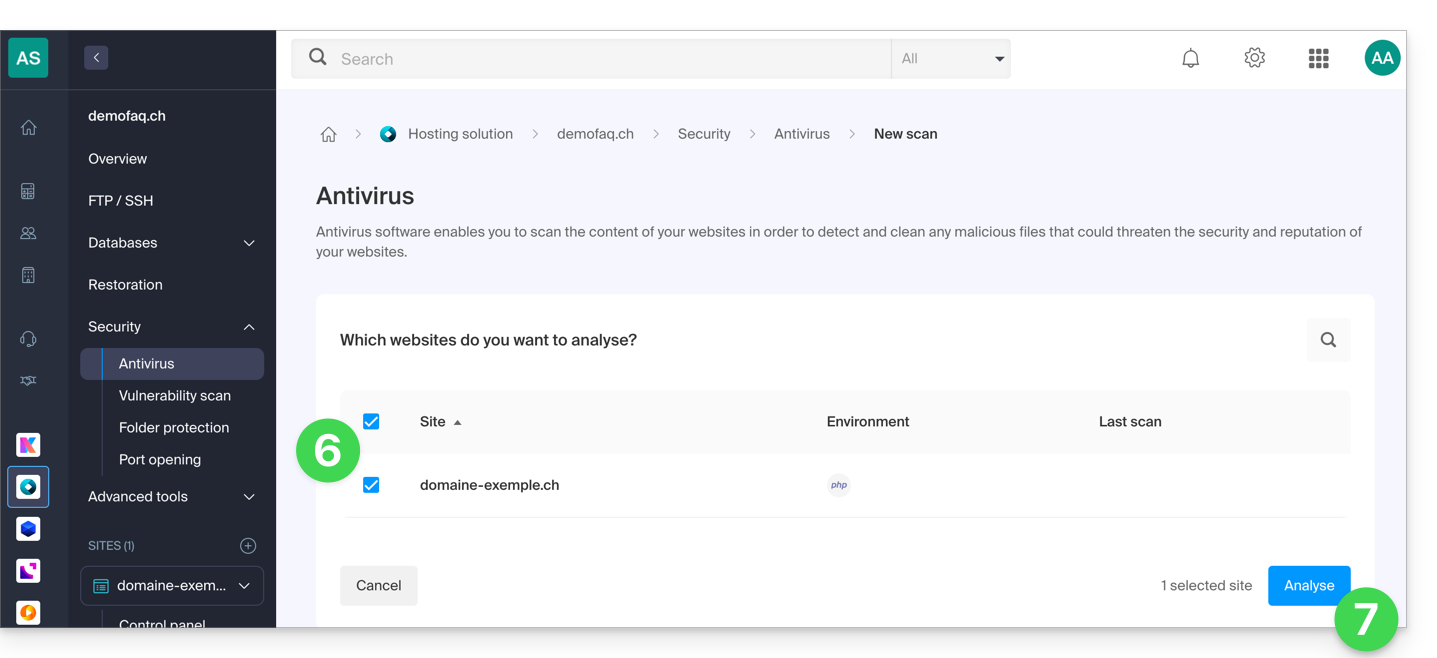
- Select the site(s) to analyze.
- Click on the blue button Start analysis:
- Follow the procedure until the file analysis starts.
Link para esta FAQ: https://faq.infomaniak.com/857
Esta seção de perguntas frequentes foi útil?