Base de conhecimento
1000 perguntas frequentes, 500 tutoriais e vídeos explicativos. Aqui, você encontra apenas soluções!
Display web statistics
This guide explains how to view information about visitors who have accessed your Web Hosting sites (traffic statistics).
Preamble
- The result is presented in a simple format with graphs, allowing for easy interpretation.
- Annual, monthly, daily, and hourly statistics are displayed by site, HTTP address, referring site, country, etc.
- Refer to this other guide if you are specifically looking for access logs.
Accessing visit statistics
To view public traffic statistics:
- Click here to access your site management on the Infomaniak Manager (need help?).
- Click directly on the name assigned to the site in question.
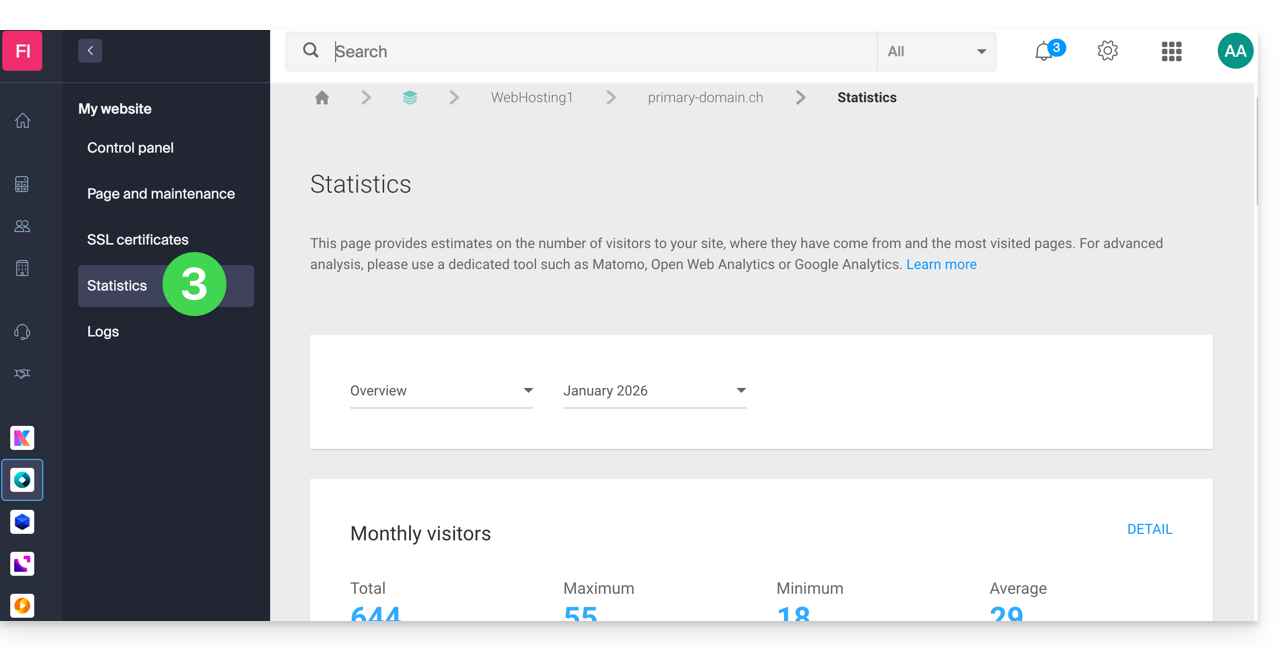
- Click on Statistics in the left sidebar:
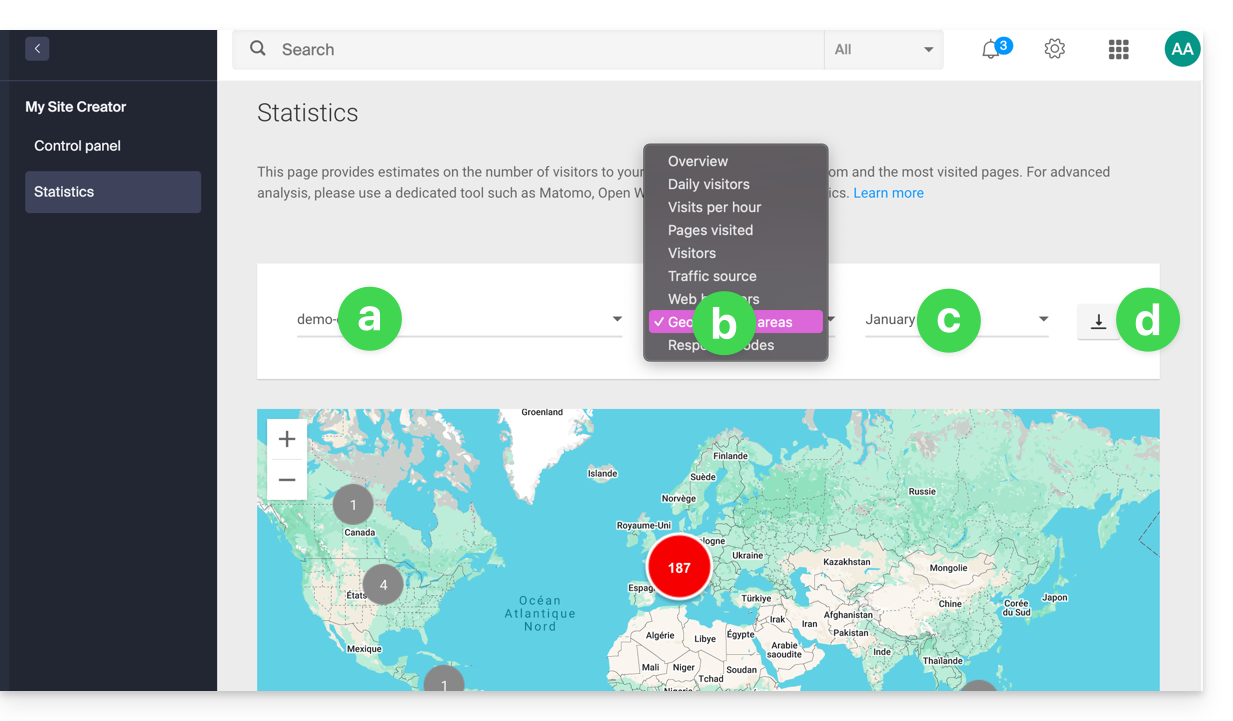
- The upper part allows you to choose:
- the site,
- the type of statistics,
- the period,
- or to download the data for a third-party tool:
Explanation of terms
There is no distinction between humans and robots. You can also use tools like Matomo, Open Web Analytics, or Google Analytics.
| Category | Description | Details |
|---|---|---|
| Hits | Any request addressed to the server. | Includes everything (HTML, images, audio, etc.). Each element requested, visible or not, counts as a hit. It's as if a visitor activates an invisible button with each interaction. |
| Files | Requests requiring data to be sent back. | Records requests that require the server to return a file (graphic, HTML). The difference with hits corresponds to the ratio between incoming requests and outgoing data. |
| Pages | Number of pages displayed on your site. | Measures the HTML pages viewed, excluding graphic or audio files. Each access to a new HTML page is recorded as a page view. |
| Visits | Sessions based on the IP address. | A visit begins with an IP request. If the address returns within 30 minutes, it is a unique visit. Beyond that, a new visit is counted. |
| Sites | Estimation of visits via fixed IP addresses. | Excludes mobile or dynamic connections. This targets regular visitors (companies, institutions) to better understand your target audience. |
| KB | Volume of data sent by the server. | Total amount of data transferred during the period, calculated via log files (with a possible margin of error depending on the size of the files). |
| Total hits | Overall cumulative requests. | A page with 3 images and a text generates 5 hits (the page + the text + the 3 images). This total is therefore much higher than the number of pages viewed. |
| Total Pages / Visits | Engagement indicators. | The number of pages viewed relative to unique visits allows you to assess the interest of internet users in your content. |
| Total unique sites | Number of distinct IPs. | Represents the diversity of traffic sources and helps identify the most active audience segments during the period. |
| Total unique URLs | Distinct paths taken. | Corresponds to the different pages or files consulted, providing an overview of your navigation structure and the most popular content. |
| Total unique referrers | Number of source sites. | External sites that have directed traffic to you. This is a key indicator of the effectiveness of your marketing and partnerships. |
Meaning of 'Commercial (com)' and 'Unresolved'
"Commercial" often represents a significant portion of geographic traffic. It includes users connected through Internet Service Providers (ISPs) using a .com domain. Since this extension is used by many ISPs and companies worldwide, it does not allow for the determination of a specific country.
"Unresolved" are geographically unresolved IP addresses, often due to privacy settings, the use of VPNs, or network restrictions.
Link para esta FAQ: https://faq.infomaniak.com/83
Esta seção de perguntas frequentes foi útil?