Base de conhecimento
1000 perguntas frequentes, 500 tutoriais e vídeos explicativos. Aqui, você encontra apenas soluções!
Base de conhecimentoSistema de tickets: gerenciar o prazo de pagamento antes do cancelamento do pedido
Sistema de tickets: gerenciar o prazo de pagamento antes do cancelamento do pedido
Este guia explica o funcionamento do prazo de pagamento antes do cancelamento de um pedido (no âmbito do sistema de bilheteira Infomaniak).
Pré-requisitos
- Esta funcionalidade é oferecida apenas para pedidos que utilizam o método de pagamento "Pagamento por fatura".
- Por padrão, o prazo é de 30 dias após o pedido. Um lembrete será enviado automaticamente 10 dias e 20 dias após a data do pedido. No 30º dia, o pedido será cancelado e um e-mail será enviado ao cliente para informá-lo sobre o cancelamento do seu pedido.
Configurar o prazo antes do cancelamento do pedido
Quando os bilhetes para um dos seus eventos são comprados com o método de pagamento "Pagamento por fatura", é possível configurar uma regra de prazo antes do cancelamento automático do pedido.
- Clique aqui para acessar o gerenciamento do seu produto no painel de controle Infomaniak (precisa de ajuda?).
- Clique diretamente no nome atribuído ao sistema de bilheteria relacionado ao evento.
- Clique em Vendas no menu lateral esquerdo.
- Clique em Métodos de pagamento no menu lateral esquerdo.
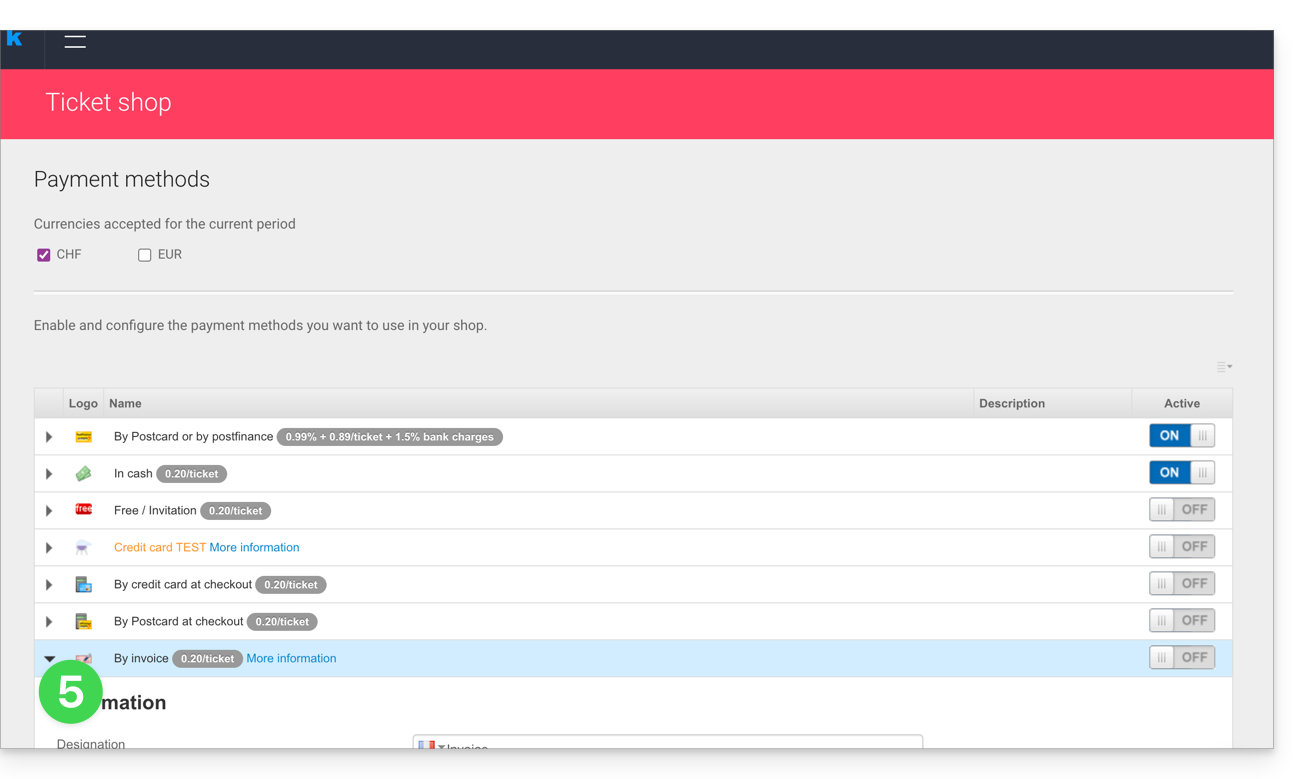
- Clique no ícone ⏵ para expandir as configurações do item “Na fatura”:
- Defina o período de disponibilidade deste método de pagamento, o número de dias antes de reenviar uma solicitação de pagamento ao cliente e o número de tentativas:
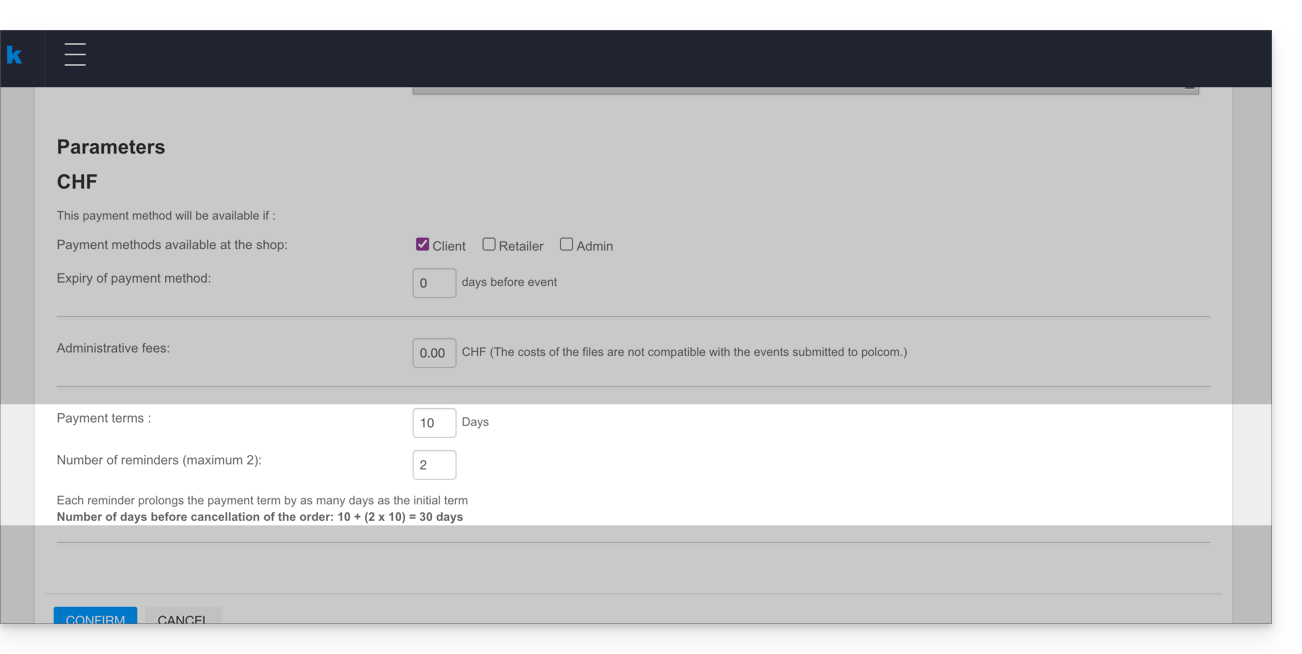
Cada lembrete prolonga o prazo de pagamento pelo mesmo número de dias do prazo inicial. O pedido é automaticamente cancelado ao final do período de cobrança, que é calculado da seguinte forma:
- Número de dias antes do primeiro lembrete + (número de lembretes multiplicado pelo número de dias antes do primeiro lembrete).
- No exemplo acima, o resultado é: 5 + (2x5) = 15, ou seja, o cancelamento ocorrerá 15 dias após o primeiro lembrete.
Link para esta FAQ: https://faq.infomaniak.com/2597
Esta seção de perguntas frequentes foi útil?