Base de conhecimento
1000 perguntas frequentes, 500 tutoriais e vídeos explicativos. Aqui, você encontra apenas soluções!
Whitelist IP to unlock xmlrpc.php
This guide explains how to add IP addresses to the whitelist of an Infomaniak website.
Preamble
- Allowing IPs on
xmlrpc.phpallows access to URLs that are blocked by default, as they are considered risky. - This type of blocking is effective on all recent servers.
- Regarding WordPress, its XML-RPC feature is only available by default via Infomaniak services and JetPack for security reasons.
Add IP addresses to the xmlrpc.php whitelist
To access website management:
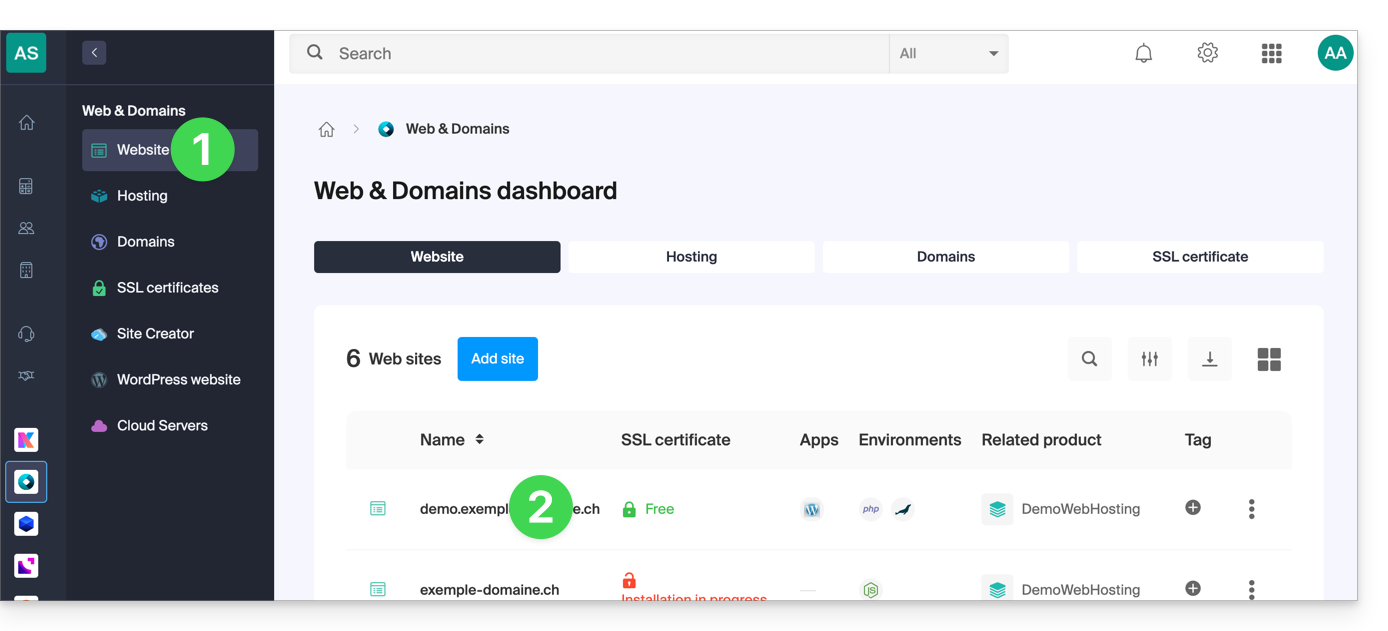
- Click here to access your site management on the Infomaniak Manager (need help?).
- Click directly on the name assigned to the site concerned:
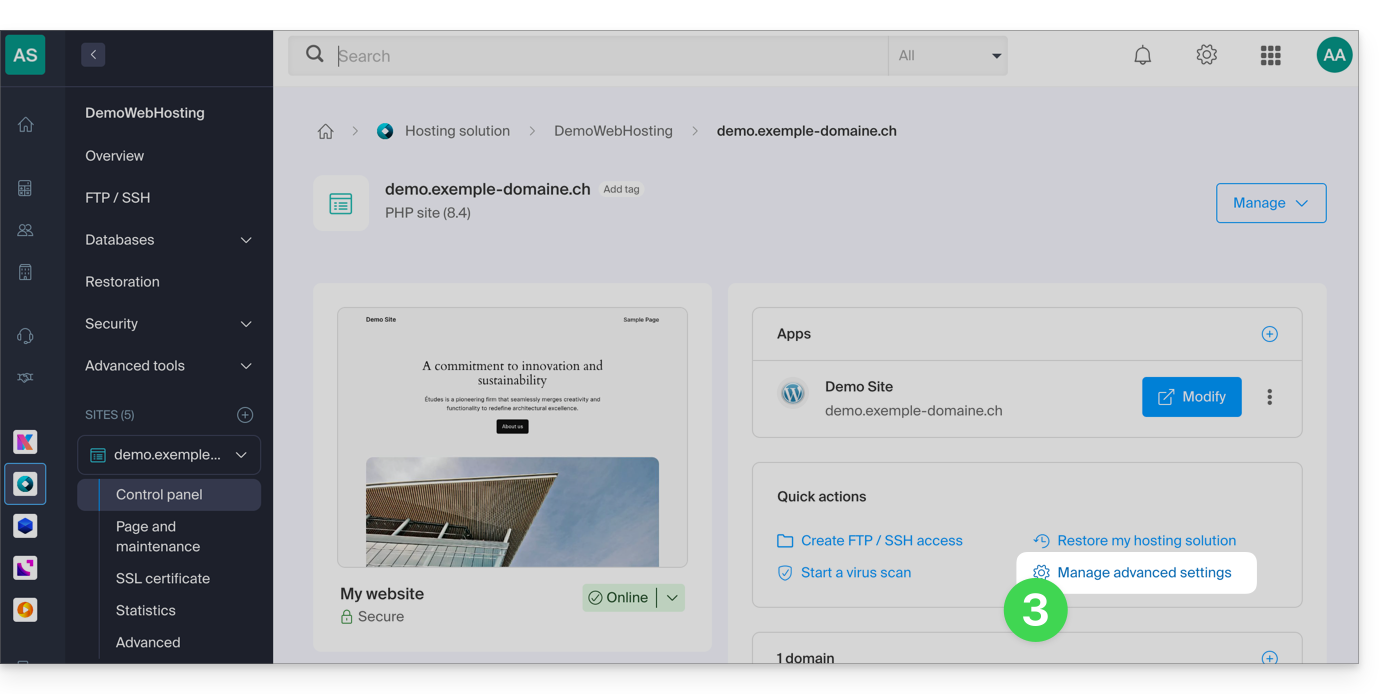
- Click on Manage advanced settings:
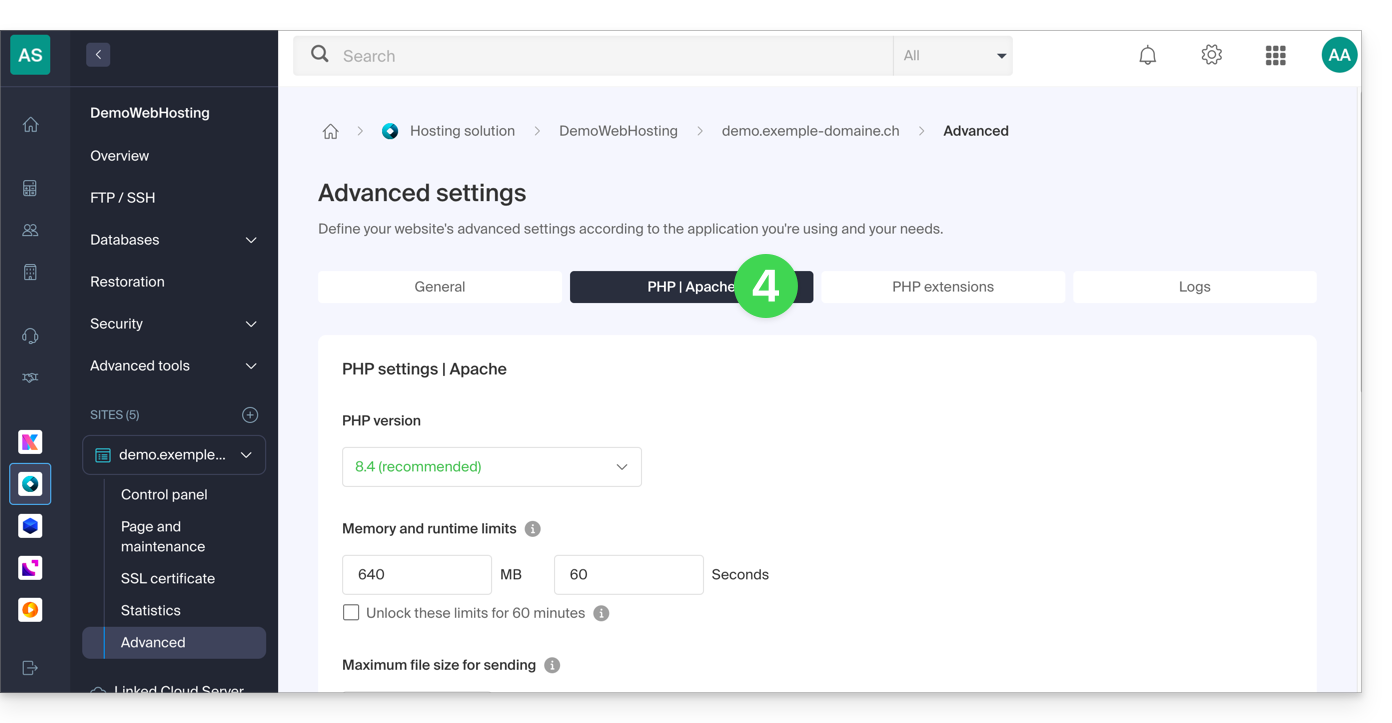
- Click on the PHP / Apache tab:
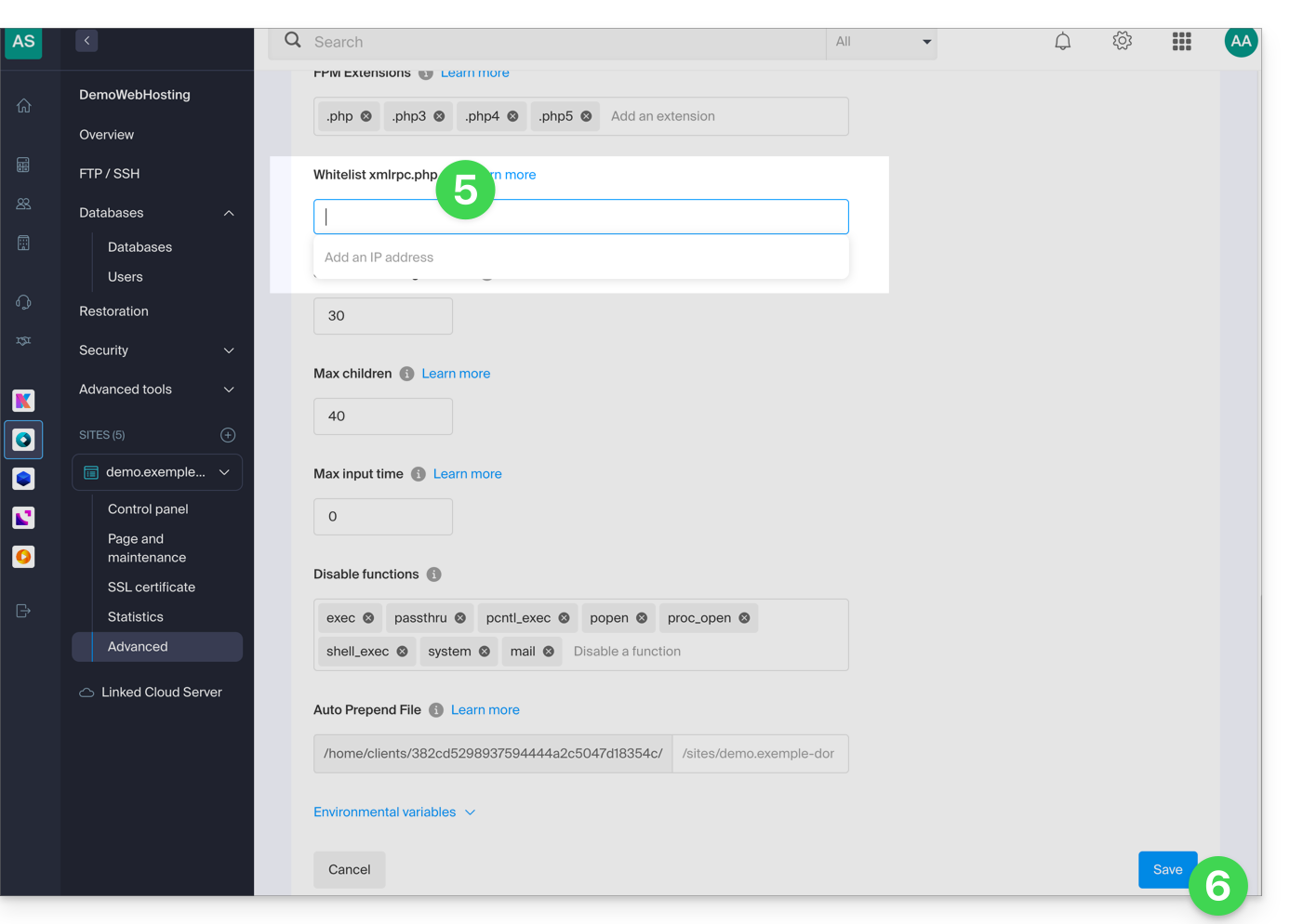
- Complete the relevant line.
- Click on the Save button at the bottom of the page:
Link para esta FAQ: https://faq.infomaniak.com/2577
Esta seção de perguntas frequentes foi útil?