Base de conhecimento
1000 perguntas frequentes, 500 tutoriais e vídeos explicativos. Aqui, você encontra apenas soluções!
Secure an Infomaniak account quickly
This guide explains how to quickly secure your Infomaniak user account in case you suspect hacking, identity theft, password theft, etc.
Change all passwords
To follow the security assistant allowing a quick change of user password and the deactivation of device connections, application passwords, and tokens (API):
- Click here to access the management of security information on the Infomaniak Manager.
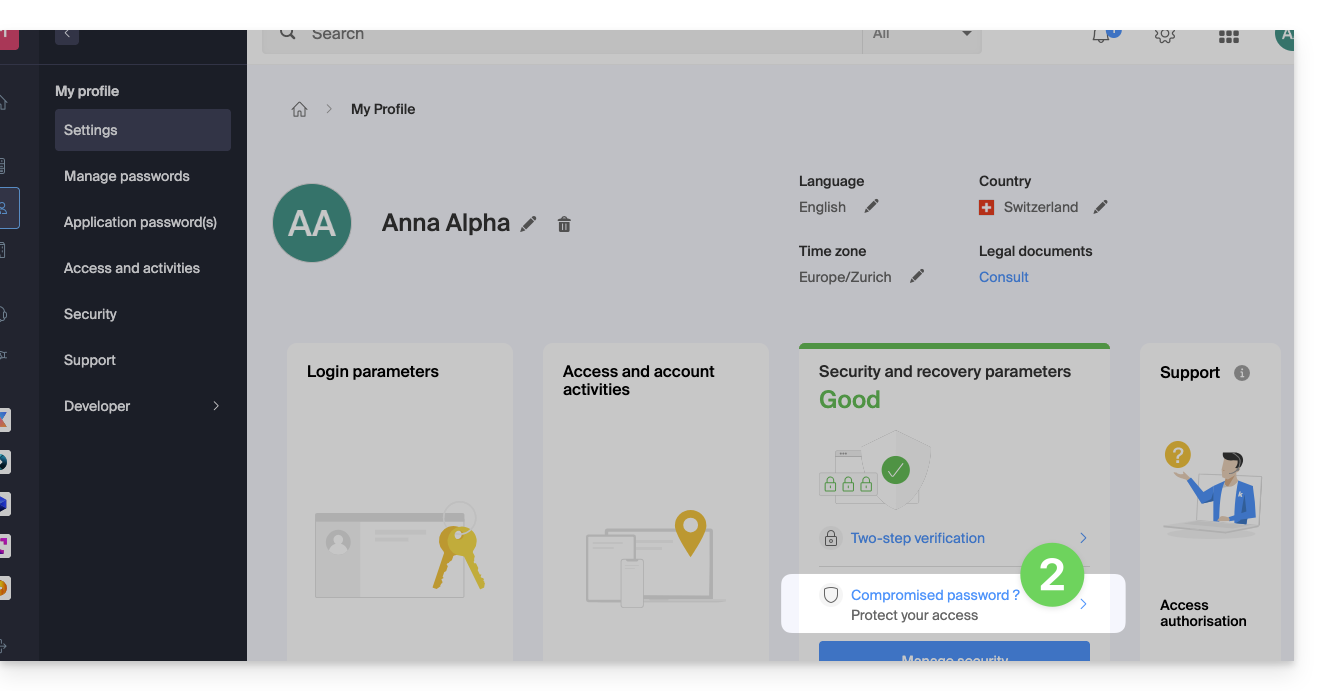
- Click on "Compromised password?" in the Security box:
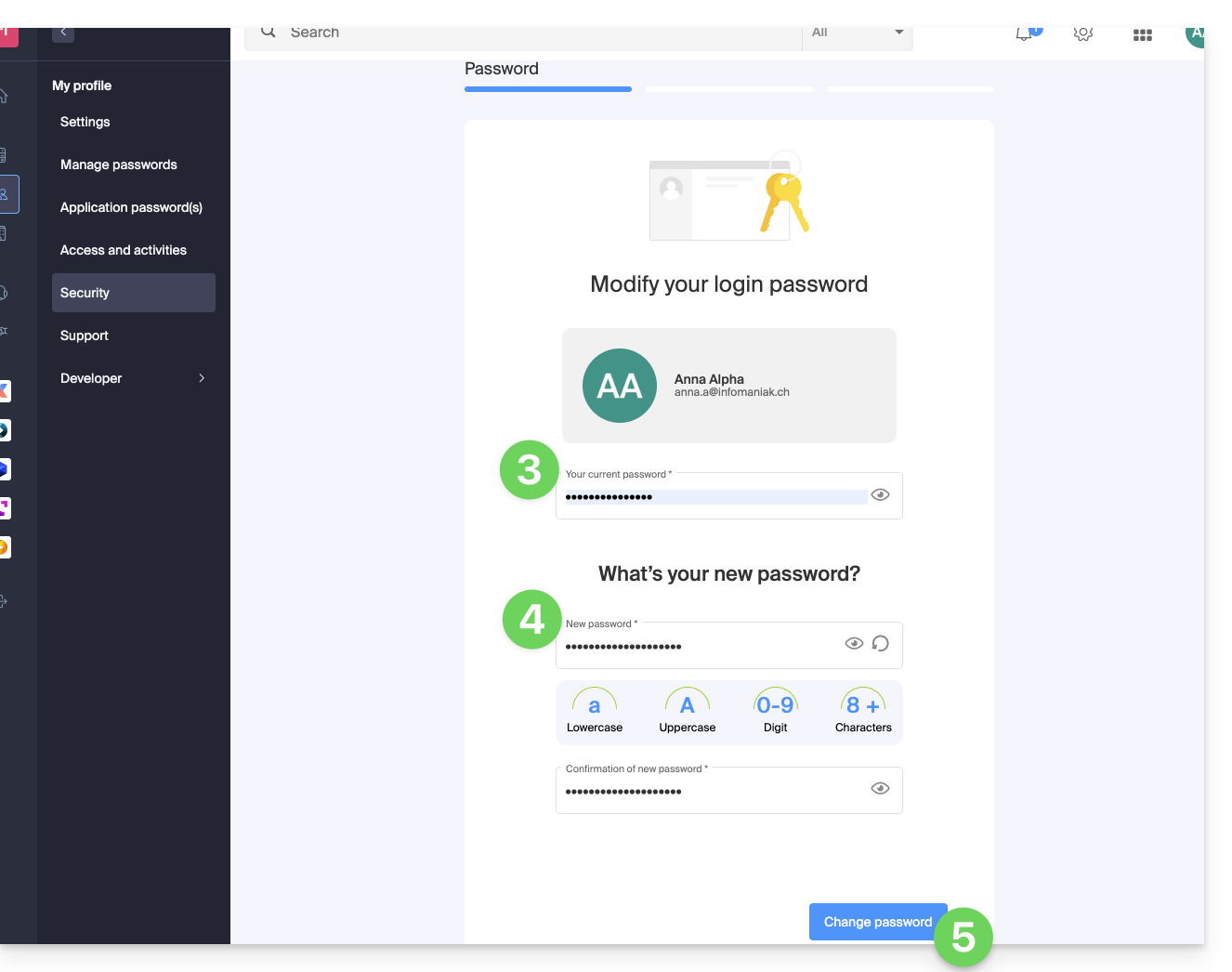
- Enter the current login password.
- Enter the new password and confirm it below.
- Click the blue button to apply the password change:
- Continue the procedure to erase connected devices, application passwords and tokens (API), then to access the verification of your security settings.
Also refer to this other guide to secure the access of the different users of the Organization.
Link para esta FAQ: https://faq.infomaniak.com/229
Esta seção de perguntas frequentes foi útil?