Base de conhecimento
1000 perguntas frequentes, 500 tutoriais e vídeos explicativos. Aqui, você encontra apenas soluções!
Link a domain name to the Synology Infomaniak NAS
This guide explains how to link a domain name to the Synology NAS that you rent from Infomaniak.
Link an existing domain
To connect your existing domain name to Synology with Infomaniak:
- Click here to access the management of your product on the Infomaniak Manager (need help?).
- Click directly on the name assigned to the Synology concerned.
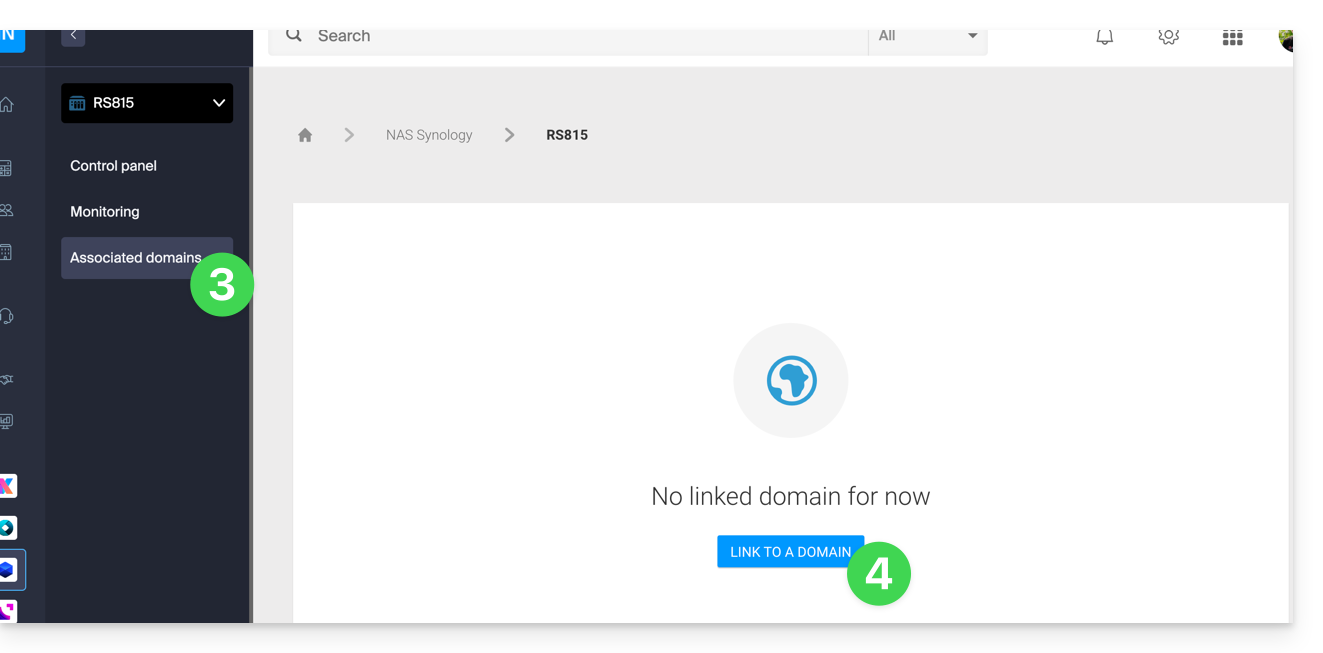
- Click on Linked Domains in the left sidebar menu.
- Click on Link a domain name (in the Associated Domains section):
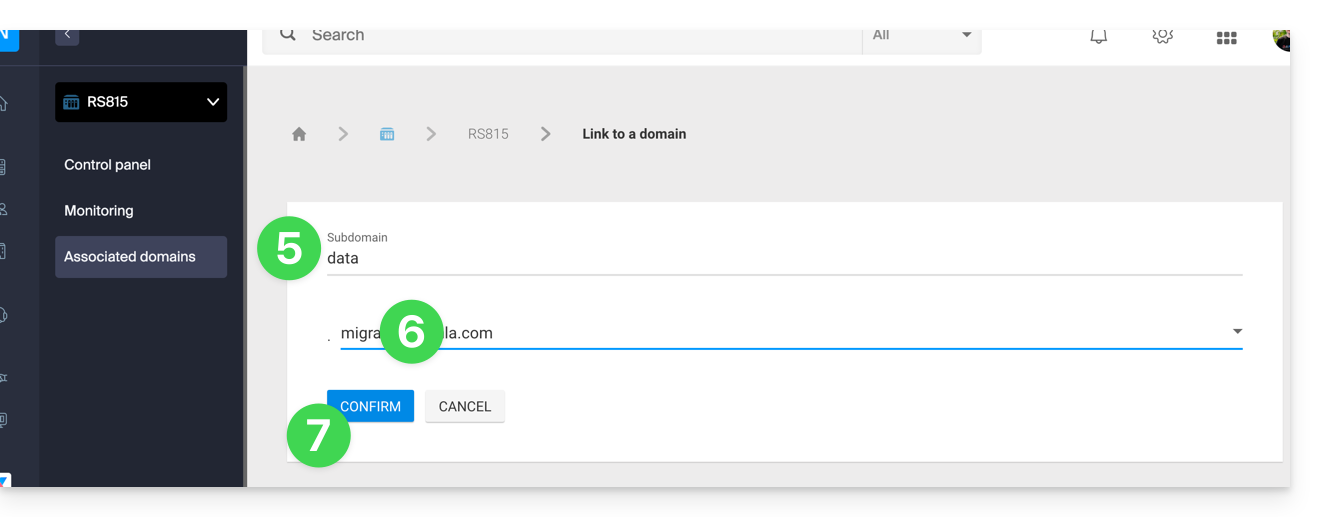
- Enter any subdomain.
- Choose one of the domain names registered with your Organization.
- Click the button to Confirm:
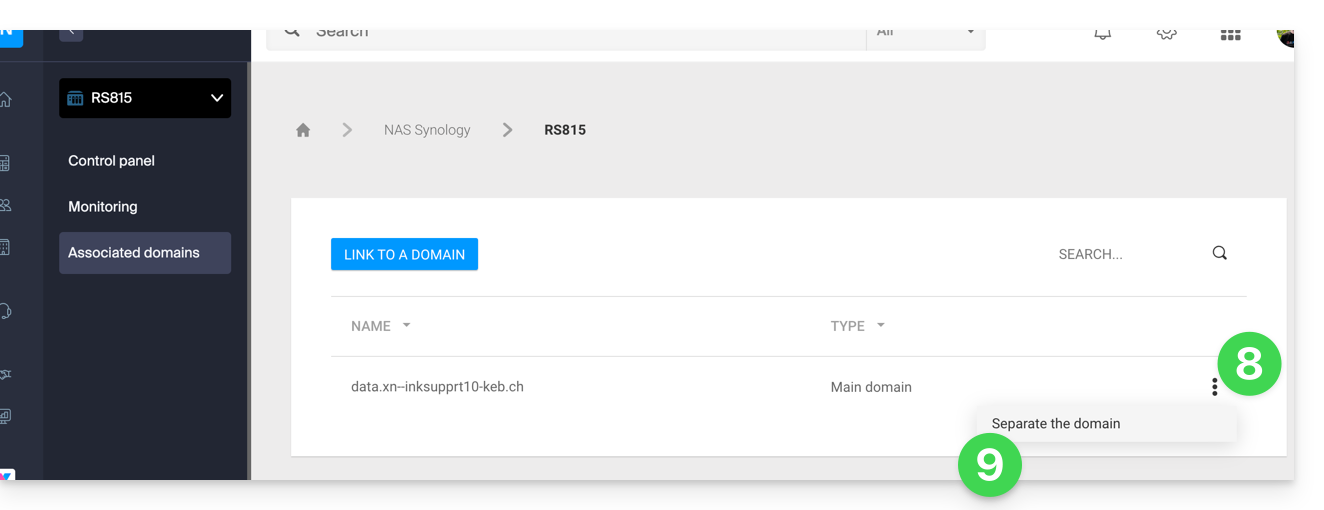
- The domain is linked to the device; to remove the link, click on the action menu ⋮ to the right of the item concerned in the displayed table.
- Click on Unlink the domain and confirm:
Link para esta FAQ: https://faq.infomaniak.com/2106
Esta seção de perguntas frequentes foi útil?