Base de conhecimento
1000 perguntas frequentes, 500 tutoriais e vídeos explicativos. Aqui, você encontra apenas soluções!
Configure Gmail (iOS/Android app) using IMAP (email)
Atualização 15/06/2026
This guide explains how to use the Gmail mobile app (application for iOS/Android smartphones or tablets) to access an email address hosted by Infomaniak.
Introduction
- Rather than using the manual configuration below, it is recommended to use the Infomaniak Mail app (iOS/Android) to benefit from Infomaniak's security features.
Using the Gmail Mobile App for Infomaniak
Prerequisites
- Create the email address within my kSuite or a Mail Service / kSuite.
- Create a password for the email address for the device you are going to configure.
- Verify that the Mail Service is configured optimally.
To add the email address managed by Infomaniak in IMAP to your Gmail mobile app (official guide):
- Go to Settings in Gmail.
- Tap Add account.
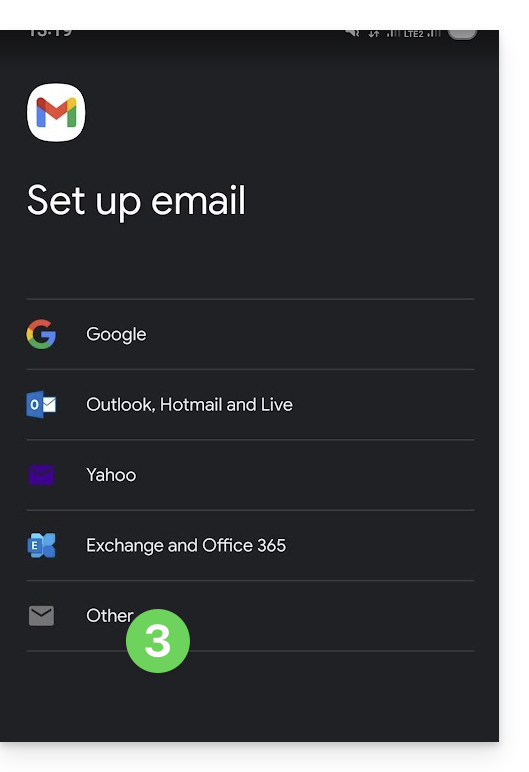
- Choose Other:
- Enter the email address you want to use.
- Choose the IMAP account type.
- Enter the password (see prerequisites) for the email address:
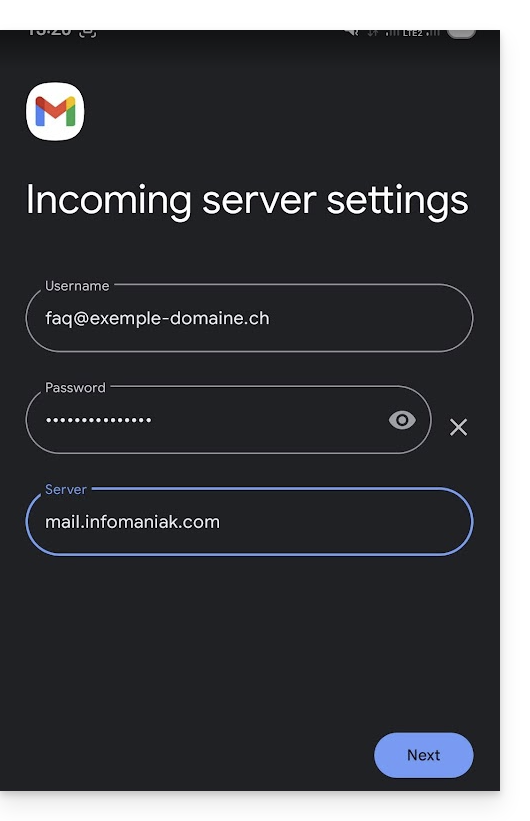
- Use the server name
mail.infomaniak.comfor:- Incoming IMAP server (receiving)
- Outgoing SMTP server (sending)
- Complete the address addition.
Link para esta FAQ: https://faq.infomaniak.com/1208
Esta seção de perguntas frequentes foi útil?