Base de conhecimento
1000 perguntas frequentes, 500 tutoriais e vídeos explicativos. Aqui, você encontra apenas soluções!
Export email attachments from the Infomaniak Webmail app
This guide explains how to save email attachments from the Infomaniak Web Mail app (online service ksuite.infomaniak.com/mail).
Preamble
- You can thus save all files attached to a message in one click, in a
.ziparchive on your computer, or in your kDrive etc. - Other guides detail how to:
Save the attachment from the Web Mail app
To export files received by email:
- Click here to access the Infomaniak Web Mail app (online service ksuite.infomaniak.com/mail).
- Go to the email message containing the attachments you want to save.
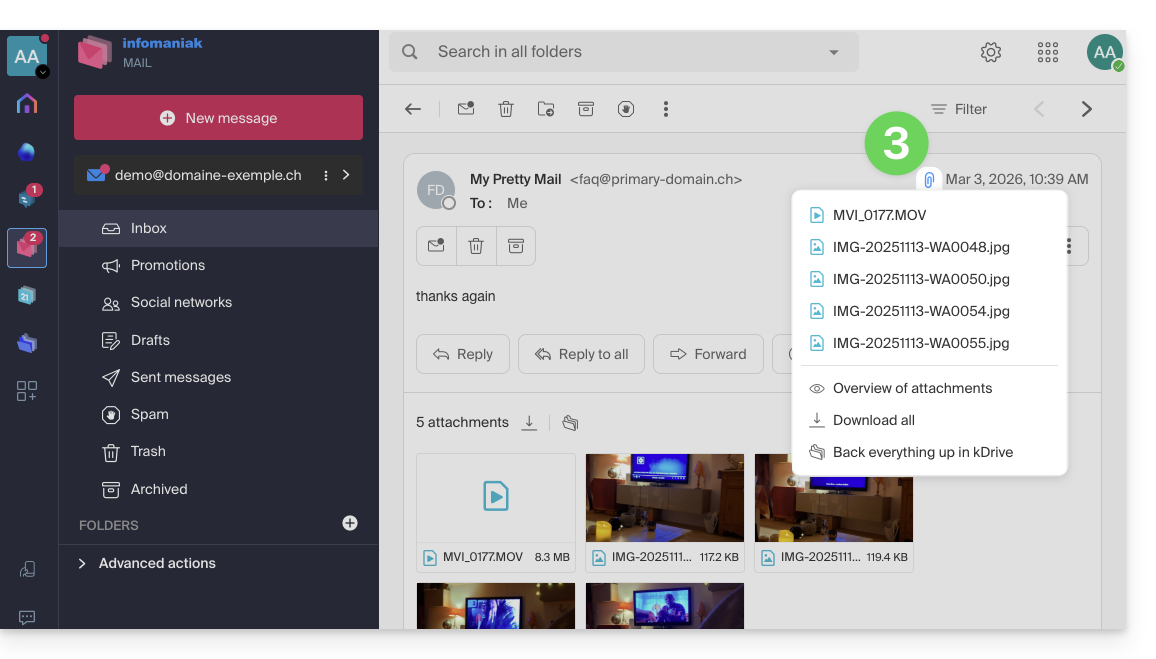
- Click on the paperclip icon to access the save and preview options for the content:
- … or directly above the attached files to start the download or save to kDrive:
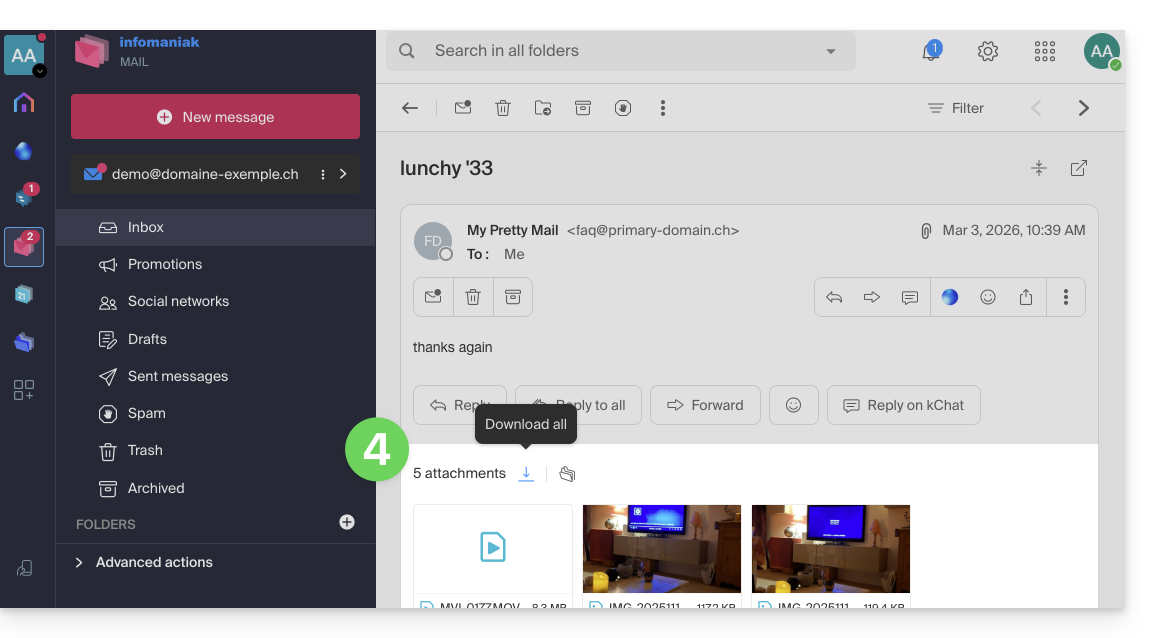
- Download all allows you to create a
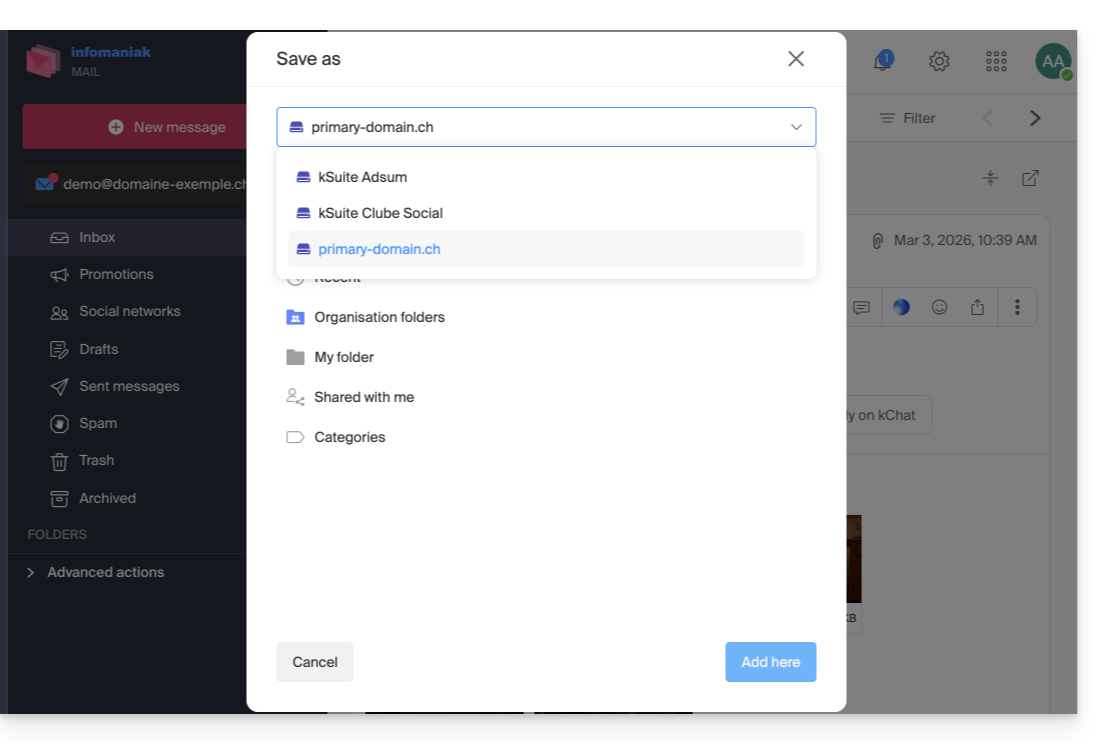
zipformat archive to download to your device. - Save all in kDrive allows you to choose the kDrive (from those you are attached to by your Organization) and the desired location on it to save the files:
- Download all allows you to create a
Link para esta FAQ: https://faq.infomaniak.com/2309
Esta seção de perguntas frequentes foi útil?