Base de conhecimento
1000 perguntas frequentes, 500 tutoriais e vídeos explicativos. Aqui, você encontra apenas soluções!
Change the details associated with your Infomaniak account
This guide explains how to change the first and last name that Infomaniak displays when you are logged into your Infomaniak account (= user account) within an Organization in the Manager, as well as the avatar of your account.
Preamble
- To modify the login ID, refer to this other guide.
- To modify the phone number, refer to this other guide.
- To manage the details of the Organization to which you belong, refer to this other guide.
Modify the Infomaniak account details
To edit your personal details:
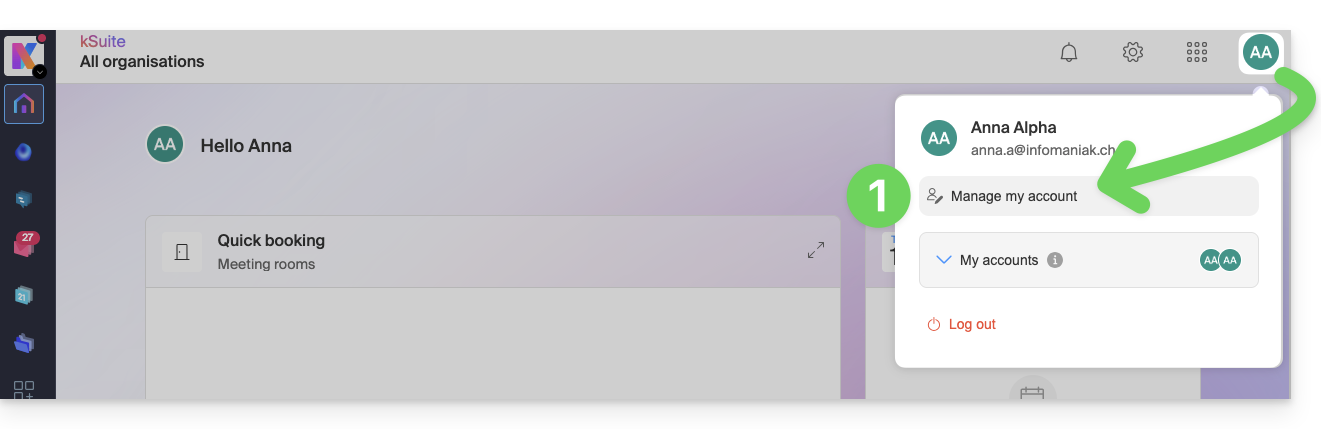
- Click here (or on the badge with your initials/avatar in the top right of the Infomaniak Manager) to "Manage my account":
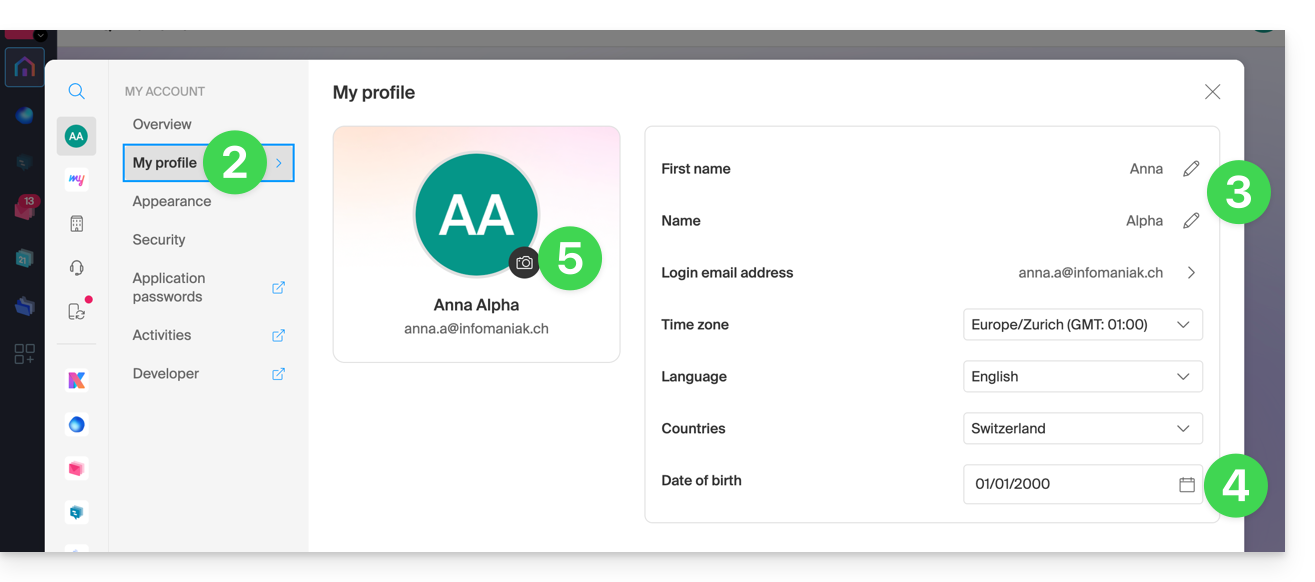
- Click on My profile in the left sidebar.
- Modify your last name and first name on the right side.
- You can also specify your date of birth.
- You can add a profile picture to your Infomaniak account that will replace your initials; it is recommended to import an image of at least 210 pixels on each side:
Link para esta FAQ: https://faq.infomaniak.com/220
Esta seção de perguntas frequentes foi útil?