Base de conhecimento
1000 perguntas frequentes, 500 tutoriais e vídeos explicativos. Aqui, você encontra apenas soluções!
Use Euria on Site Creator (writing assistant)
Atualização 11/06/2026
This guide will quickly introduce you to the essential functions of the Euria writing assistant available on Infomaniak's Site Creator.
Introduction
- The writing assistant will help you write text on the topic of your choice, including if it needs to be based on existing elements, using artificial intelligence.
- It is not a conversational agent or chatbot; it may not necessarily answer generic questions or engage in a dialogue with you.
- Use it, for example, to write:
- a new title that must contain specific elements
- a new paragraph on a particular topic
- a reformulation of a text excerpt
- correct grammatical syntax
- a translation into a foreign language
- a blog post
- etc.
- Please read this other guide about the model used by the writing assistant and the responsibilities of each party.
How to use the assistant?
Prerequisites
- Access Site Creator:
- Click here to access the management of your product on the Infomaniak Manager (need help?).
- Click directly on the name assigned to the Site Creator in question.
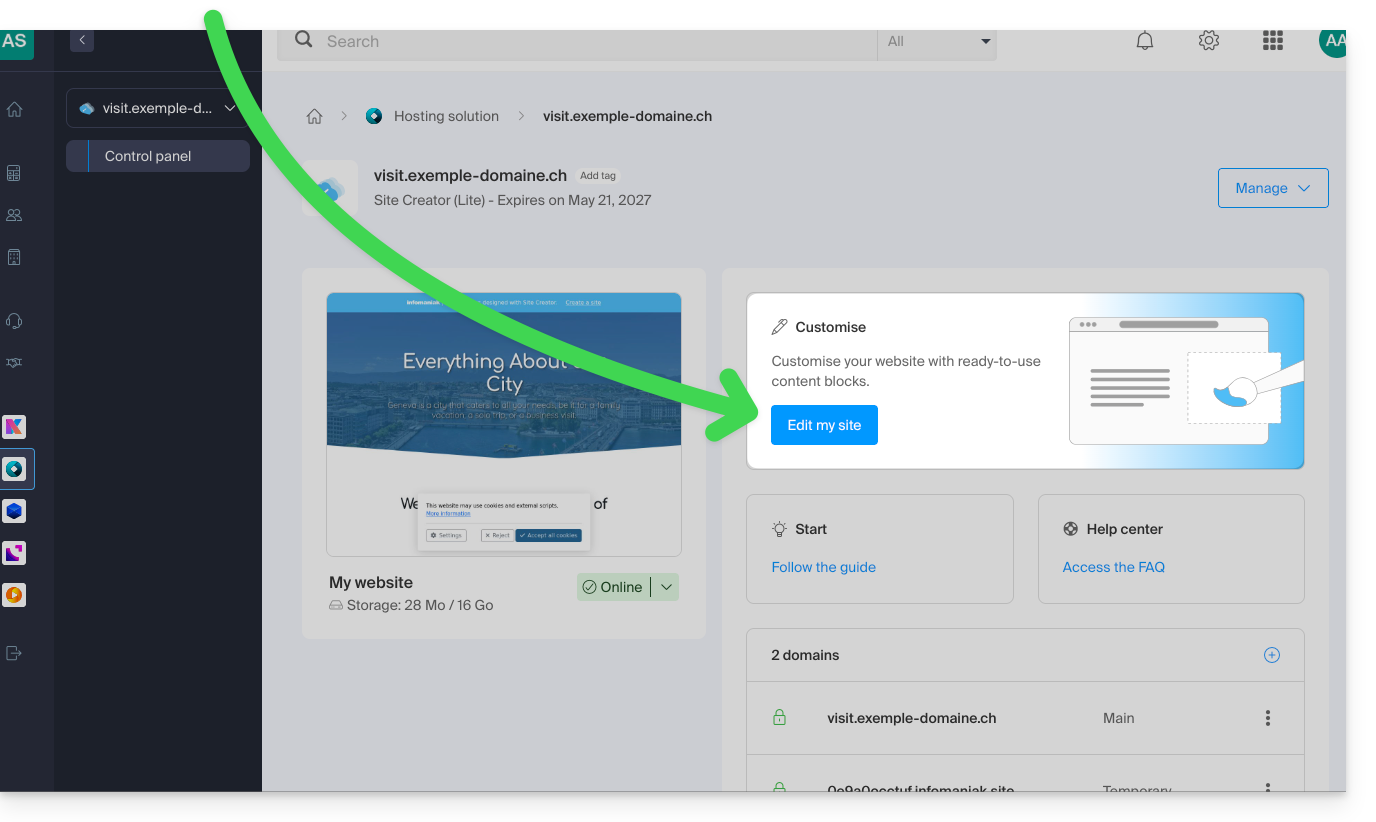
- Click on the Edit my site button to start the editor:
Next, to start the writing assistant:
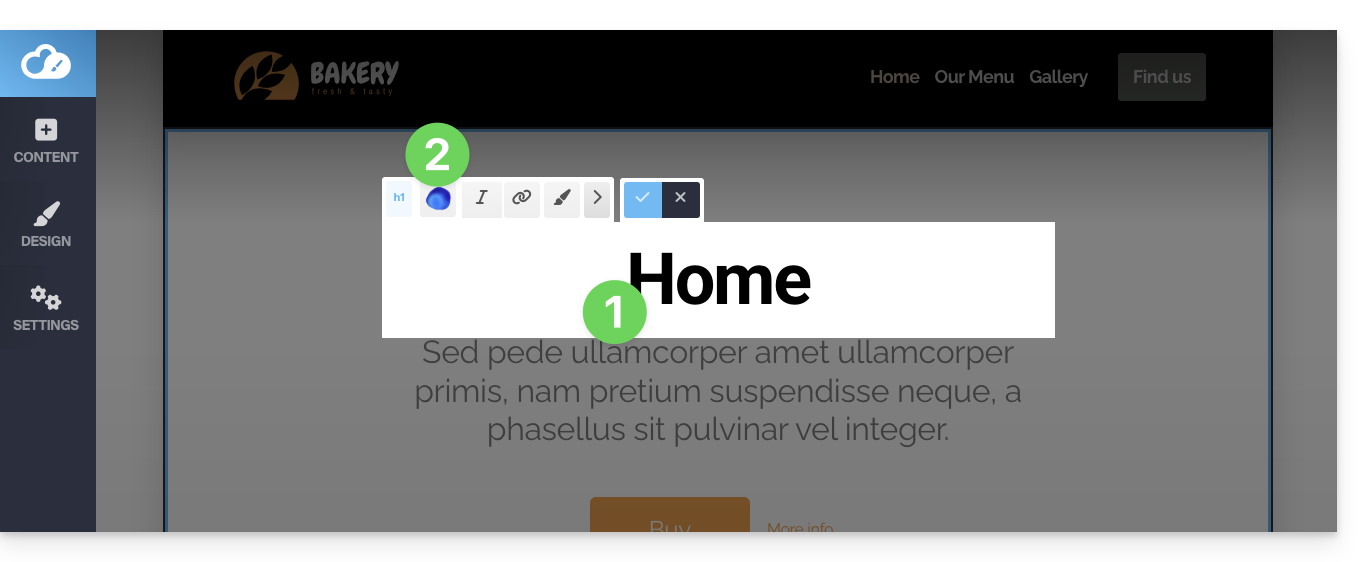
- Click on a content block, text, etc.
- Click on the Euria icon in the editing bar to open the assistant:
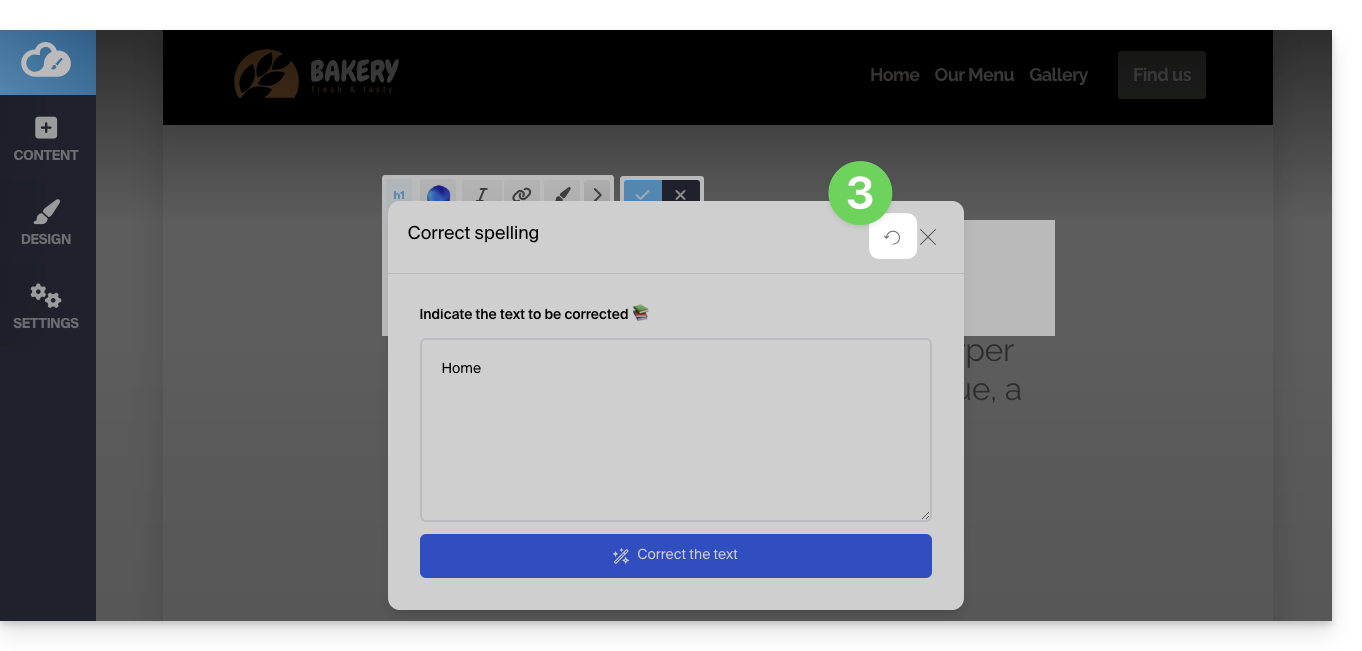
- To go back to the main selection after choosing a type of addition, click on the icon in the top right corner:
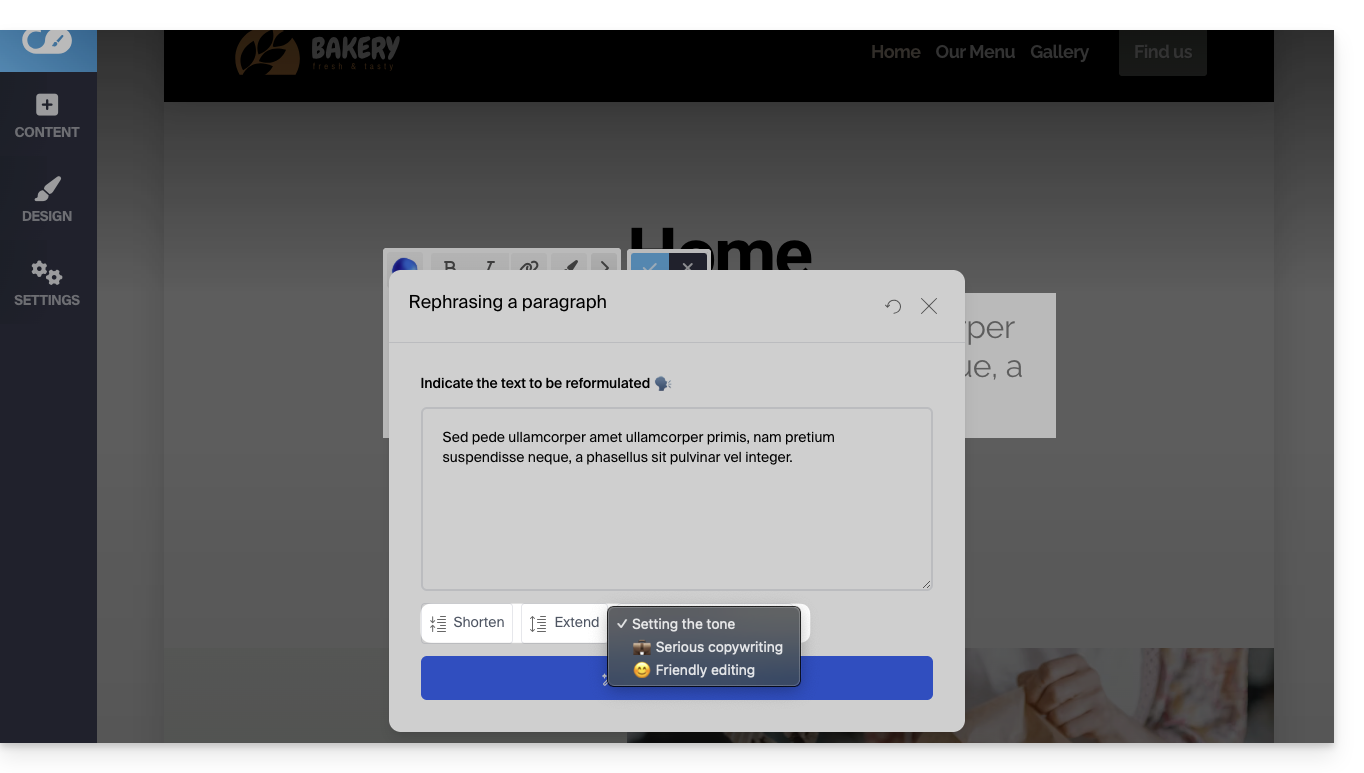
If the block already contains content and you choose to rephrase a paragraph, you will be able to use the assistant's buttons to select the tone for your text (serious / friendly) and add or shorten the suggested phrases…
- For example:
Link para esta FAQ: https://faq.infomaniak.com/1542
Esta seção de perguntas frequentes foi útil?